GitHub – microsoft/generative-ai-for-beginners: 18 Lessons, Get Started Building with Generative AI https://
bit.ly/461joDf https://
bit.ly/4fbeyb5
#AI #MachineLearning #DeepLearning #LLMs #DataScience
OPEN SOURCE
-
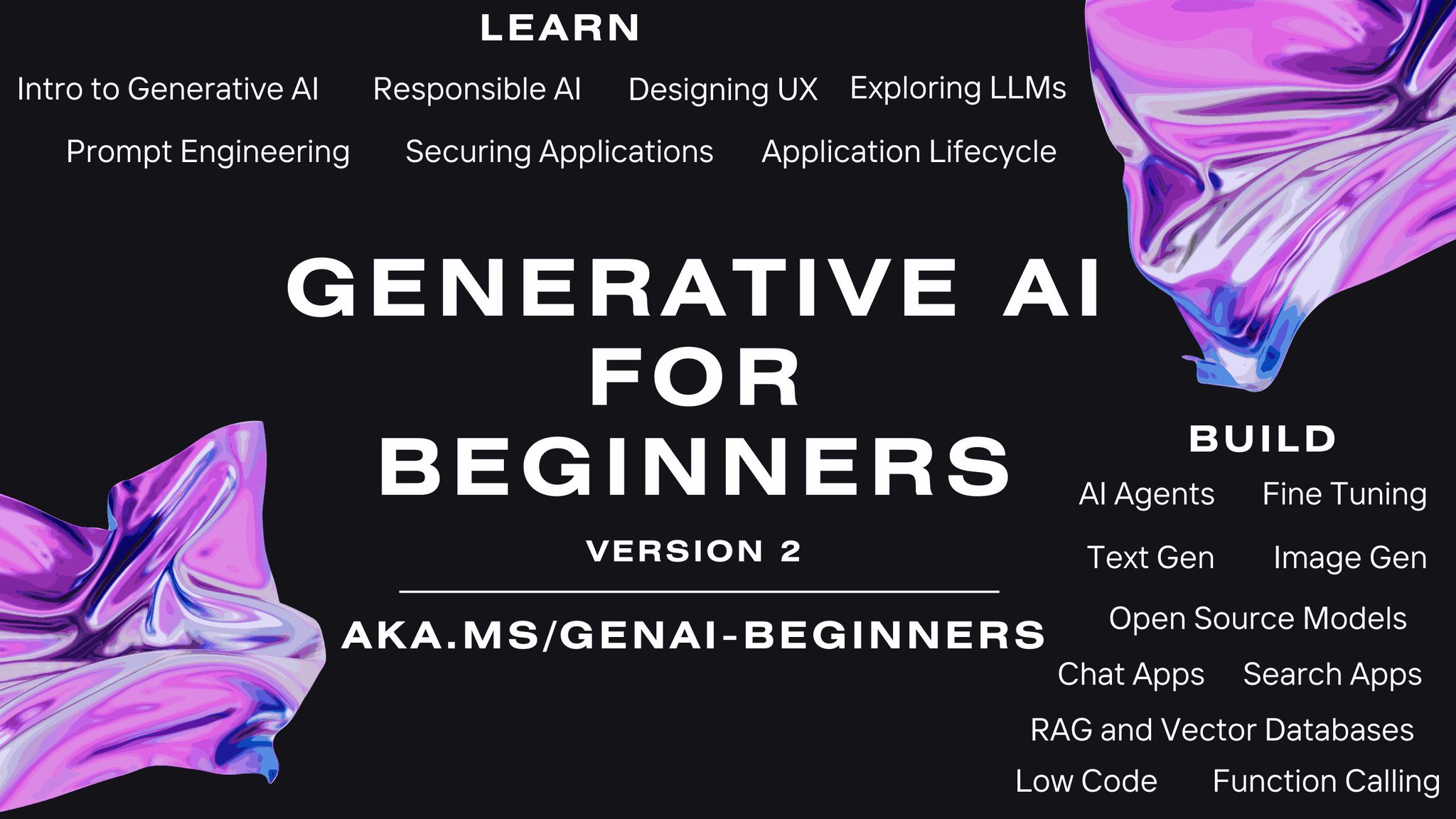
Microsoft Generative AI for Beginners: 18 Lessons Learning Guide
By
–
-
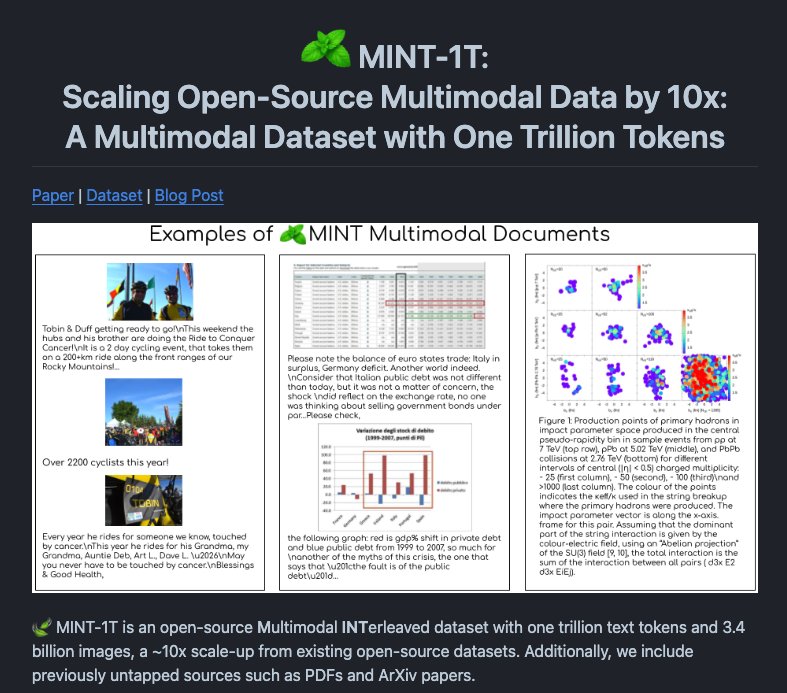
MINT-1T Open-Sources 1 Trillion Token Multimodal Dataset
By
–
8/ MINT-1T – open-sources a large-scale multimodal interleaved dataset consisting of 1 trillion tokens which has 3.4 billion images; it also includes new sources such as PDFs and ArXiv papers.
-
OpenDevin Platform Enables Generalist Software Agents
By
–
4/ OpenDevin – presents a platform to develop generalist agents that interact with the world through software; features include 1) an interaction mechanism for interaction between agents, interfaces, and environments, 2) an environment including a sandboxed operating system and
-
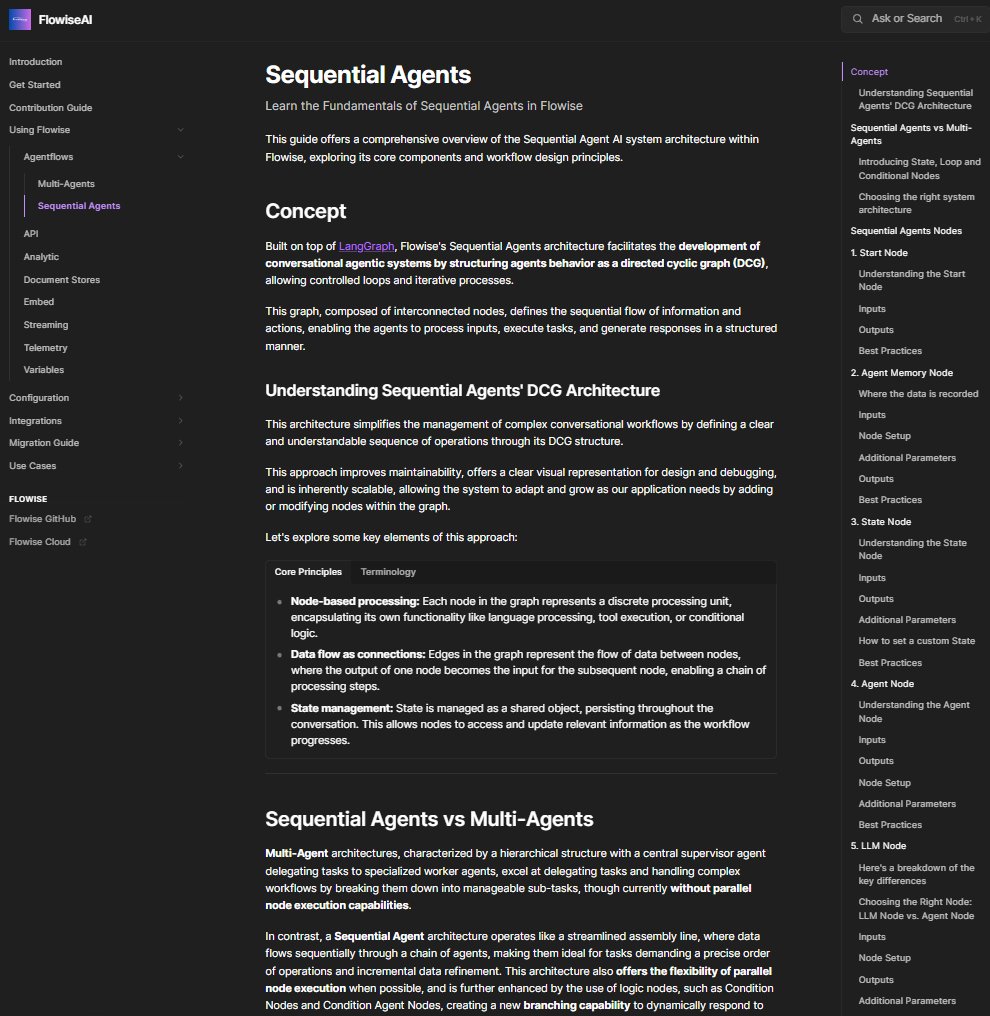
Flowise Sequential Agents Documentation Released
By
–
Sunday reading Docs for Sequential Agents is now ready! https://
docs.flowiseai.com/using-flowise/
agentflows/sequential-agents
… Huge thanks to @toi500 for helping with this And @akirakudo911 for the intro guide in Japanese! https://
docs.flowiseai.com/getting-starte
d#community-guide
… -
Model Quantization Commands and Optimization Techniques
By
–
Thanks @bartowski1182
! Is it possible for you to provide the commands you used to quantize the models? I can't keep up with this pace -
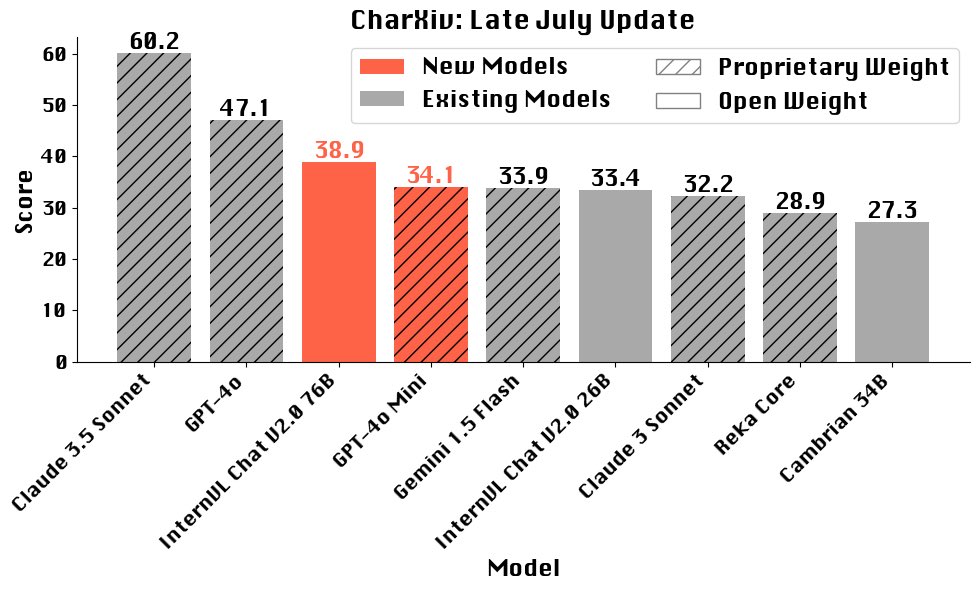
Open Source Vision-Language Models Steadily Advancing
By
–
The state of open source vision-language-models has also been steadily increasing. Exciting!
-

Llama 3.1 Uses Synthetic Data Not Distillation Says Expert
By
–
Many people say that Llama 3.1 is distilled, but this is incorrect: it's just synthetic data. Here's a plot from kindacognizant (
https://
reddit.com/r/LocalLLaMA/c
omments/1ed58iu/llama31_models_are_fake_distillations_this_should/
…) showing the difference in probability distributions. Yeah, it's NOT EVEN distilled. Still more performance to tap into. -
1T AI Model Upscaled: Technical Report Released
By
–
Yes, I'm planning to play with it a little 🙂 I've shared the 1T model that was upscaled yesterday, the technical report is an interesting read, I recommend it
-
Tenstorrent Brings Llama-3.1-70B Inference Support to 8-Chip Systems
By
–
We are happy to announce that we have brought up support for Llama-3.1-70B inference on Tenstorrent’s 8-chip systems, the TT-QuietBox and the TT-LoudBox. The source code for Llama-3.1-70B and other models that are supported is on our GitHub —>
-
Open Source AI Party at ICML 2024 Vienna
By
–
🎉Prost! Open Source AI Party, ICML 2024 Vienna🎉
— Cerebras (@cerebras) 26 juillet 2024
Cerebras Systems, CERC-AAI, and Together AI hosted an unforgettable night filled with great discussions on ML and loads of fun.
Hundreds of attendees packed Das Campus under a beautiful Viennese sky. The energy was electric as… pic.twitter.com/1x5ATT8417Prost! Open Source AI Party, ICML 2024 Vienna Cerebras Systems, CERC-AAI, and Together AI hosted an unforgettable night filled with great discussions on ML and loads of fun. Hundreds of attendees packed Das Campus under a beautiful Viennese sky. The energy was electric as