Apple's finally adding @ChatGPTapp for Siri and Writing Tools via today's iOS 18.2 update. For those wondering, Apple's post says a ChatGPT account isn't needed to use the features & that OpenAI won't store data or use it for model-training when using ChatGPT without an account.
TOOLS
-

InvestIQ Financial Platform Debuts at NeurIPS Conference
By
–
Are you at @NeurIPSConf ? Stop by our booth for the 1st of our #Dev Demos!
— SambaNova (@SambaNovaAI) 11 décembre 2024
InvestIQ is a powerful financial insights platform built on SambaNova Cloud. ☁️
🏦 Beginner-friendly platform
💬 Trading ideas in plain language
⏱️ Real-time testing
DevPost ➡️https://t.co/yD9GzN6sc5 pic.twitter.com/nUiTSC9Zr0Are you at @NeurIPSConf ? Stop by our booth for the 1st of our #Dev Demos! InvestIQ is a powerful financial insights platform built on SambaNova Cloud. Beginner-friendly platform Trading ideas in plain language Real-time testing DevPost https://
bit.ly/3ZsryBP -
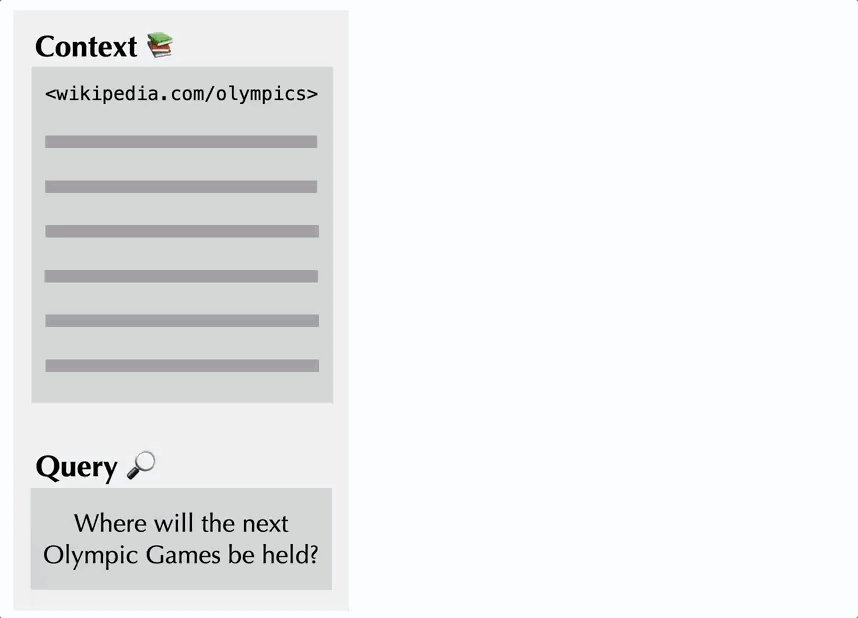
ContextCite: Tracing AI Sources and Detecting Hallucinations
By
–
If the AI generates an inaccurate fact, users can trace the error back to its original source & understand the model’s reasoning. If the AI hallucinates an answer, ContextCite can indicate that the information didn’t come from any real source at all.
— MIT CSAIL (@MIT_CSAIL) 11 décembre 2024
The tool could be valuable… pic.twitter.com/D8ViuL2cjXIf the AI generates an inaccurate fact, users can trace the error back to its original source & understand the model’s reasoning. If the AI hallucinates an answer, ContextCite can indicate that the information didn’t come from any real source at all. The tool could be valuable
-
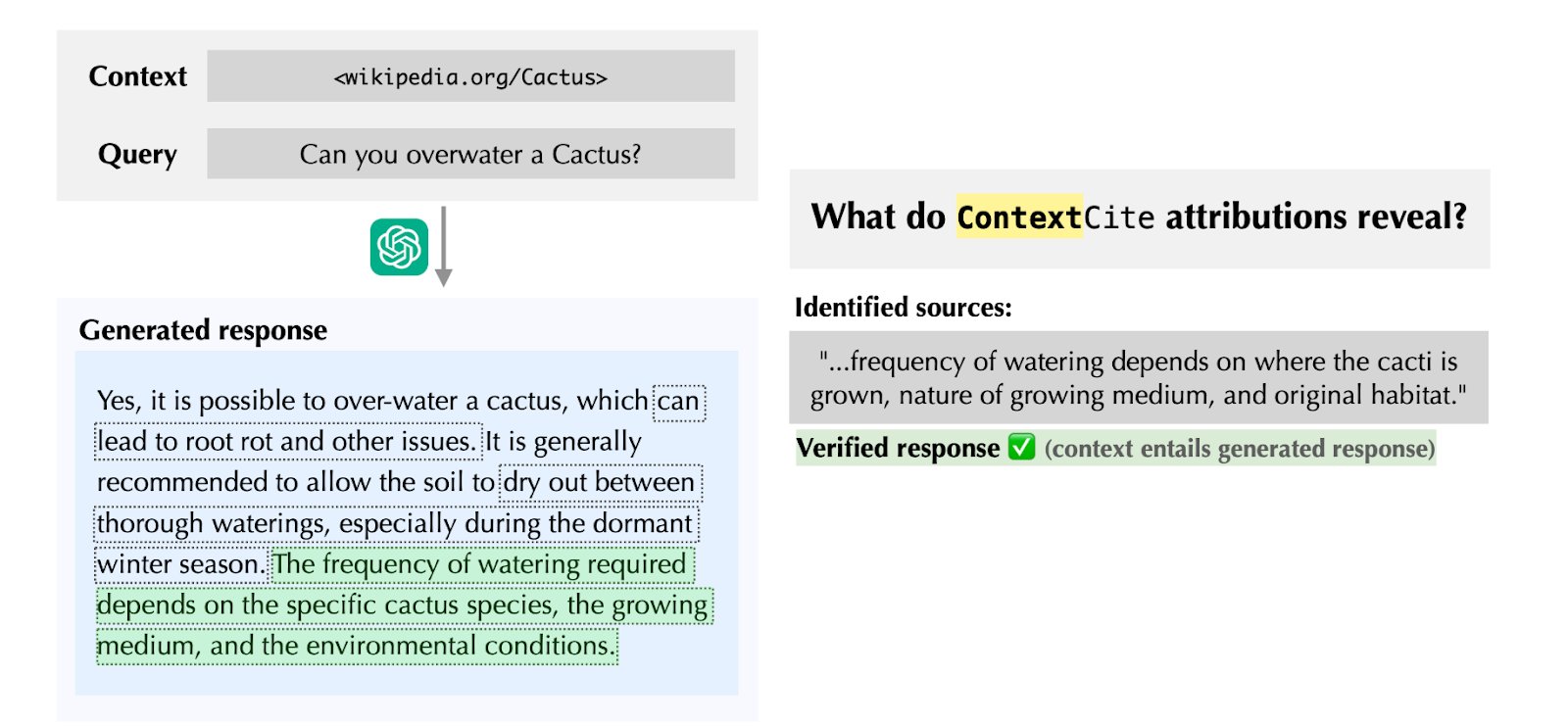
ContextCite helps verify AI assistant claims with source citations
By
–
Existing AI assistants sometimes provide source links, but users would have to tediously review the article to spot any mistakes. ContextCite can help directly find the specific sentence that a model used, making it easier to verify claims & spot mistakes.
-
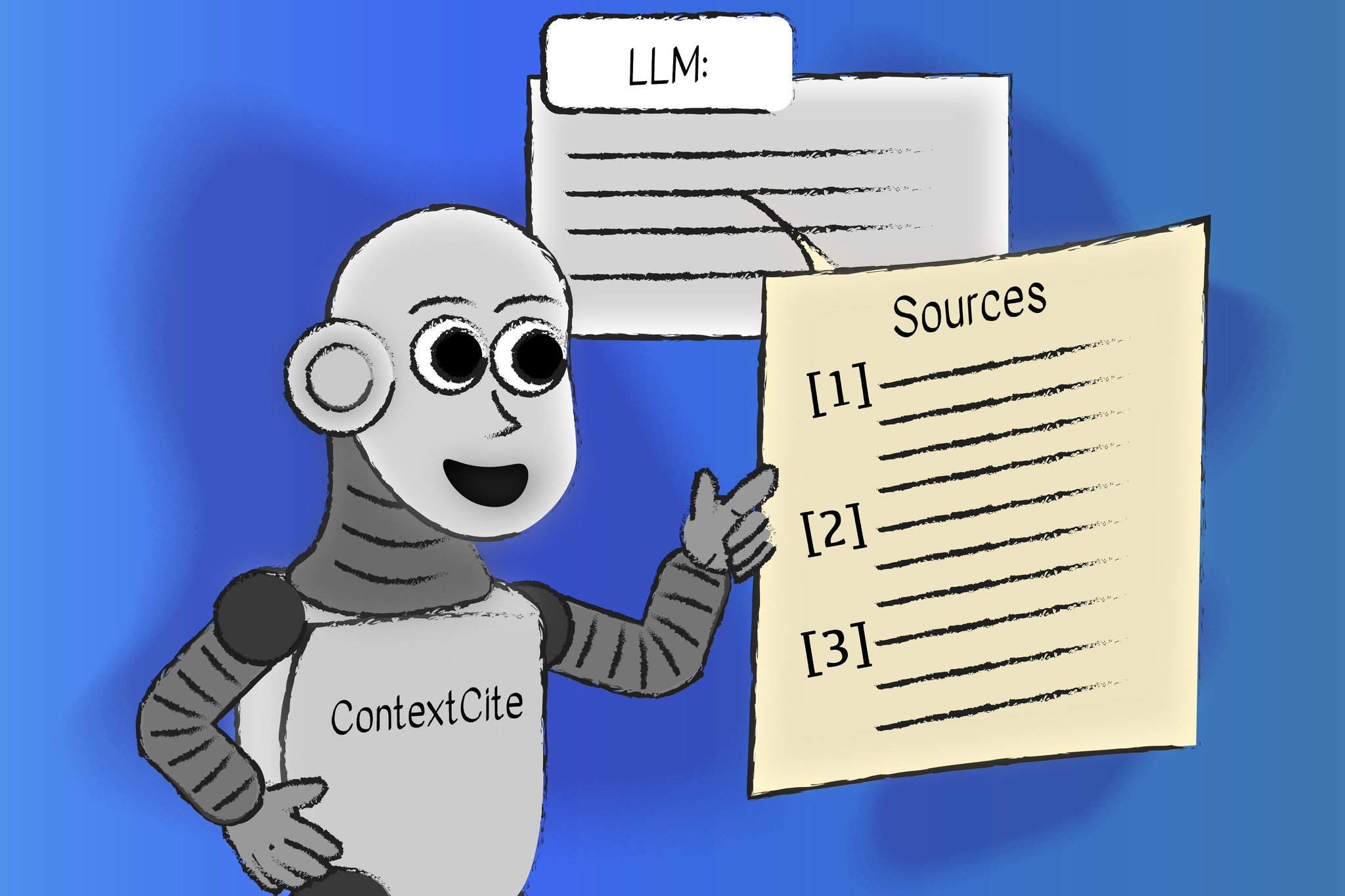
MIT ContextCite tool improves chatbot answer reliability verification
By
–
How can we really know if a chatbot is giving a reliable answer? MIT CSAIL’s "ContextCite" tool can ID the parts of external context used to generate any particular statement from a language model, improving trust by helping users easily verify the statement:
-
Disable Agent Messages in FlowiseAI ChatEmbed Configuration
By
–
You can turn it off via showAgentMessages – https://
github.com/FlowiseAI/Flow
iseChatEmbed?tab=readme-ov-file#configuration
… -
Chat and Canvas: Future of Human-AI Collaboration
By
–
Chat is a super crude interface for interacting with AI and canvas is a first step in a future world of collaborative environments where human and AI will work together
-
IBM Watsonx Integration Guide for Flowise Platform
By
–
To use IBM Watsonx within Flowise:
— FlowiseAI (@FlowiseAI) 11 décembre 2024
1. Create an account on Watsonx
2. Create a project, and select the model
3. Create API Key on IBM Cloud Console
4. Grab the URL, Project ID, and Model Name
Step by step guide: https://t.co/Q6VOqxzcv7
Thanks @_Eduard26 for contributions! pic.twitter.com/U8IsrHLm7kTo use IBM Watsonx within Flowise: 1. Create an account on Watsonx
2. Create a project, and select the model
3. Create API Key on IBM Cloud Console
4. Grab the URL, Project ID, and Model Name Step by step guide: https://
docs.flowiseai.com/integrations/l
angchain/chat-models/ibm-watsonx
… Thanks @_Eduard26 for contributions! -
New Release 2.2.2: Custom Assistant Creation with Tools and Knowledge
By
–
With the new 2.2.2 release, we also introduced an alternative way of creating custom assistant.
— FlowiseAI (@FlowiseAI) 11 décembre 2024
This provides a much easier way of crafting your own agent, with dedicated tools and knowledgebase.
It can even help you to generate a good system prompt and tools description! pic.twitter.com/sqg19iZ0UfWith the new 2.2.2 release, we also introduced an alternative way of creating custom assistant. This provides a much easier way of crafting your own agent, with dedicated tools and knowledgebase. It can even help you to generate a good system prompt and tools description!