AI agents can now generate endless ways to improve themselves. New prompts. New code. New plans. New experiments. New tool calls.
That is not the bottleneck anymore.
The bottleneck is the verifier.
How do you know the new version is actually better?
AI
-
The Verification Problem in AI Self-Improvement Systems
By
–
-
Self-Improvement Loops: How AI Systems Learn Through Feedback
By
–
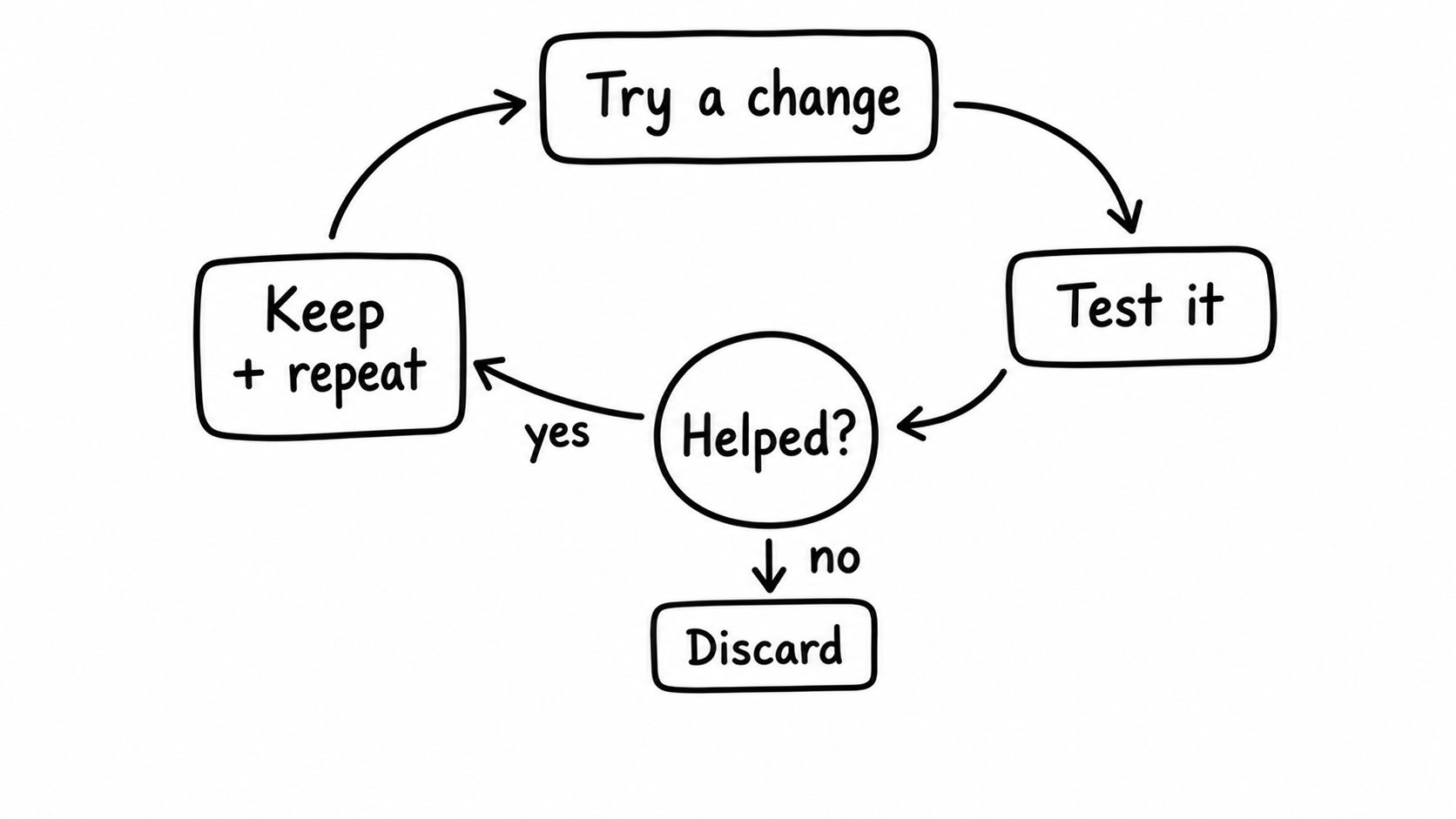
First, what’s actually happening. A self-improvement loop is simple: try a change test the change keep what helped throw away what did not repeat
That’s it.
The system is not magically becoming intelligent.
It is running a feedback loop. -
Hinton’s 2016 radiologist prediction versus actual data outcomes
By
–
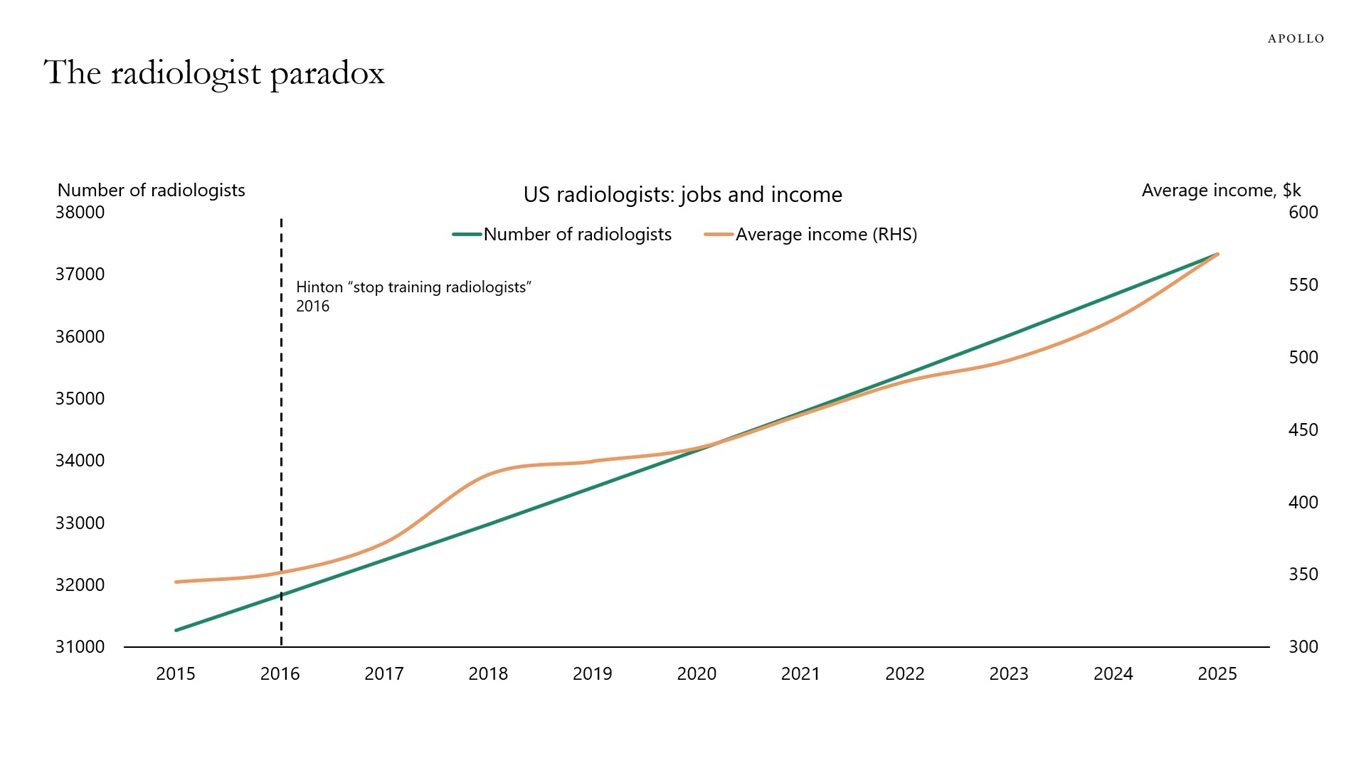
“we might as well stop training radiologists” Geoff Hinton, 2016, vs the actual data, via Torsten Slok at Apollo
-
SAS Innovate Event Brings Fun and Record-Breaking Achievement
By
–
Thanks for bringing the fun (and the record!) to #SASInnovate
-
Building and Deploying Agents with DeepAgents Deploy
By
–
That's a quick tour through building and deploying a simple agent with DeepAgents deploy Was just a markdown file, a json file, and toml file Easy to set up, but robust deployment by the end Try out deepagents deploy! Full docs here:
-
User-Friendly Agent Interaction in LangSmith Studio
By
–
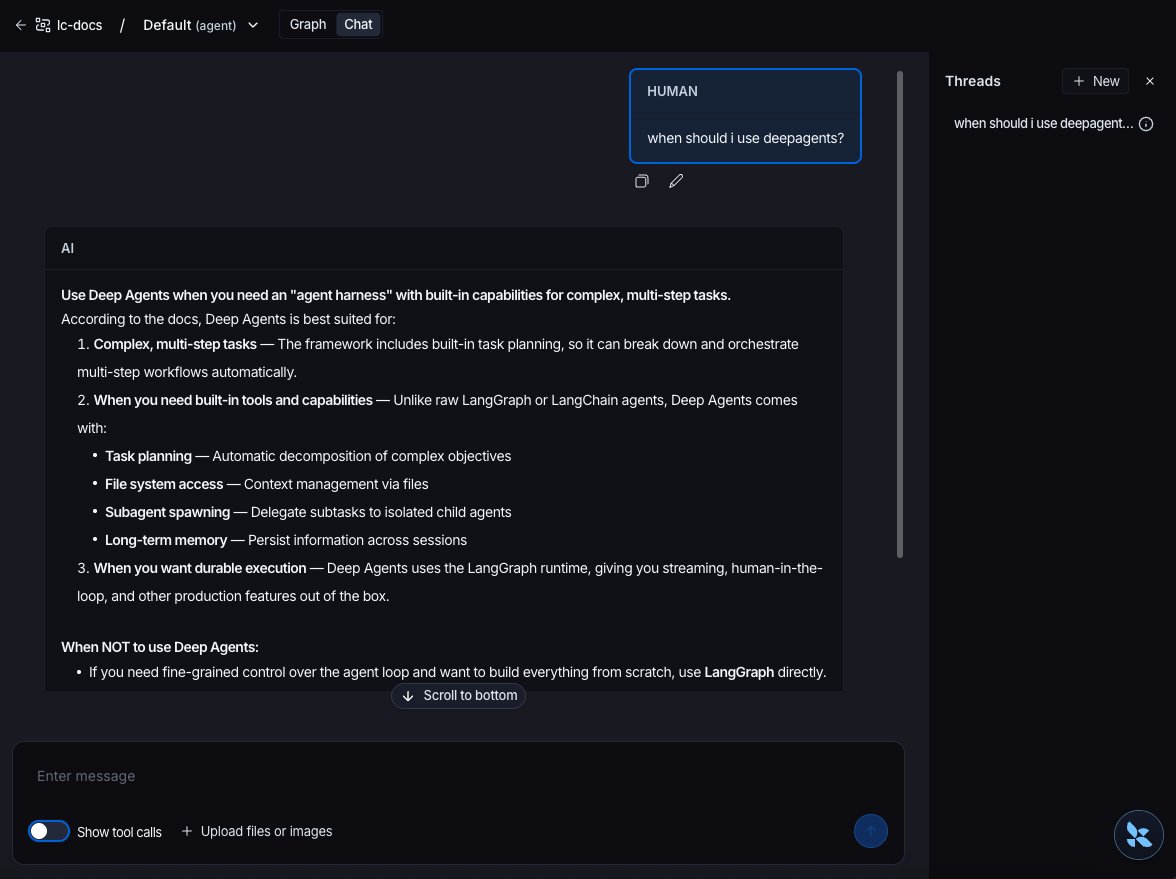
Interacting with the agent in the studio is the easiest way to get a user friendly UI! I can share it with others in my LangSmith org, and they can chat with it there
-
Agent Deployment via MCP, A2A and Remote Graph API
By
–
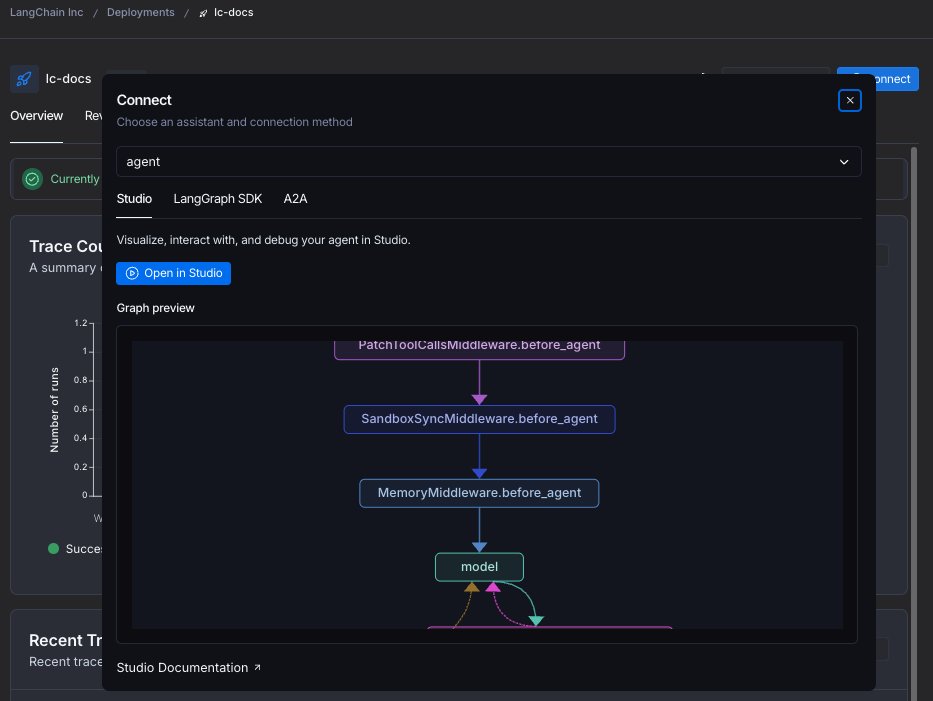
As part of this deployment, you can interact with the agent in several ways We expose the agent via MCP and A2A, as well as with as a "remote graph" API, which means you can interact with as you would a normal in-memory graph See streaming docs here: https://
docs.langchain.com/langsmith/stre
aming
… -
Deployment Guide: Baseten and LangSmith Setup Steps
By
–
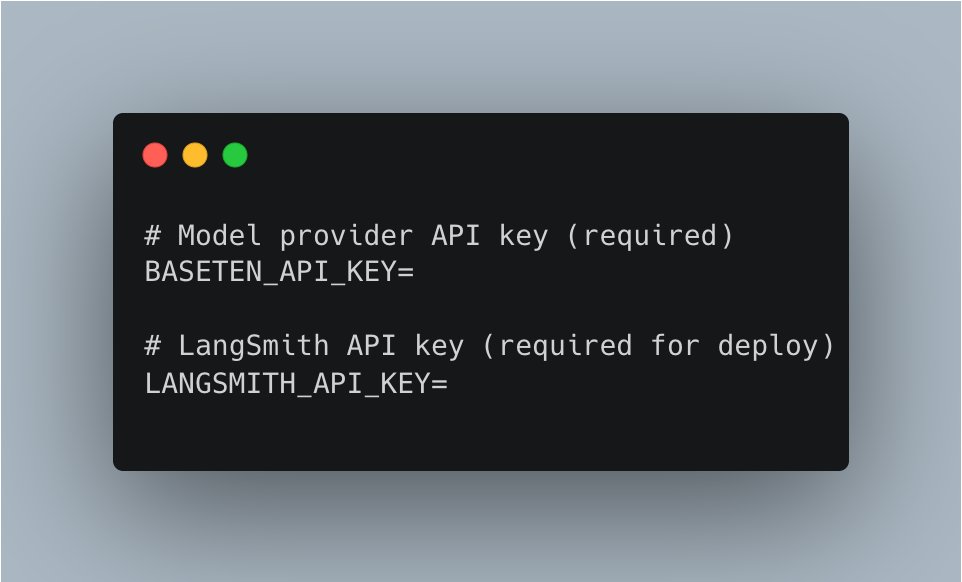
Final steps before deploying: 1/ Delete the skills folder the scaffolding created (not needed for now) 2/ Add environment variables. Need a Baseten API key (for the model) as well as a LangSmith API key for deployment LangSmith: https://
smith.langchain.com -
LangSmith Deployment Dashboard Features Traces Revisions
By
–
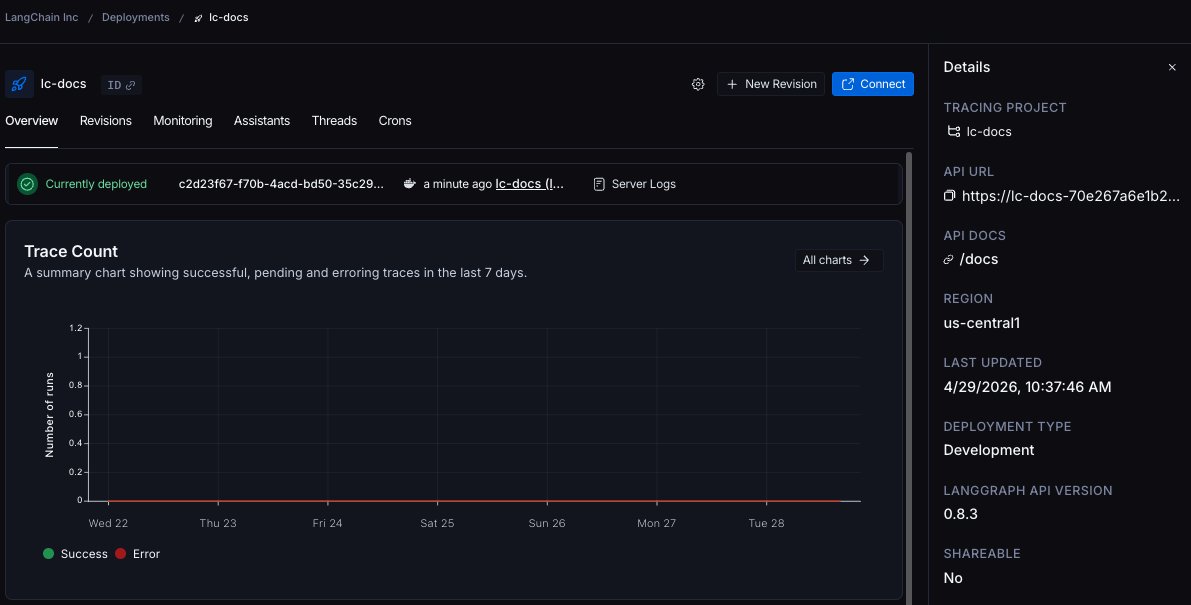
After deployment finishes, you should be able to see it in the LangSmith UI You get a nice dashboard of the deployment where you can see traces, revisions, docs site, and other info
-
Deploy AI Agents to LangSmith Using deepagents and Docker
By
–
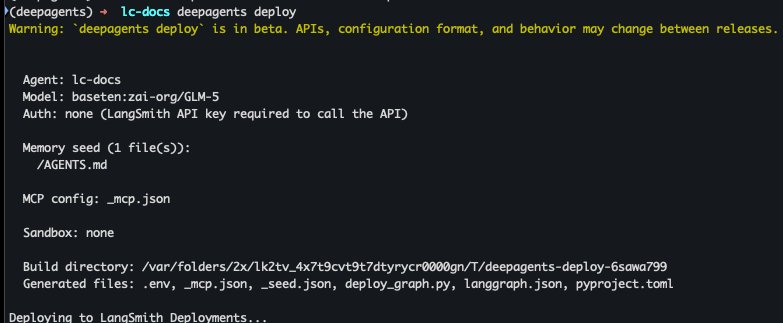
After that, it's go time! `deepagents deploy` This will use Docker under the hood, so make sure you have that installed It will build an agent server image, and then deploy it to LangSmith