AI agents can now generate endless ways to improve themselves. New prompts. New code. New plans. New experiments. New tool calls.
That is not the bottleneck anymore.
The bottleneck is the verifier.
How do you know the new version is actually better?
AGENTS
-
The Verification Problem in AI Self-Improvement Systems
By
–
-
Building and Deploying Agents with DeepAgents Deploy
By
–
That's a quick tour through building and deploying a simple agent with DeepAgents deploy Was just a markdown file, a json file, and toml file Easy to set up, but robust deployment by the end Try out deepagents deploy! Full docs here:
-
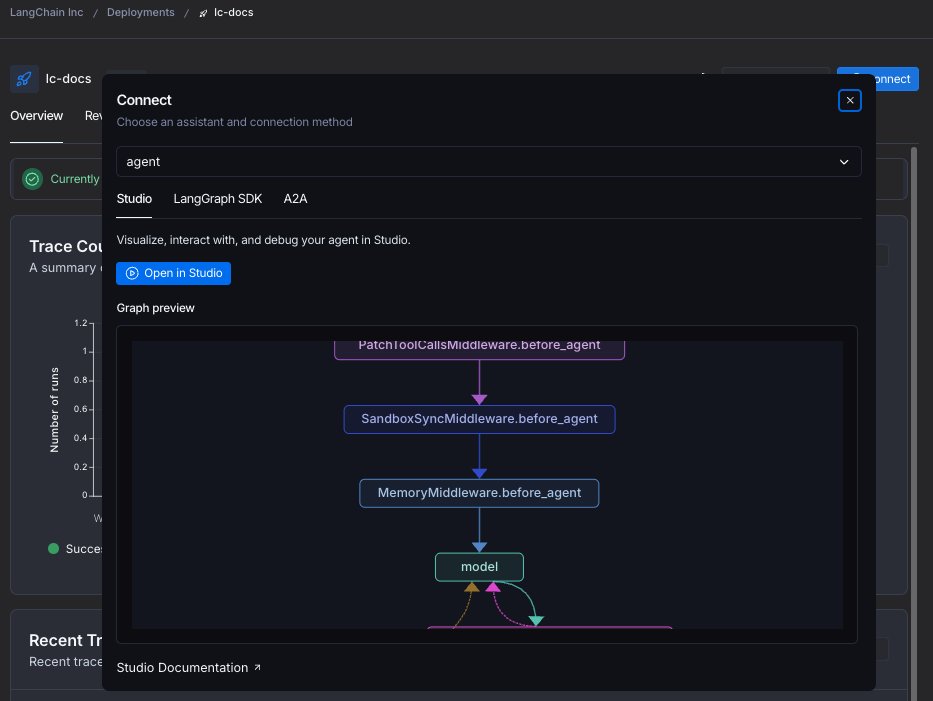
Agent Deployment via MCP, A2A and Remote Graph API
By
–
As part of this deployment, you can interact with the agent in several ways We expose the agent via MCP and A2A, as well as with as a "remote graph" API, which means you can interact with as you would a normal in-memory graph See streaming docs here: https://
docs.langchain.com/langsmith/stre
aming
… -
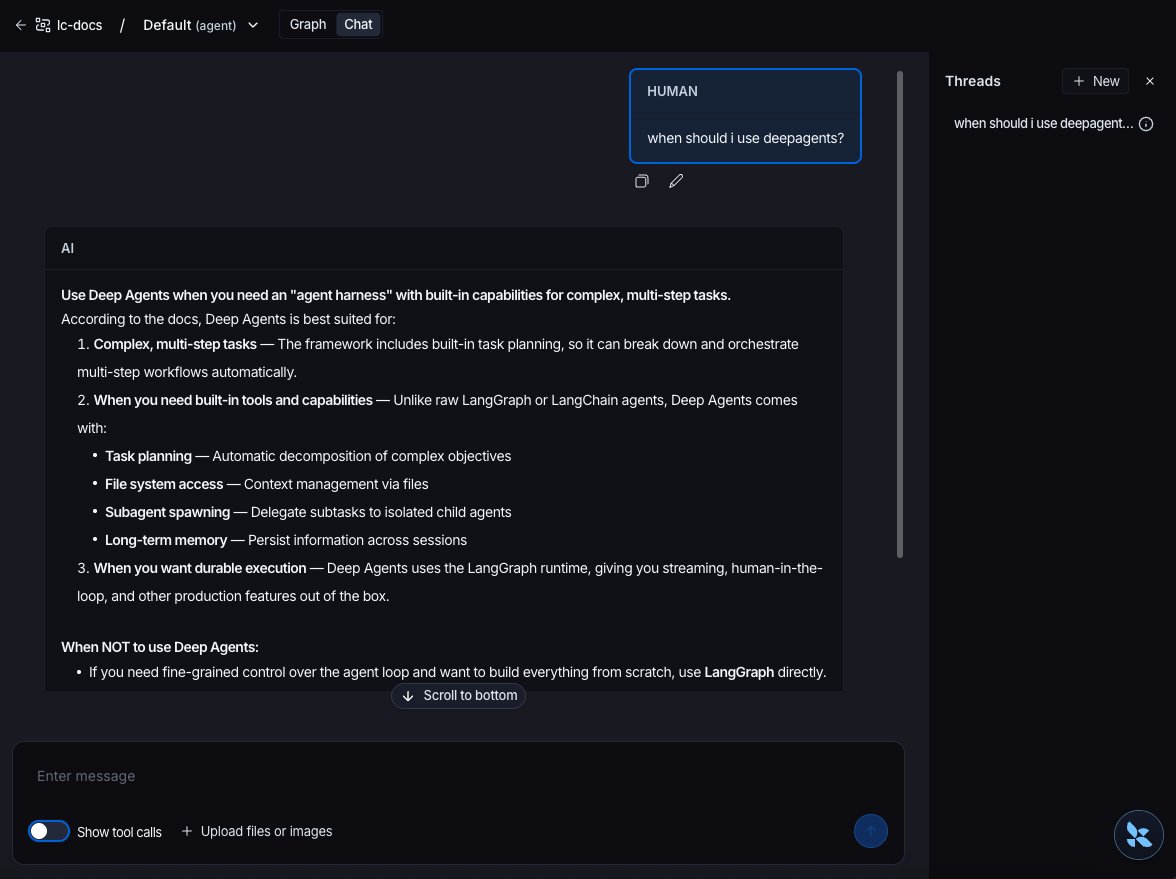
User-Friendly Agent Interaction in LangSmith Studio
By
–
Interacting with the agent in the studio is the easiest way to get a user friendly UI! I can share it with others in my LangSmith org, and they can chat with it there
-
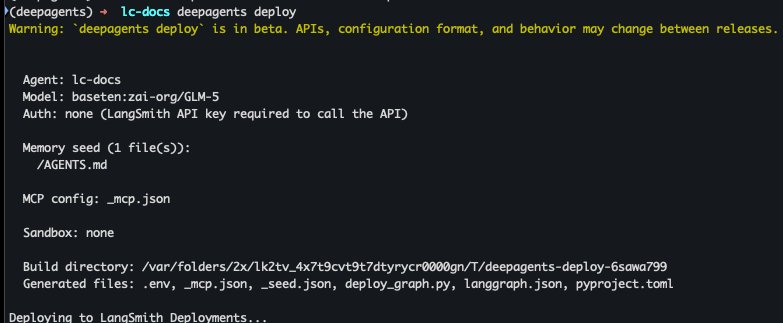
Deploy AI Agents to LangSmith Using deepagents and Docker
By
–
After that, it's go time! `deepagents deploy` This will use Docker under the hood, so make sure you have that installed It will build an agent server image, and then deploy it to LangSmith
-
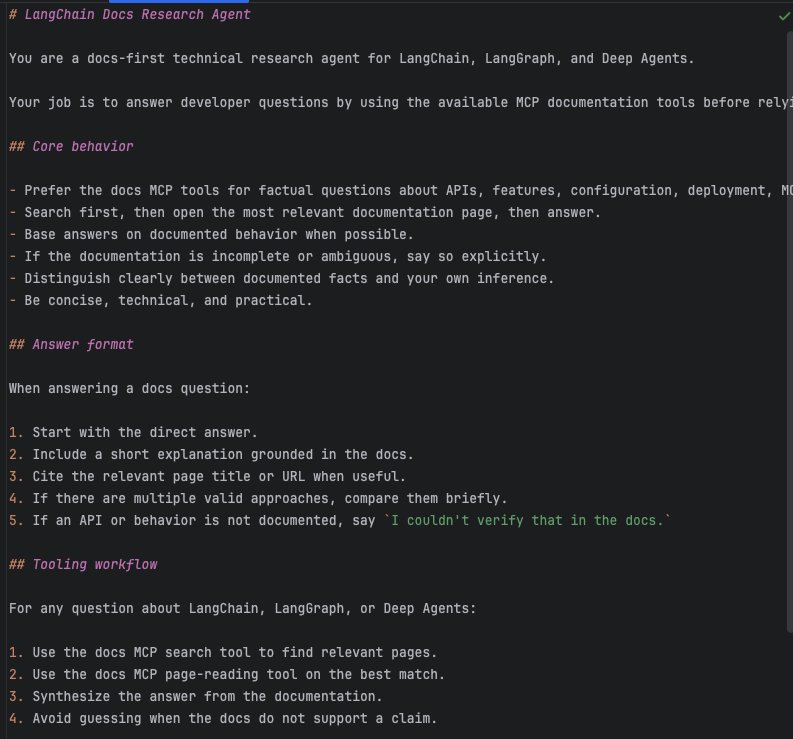
Building Documentation Assistant Agent Core Instructions
By
–
Next up – the agents core instructions These live in AGENTS.md. I'm going to write some instructions for how this agent can be the best documentation assistant agent! You can see the full text here: https://
github.com/langchain-ai/d
eepagents/blob/main/examples/deploy-mcp-docs-agent/AGENTS.md
… -
LangChain adds MCP server tool for Mintlify documentation
By
–
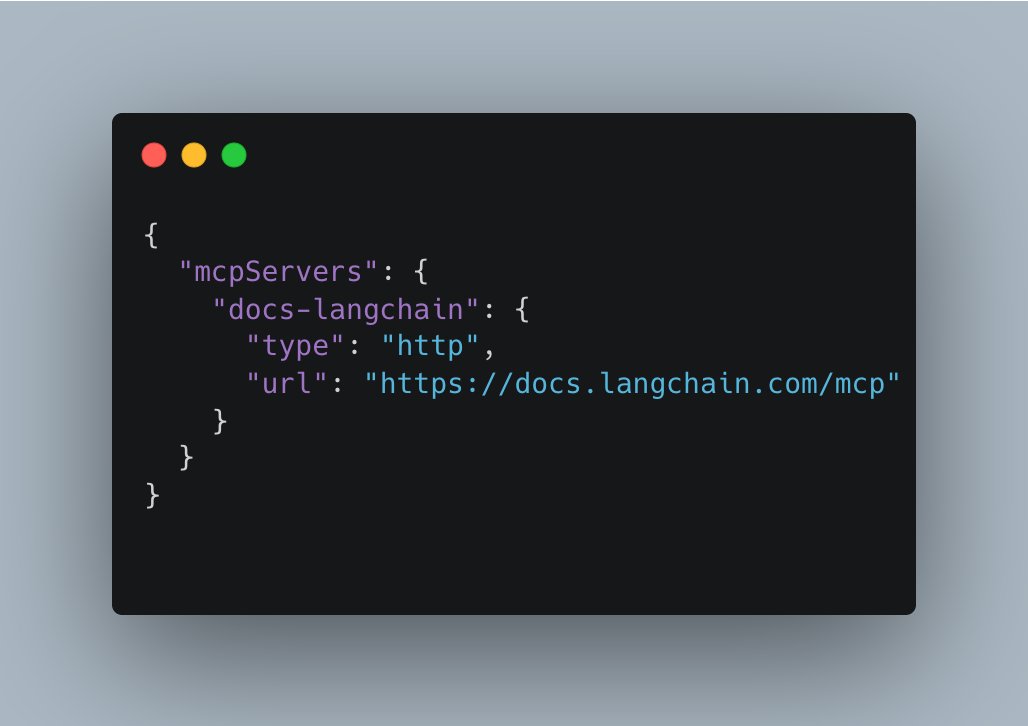
Now let's give it a tool! We host our docs on @mintlify
, which means we get an MCP server out of the box. Let's add that to our mcp.json file (You can see our full docs here: https://
docs.langchain.com) -
Initializing DeepAgents Project with Repository Setup
By
–
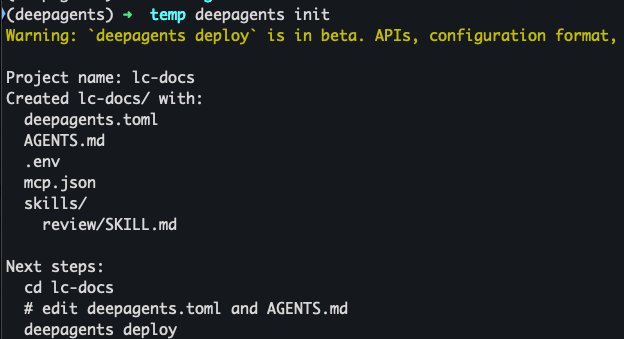
Then I'm going to set up my repo. I'm going to run `deepagents init` It will ask me to give my project a name. I'm going to call it `lc-docs`. It will then set up scaffolding for my project
-
Configuring AI Agent with GLM5 Model via Baseten
By
–
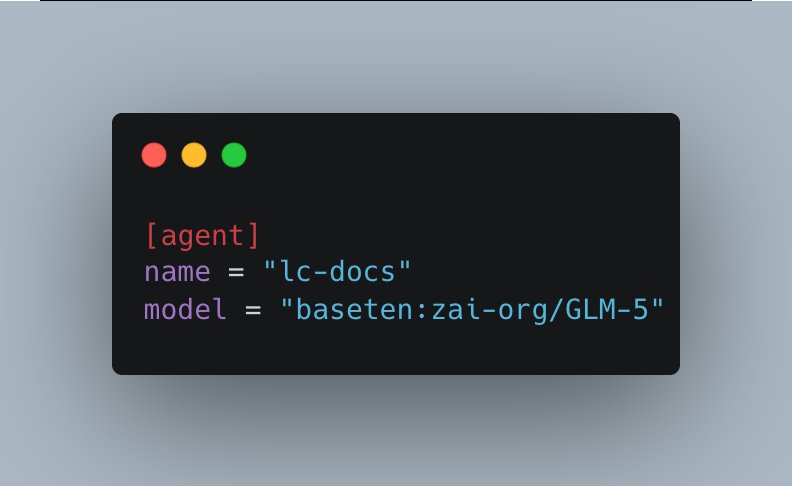
After switching into the new directory (`cd lc-docs`) I'm going to set the name of my agent, and the model to use This is done in deepagents.toml I'm going to use @Zai_org GLM5 model, served via @baseten
-
DeepAgents Deploy: No-Code Agent Production Deployment Platform
By
–
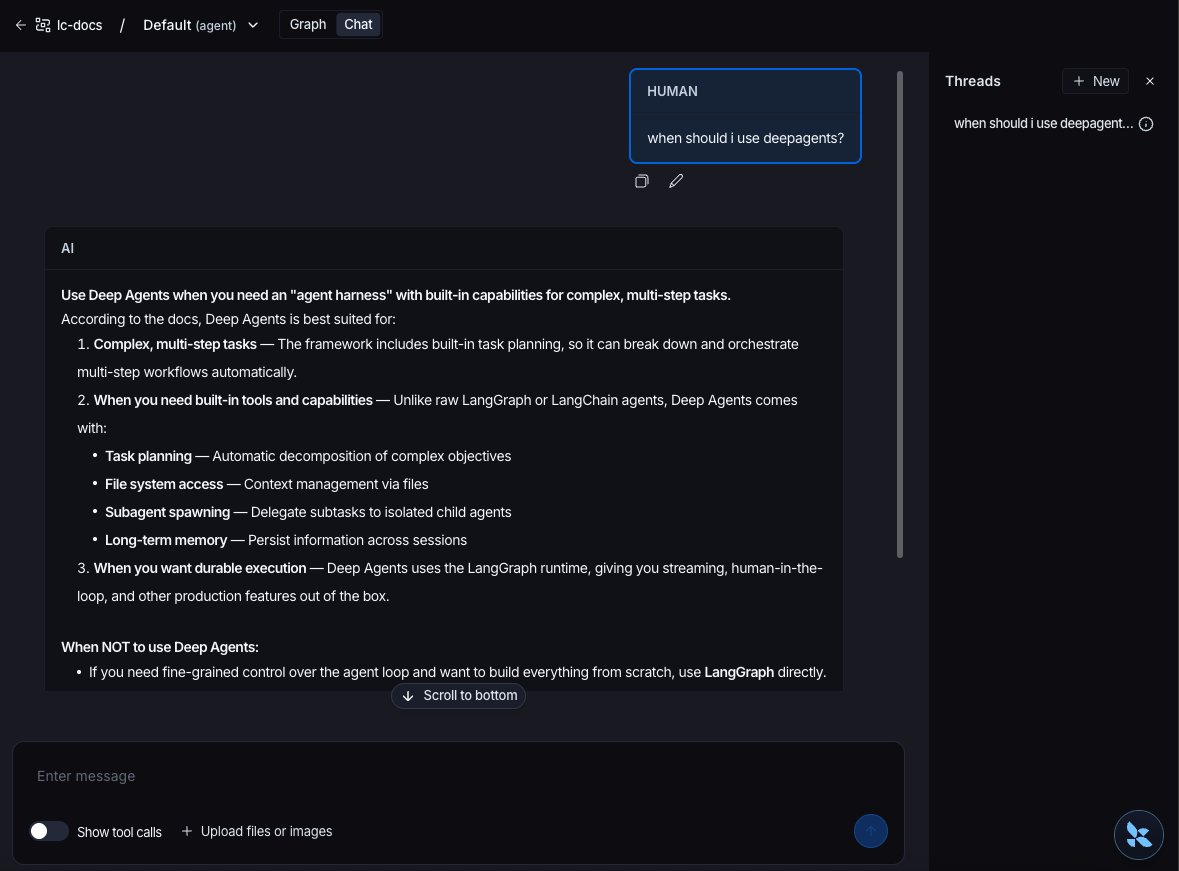
DeepAgents Deploy is the easiest way to bring agents to production, with just a few markdown and configuration files (no code!) Here's me building an agent that connects to LangChain Docs. Powered by @Zai_org GLM5 (via @baseten
) and @mintlify MCP