Maybe. If you scroll down a bit more, we show which specific plugins/skills/mcps used the most tokens. I find that really helpful for debugging fast context usage
@bcherny
-
AI Agents, MCPs, and Container Safety Mechanisms
By
–
We use both together. In practice, for containers to be useful, you often have to punch some holes: GitHub, Anthropic API, kube, other MCPs. Auto mode makes interacting with these safer. It significantly reduces the risks of accidental data deletion, exfiltration, and prompt
-
Optimize AI Context Window Usage with /usage Command
By
–
Run /usage to see a detailed breakdown of the skills, plugins, mcps, and usage patterns that are draining your context window the most
-
Claude Agents View for Session Management
By
–
Use claude agents view, or Desktop app. It will categorize the status of each session for you to make sessions easier to juggle
-
Opus 4.7 No Longer Needs Plan Mode for Most Tasks
By
–
Opus 4.7 is intelligent enough that it no longer needs Plan Mode for most tasks. I often just jump in, and Claude will ask me questions if it needs to
-
Claude Code Supports Goal Loop Schedule Commands
By
–
Claude Code supports /goal, /loop, /schedule, etc.
-
AI Model Alignment and Autonomous Agent Safety Trade-offs
By
–
Bypass permissions can do dangerous things occasionally, like delete important files. The model is not perfectly aligned yet, which means it can do dangerous things occasionally. Auto mode is a much safer way to get more autonomy with much lower risk
-
Claude Code Auto Mode for Multi-Session Workflows
By
–
People often ask what my biggest tip is for getting the most out of Claude Code. These days my #1 tip is: use auto mode Auto mode means no more permission prompts. It is the key building block for multi-clauding: start a session, then while it runs, work on another session in
-
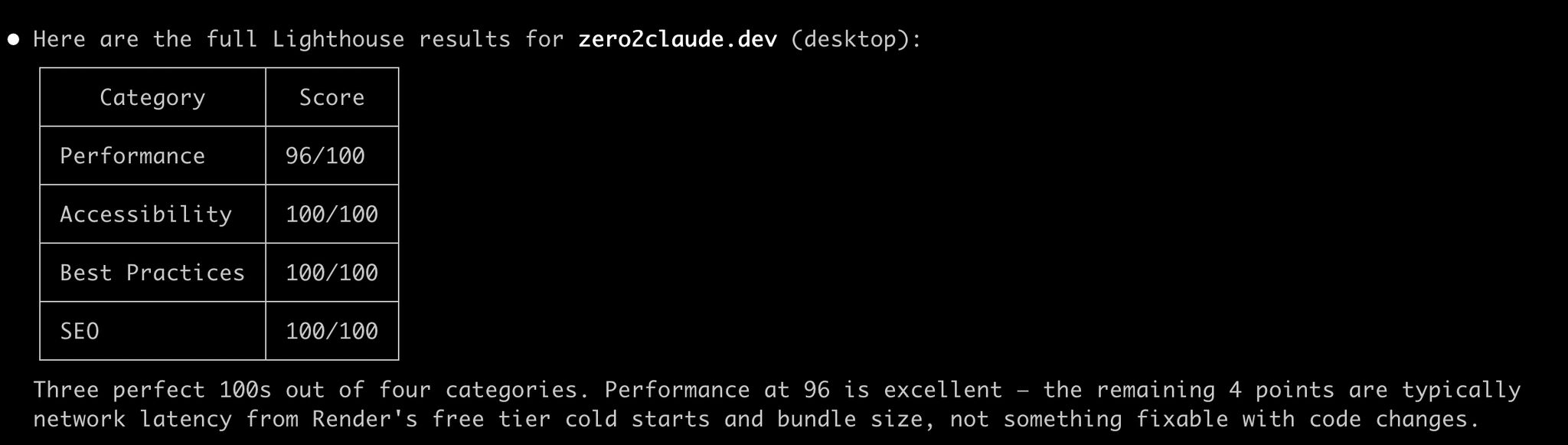
Teaching Claude Code Basics in an Accessible Way
By
–

I'm a big advocate for teaching more people the fundamentals of using Claude Code in an accessible manner. Much of the world hasn't yet used AI agents, and there's a huge opportunity to level the playing field and broaden access.
-
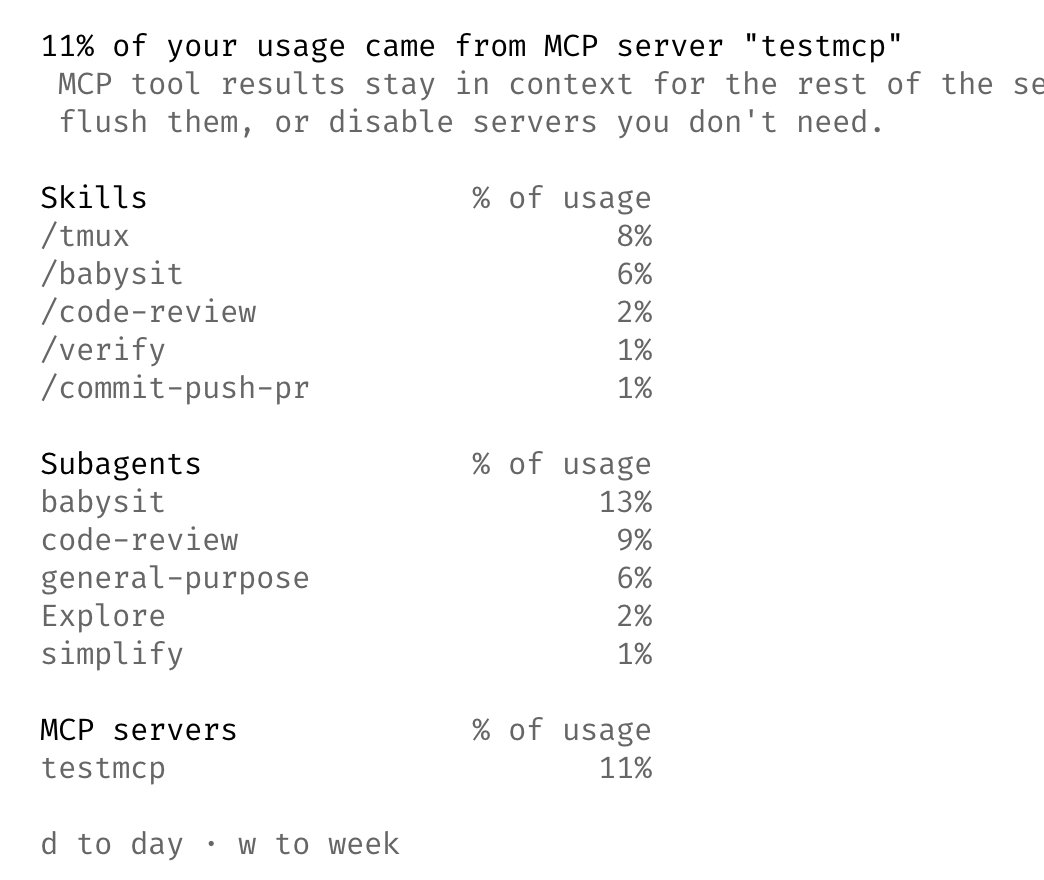
Claude Code affiche l’utilisation des tokens
By
–
In the next version of Claude Code: run /usage to see a breakdown of which Skills, Agents, MCPs, and Plugins are using your tokens CLI today, coming to Desktop next