Perplexity can out-research a paid analyst.
Most people only ever use a fraction of what it does.
These 6 prompts get the rest of it, and every answer comes back with sources:
PROMPT ENGINEERING
-
Perplexity surpasses a paid analyst thanks to 6 prompts
By
–
-
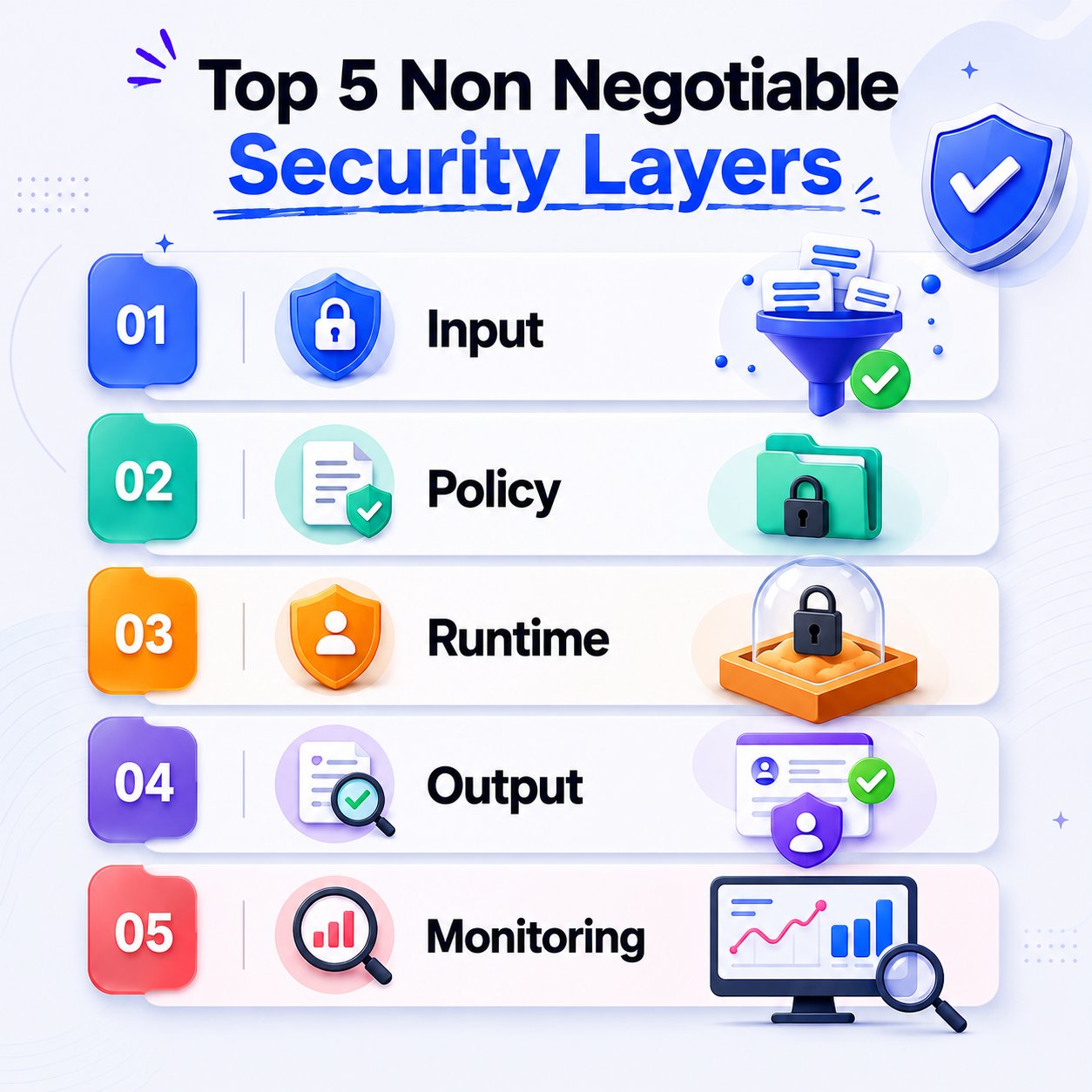
5 Security Layers for Shipping AI to Production
By
–
These 5 security layers are non-negotiable when shipping AI to production (don't ship to production without these) Layer 1: Input. Validate and sanitize everything coming in. Block prompt injection at the door. Layer 2: Policy. Your model shouldn't have full access to your
-
Claude skills bundle: 20+ specialists for marketing & business
By
–
Speaking of skills, here's some that are based on human-made frameworks. Turn Claude into 20+ different specialists for marketing & business. Install real expertise, not just prompts. Get my Claude skills bundle
-
Frame tasks as questions to invite model critique and alternatives
By
–
a smarter alternative to "always use plan mode": always frame your task as a question, so that the model is invited to push back and rate the quality of the idea/suggest alternatives, rather than blindly execute what you SAID to do (which is often not precisely what you
-
Create a complete PowerPoint presentation in 2 minutes with Claude
By
–
PowerPoint is dying. Now with Claude you can create a complete presentation in 2 minutes. You just have to use these prompts: Save them because you're going to need them
-
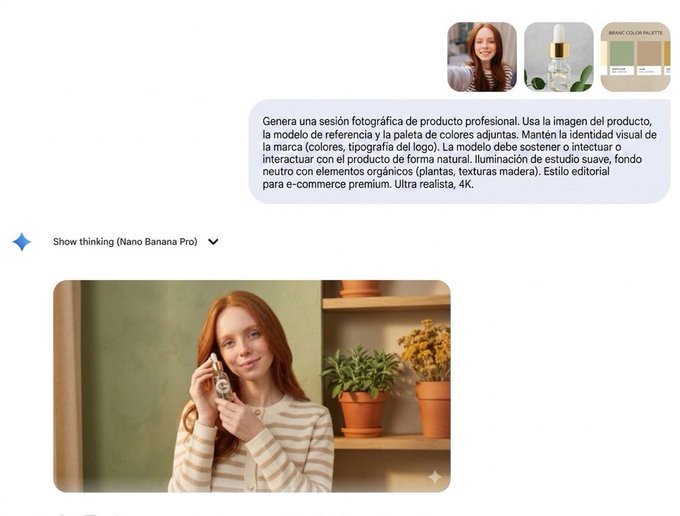
Product photography with model – professional session
By
–
8. Product photography with model Prompt: "Generate a professional product photoshoot session. Use the attached product image, reference model, and color palette. Maintain the brand's visual identity (colors, logo typography). The model should hold or interact with the product"
-

Nano Banana: Incredible Photo Editing AI with 8 Prompts to Copy
By
–
Nano Banana is incredible. It's the best AI for photo editing, with uses that very few people know. 8 prompts you'll want to copy. Save it, you'll thank me later.
-
Master Gemini with Official Omni Prompt Guide
By
–
Want Google DeepMind’s own playbook for getting insanely better results from Gemini? Master structuring, formatting, and refining prompts straight from the official Gemini Omni Prompt Guide.
Read more here: -
AI designs text that moves in sync with visuals
By
–
You’ve seen AI write text. But have you seen it design text that moves in perfect sync with your visuals?
— Futurepedia – Learn to Leverage AI (@futurepedia_io) 5 juin 2026
With Gemini Omni, you don’t just get “readable words” – you control type, placement, animation, exposure, and pacing so every word hits on beat with your edit.
Prompt used… pic.twitter.com/6vFIMA6vDTYou’ve seen AI write text. But have you seen it design text that moves in perfect sync with your visuals? With Gemini Omni, you don’t just get “readable words” – you control type, placement, animation, exposure, and pacing so every word hits on beat with your edit. Prompt used
-
Luca centralizes 12 Google Drives into an AI hub with Replit
By
–
Luca (@agi2asi) built Grid to centralize 12 different Google Drives into one hub.
— Replit ⠕ (@Replit) 5 juin 2026
With Replit, he turned a prompt into an AI-powered employee hub in just 10 minutes. Now, team members can ask about anything from seating charts to expense policies.
Always Be Building. pic.twitter.com/F2qlIK85lHLuca (@agi2asi) created Grid to centralize 12 different Google Drives into a single hub. With Replit, he turned a prompt into an AI-powered employee hub in just 10 minutes. Now, team members can ask questions about anything, from plans