Here is the python script and instructions ar in redme: https://
github.com/Shubhamsaboo/a
wesome-llm-apps/tree/main/llama3_local_rag
…
OPEN SOURCE
-
Llama3 Local RAG Python Script GitHub Repository
By
–
-

Hugging Face Spaces Dev Mode Enables Remote SSH Debugging
By
–
Have you ever wanted to connect to your @huggingface Space over SSH? For instance to debug a nasty GPU error remotely? Well… now you can Introducing Spaces Dev Mode:
-

ZeroGPU Infrastructure Success at Sakana AI Labs
By
–
ZeroGPU is a fantastic example of great AI infrastructure developed by @HuggingFace
. At @SakanaAILabs we’ve already been using it to showcase models like EvoVLM and EvoSDXL and it works like a charm. -
RAPIDS cuDF Library Now Integrated in Google Colab
By
–
Also their cuDF library will automatically know if you're running on GPU or CPU and speed up your processing. RAPIDS cuDF is now integrated directly into Google Colab. Checkout the Colab Notebook: https://
colab.research.google.com/github/rapidsa
i-community/showcase/blob/main/getting_started_tutorials/cudf_pandas_colab_demo.ipynb?ncid=ref-inor-594904
… Check out the Repo: -
ObjectBox: Fast Vector Database for Offline Mobile AI Apps
By
–
I just came across an amazing Vectordb,ObjectBox which is designed to operate on mobile phones and various restricted devices, empowering developers to create AI-powered apps that work flawlessly offline. And it’s fast and easy-to-use. Check it out:
-
Local LLMs for Web Scraping Without Internet Connection
By
–
No internet to run the models. Web scraper with local llms.
-
Awesome LLM Apps with RAG and AI Agents Demo
By
–
Find all the awesome LLM Apps demo with RAG and AI agents in the following Github Repo. P.S: Don't forget to star the repo to show your support
-
Web Scraper AI Agent with Local Llama-3 Using Ollama
By
–
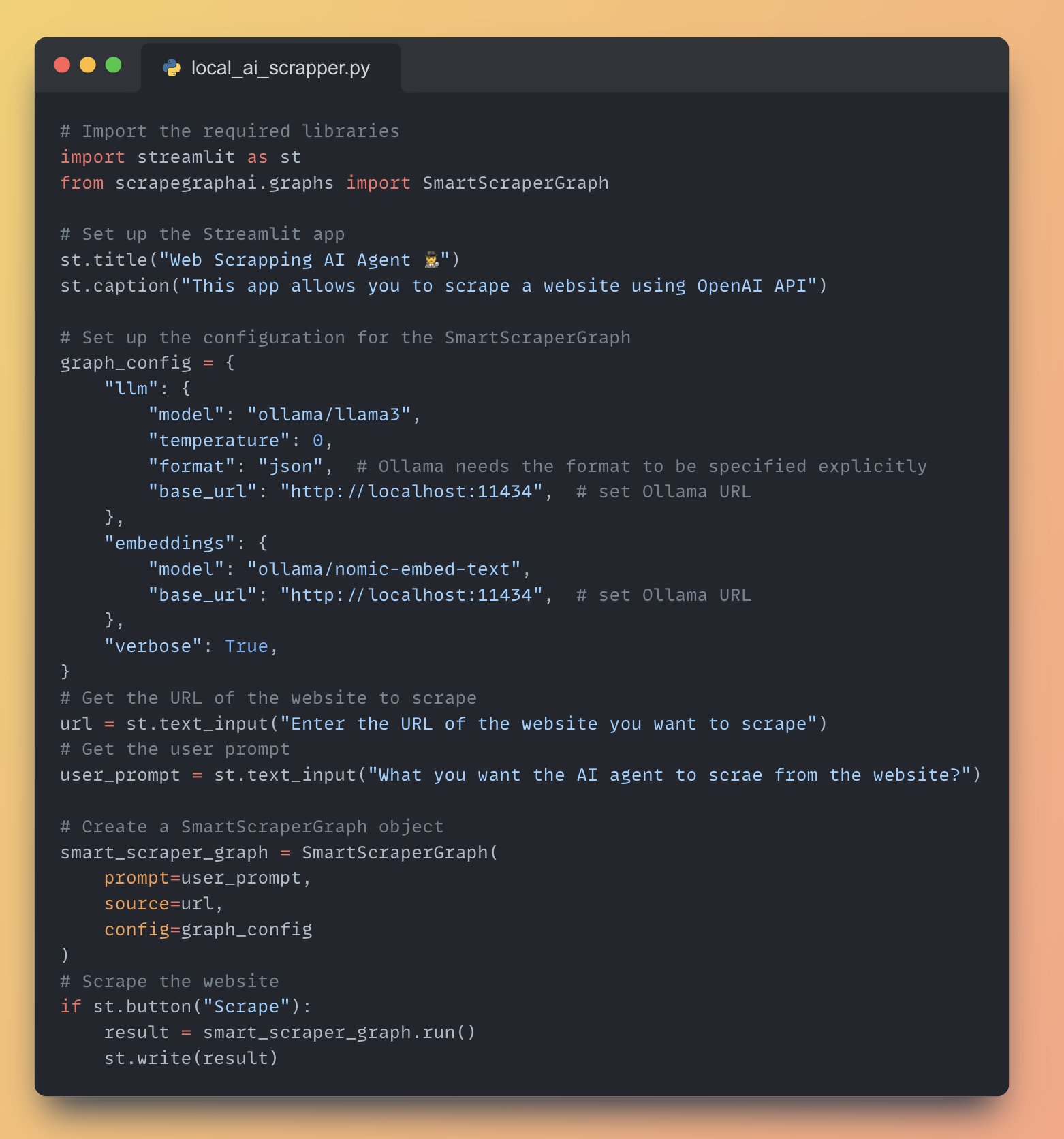
Full Application Code running Webs Scrapper AI agent with local Llama-3 using Ollama
-
Setting up Ollama locally on port 11434
By
–
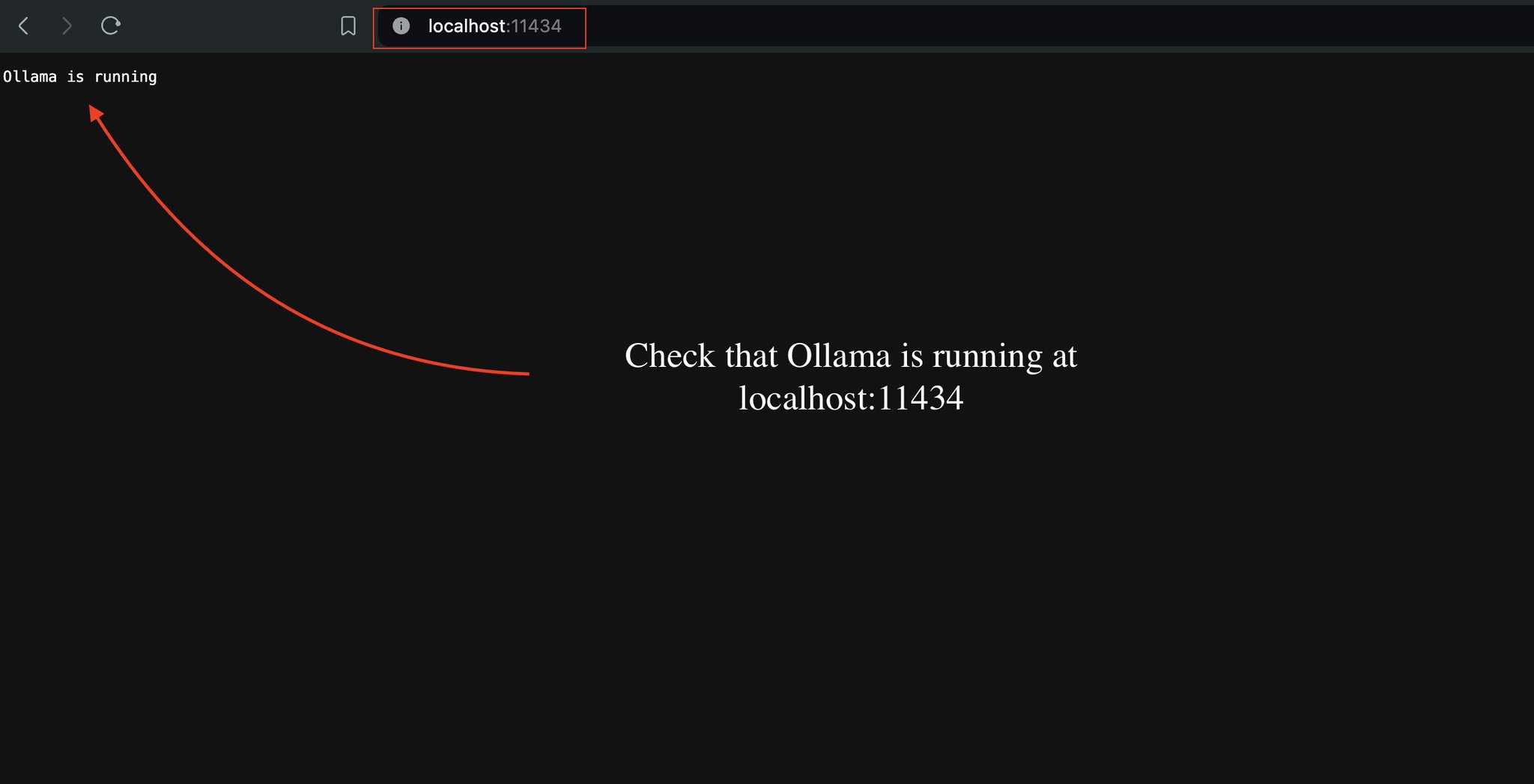
3. Check that Ollama is running at localhost port 11434. If not you can try serving the model with the command: ollama serve
-
Setting up Ollama with Llama-3 and embedding models
By
–
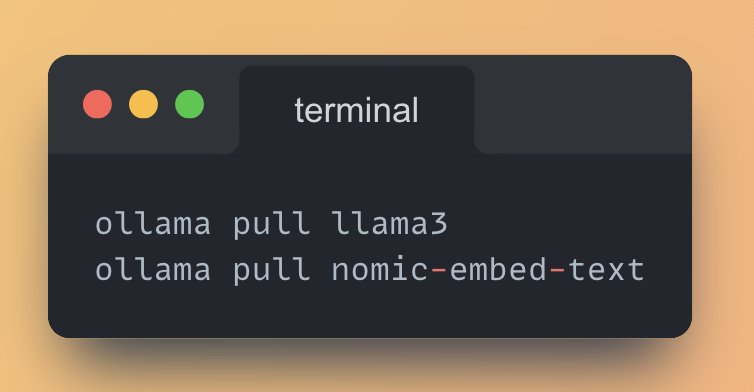
2. Download @ollama and pull the following models: • Llama-3 as the main LLM
• nomic-embed-text as the embedding model