Last week I've given a talk about building a React Code Agent for Transformers Agents! ➤ 𝗥𝗲𝗔𝗰𝘁: the agent iterates on previous actions in a 𝗥𝗲flection-𝗔𝗰𝘁ion cycle ➤ 𝗖𝗼𝗱𝗲: the agent writes actions as Code snippets, Read the slides
CODE
-
Google Leak RAG Tool for SEO Parameter Evaluation
By
–
Ok, now we know @dejanseo is behind the #googleleak @iPullRank was talking about, he made a #RAG from it, now he need large customers to try and evaluate what are the good parameters inside, just share #SEO
-
Streamlit Journalist Agent Application Demo
By
–
Working Application demo using Streamlit
— Shubham Saboo (@Saboo_Shubham_) 4 juin 2024
Paste the above code in vscode or pycharm and run the following command: 'streamlit run journalist_agent.py' pic.twitter.com/O35ML4dajyWorking Application demo using Streamlit Paste the above code in vscode or pycharm and run the following command: 'streamlit run journalist_agent.py'
-

Full RAG Application Code Chat Journalist Agent
By
–
Full RAG Application code to chat with journalist agent
-
Building AI Article Generator with Streamlit and Editor Assistant
By
–
5. Generate and Display the Article • Create a text input for the user to enter the topic using 'st.text_input()'
• If a topic is provided, run the Editor assistant to generate the article and display it using 'st.write()' -

Building AI Assistants: Search, Write, Edit Automation
By
–
4. Create and Initialize the AI Assistants Create instances of Assistants:
• Searcher: Searches for top URLs based on a topic
• Writer: Retrieves text from URLs
• Editor: Edits and refines the article for high-quality -
Setting Up a Streamlit App with Title and Caption
By
–
3. Set up the Streamlit App • Add a title to the app using 'st.title()'
• Add a description for the app using 'st.caption()' -

Building AI Agents with Streamlit Phi and OpenAI GPT-4
By
–
2. Import necessary libraries • Streamlit for building the web app
• phi for building AI agents and tools
• OpenAI for using GPT-4
• SerpAPI for web search functionality
• NewspaperToolkit for retrieving article text from URLs -
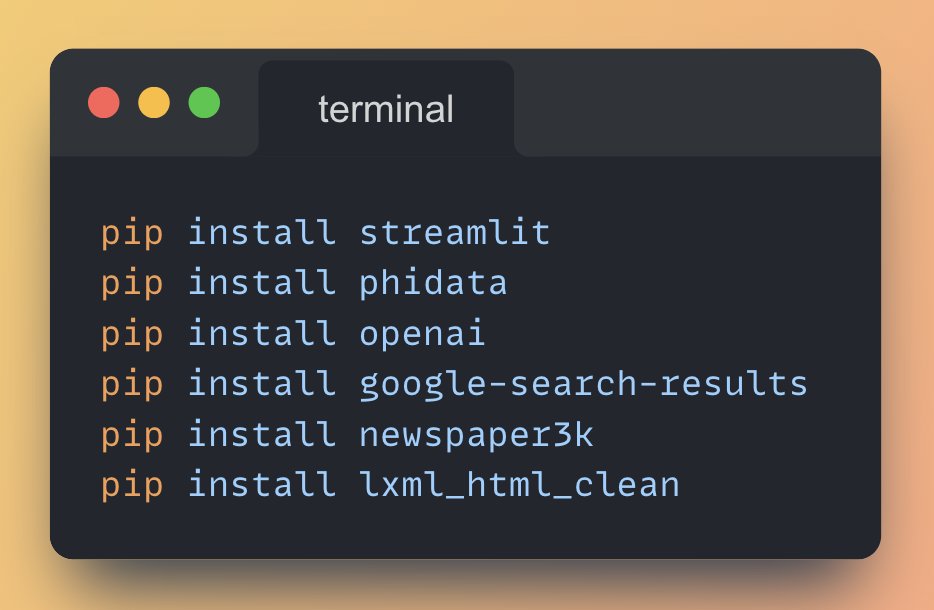
Install Python Libraries for AI Development
By
–
1. Install the necessary Python Libraries Run the following commands from your terminal to install the required libraries: