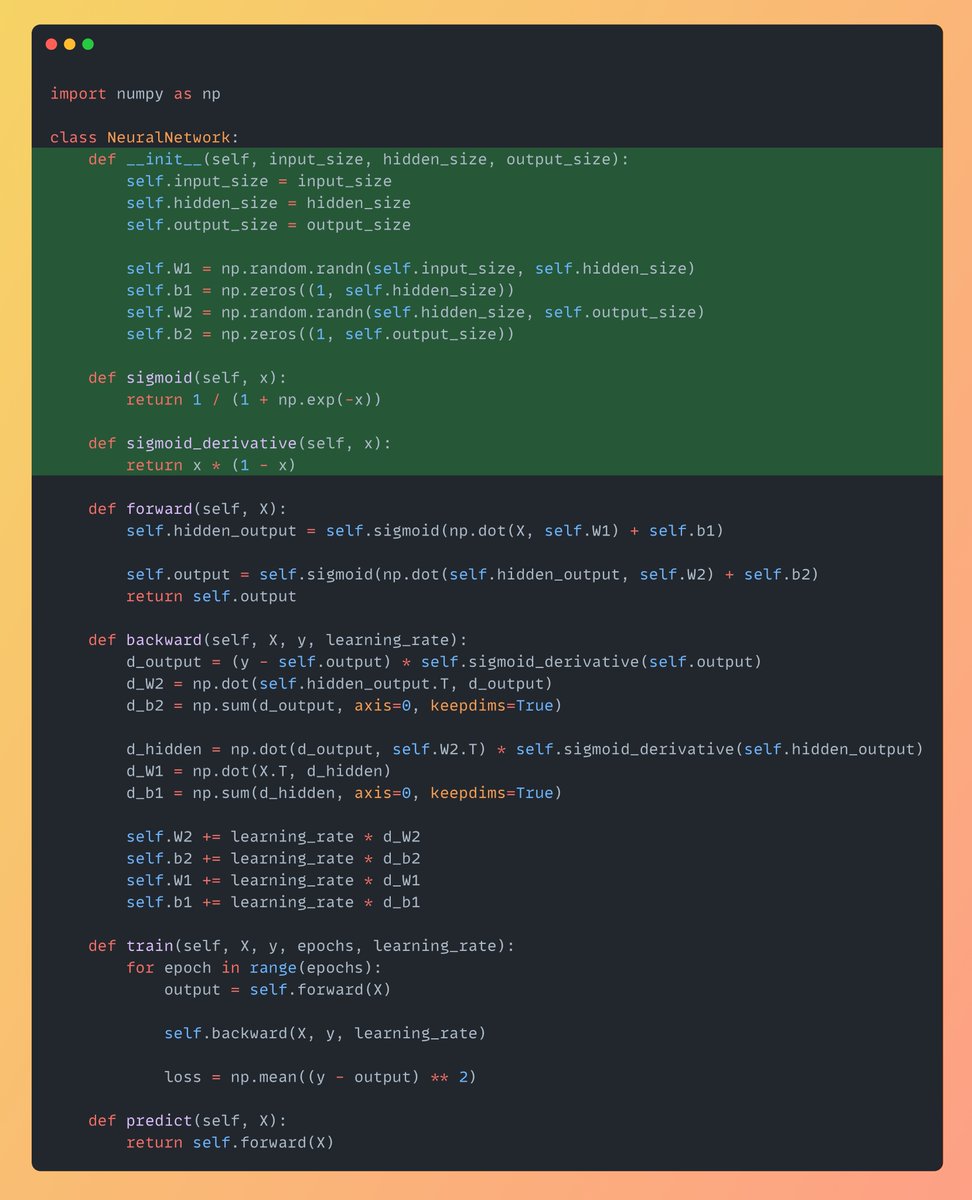
Below is the simple Neural Network consists of 2 layers: – Hidden Layer
– Output Layer First Initialize the size of layers along with the weights & biases. And also define the sigmoid activation function & it's derivative which is really key to introduce non-linearity.
@sumanth_077
-
Building a Simple 2-Layer Neural Network with Sigmoid Activation
By
–
-
Neural Network Implementation From Scratch in Python
By
–
Neural Network implemented from scratch in Python (step-by-step explanation with code):
-
TensorFlow Blog Tutorial Reference for Machine Learning
By
–
Adding the blog from the Tensorflow team for more in-depth reference. https://
simplemlforsheets.com/tutorial.html -
Daily Content Sharing on Python, Data Science, and Machine Learning
By
–
That's a wrap! If you are interested in any of these below topics: – Python – Data Science – Machine Learning – Data Analysis – LLMs – MLOps Find me →
@Sumanth_077 I'm sharing daily content over here. -
Model Analysis Tools Summary Quality Tabs Evaluation Metrics
By
–
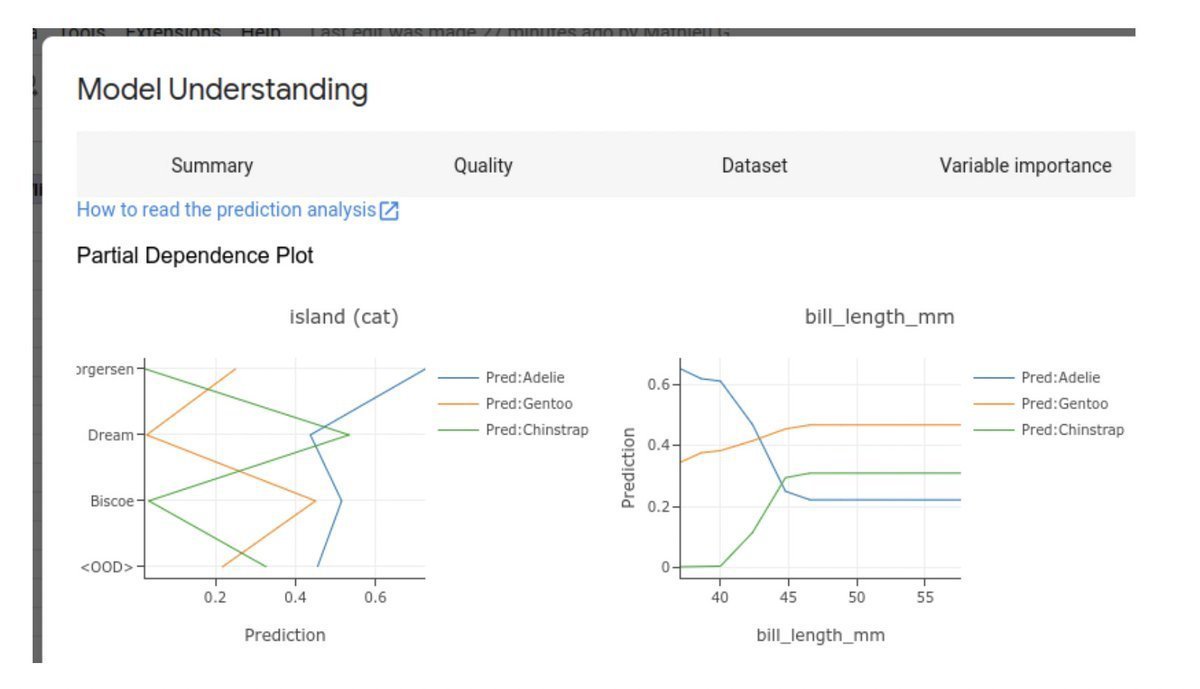
You can even analyze and evaluate the model results. In the Summary tab, you can find info about the input features of the model. In the Quality tab, you can see evaluation metrics about the model and similar info about the Dataset and variable importance.
-
Simple Model Training in Just a Few Clicks
By
–
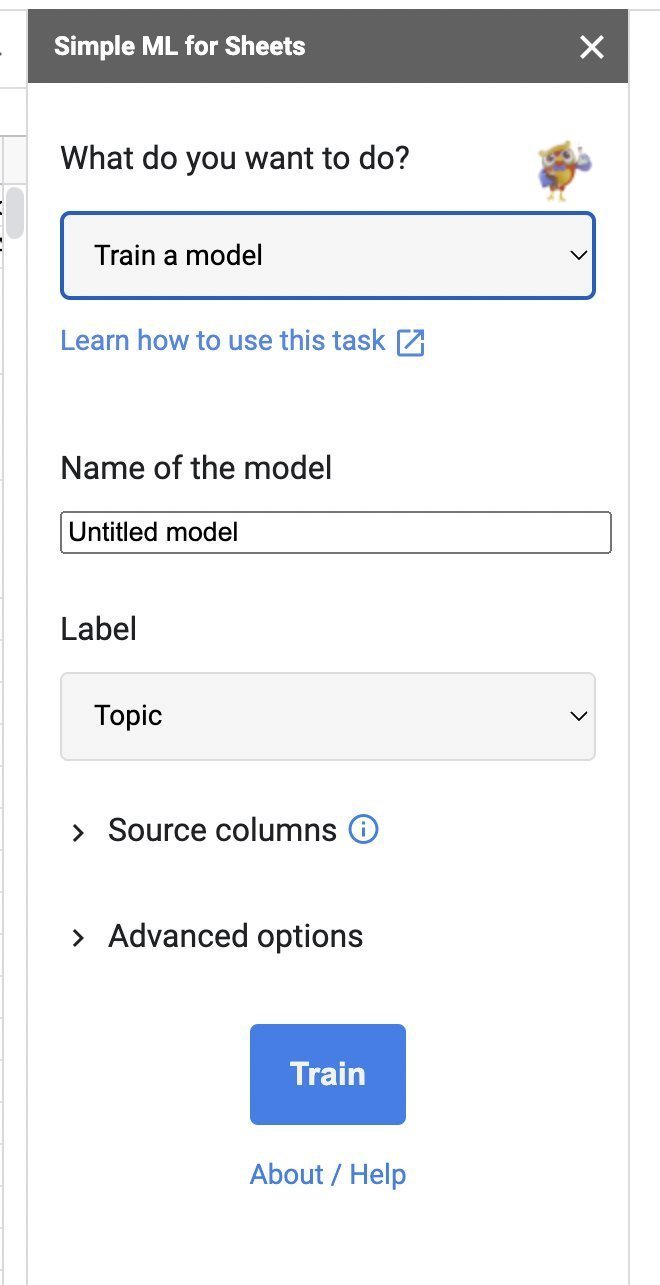
It's easy to train a Model on your Data. Just a couple of clicks 1. Under What do you want to do? select Train a model.
2. Name your model.
3. Under Label select species. Select the target column and click Train. That's how simple it is to train a Model. -
Key Machine Learning Tasks: From Data Cleaning to Model Export
By
–
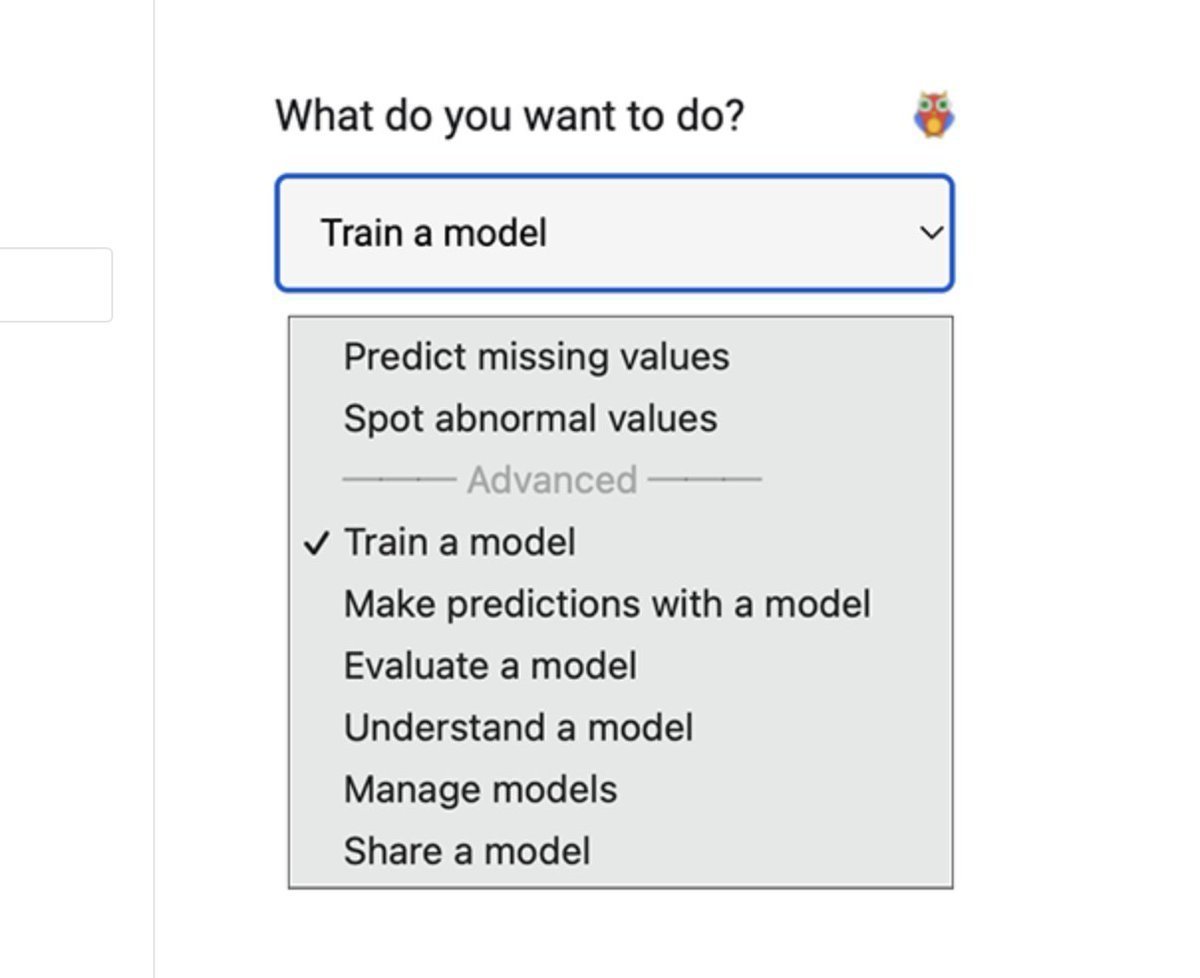
What are all things you can do? – Predict Missing Values
– Spot Abnormal Values
– Train and Evaluate the Model
– Analyze and Interpret the Model Results
– Exporting the trained Model -

Simple ML for Sheets: Easy Installation and Setup Guide
By
–
It's simple to use. Go to the Extensions Tab in Sheets Get and install the add-on. "Simple ML for Sheets" Once you start the extension with the data in your Sheet. You will see the side panel as below!
-
Simple ML for Sheets: Machine Learning Models in Google Sheets
By
–
No Google Colab, No Jupyter Notebook! Introducing Simple ML for Sheets. Build Machine Learning Models right inside Google Sheets.
-
Daily Content on Python, Data Science, Machine Learning, and MLOps
By
–
That's a wrap! If you are interested in any of these below topics: – Python – Data Science – Machine Learning – Data Analysis – LLMs – MLOps Find me → @Sumanth_077 I'm sharing daily content over here.