I am running this on Macbook M1 pro (16GB RAM) using the @LMStudioAI
. And ofc, you need some hardware to start with. Nothing will be free free lol
@saboo_shubham_
-
Running LM Studio on MacBook M1 Pro: Hardware Requirements
By
–
-
Running LM Studio on MacBook M1 Pro with 16GB RAM
By
–
I am running this on Macbook M1 pro (16GB RAM) using the @LMStudioAI
. -
LLM Tips and Tutorials for Machine Learning Practitioners
By
–
If you find this useful, RT to share it with your friends. Don't forget to follow me @Saboo_Shubham_ for more such LLMs tips and tutorials.
-
Awesome LLM Apps with RAG GitHub Repository Showcase
By
–
Find all the awesome LLM Apps demo with RAG in the following Github Repo. P.S: Don't forget to star the repo to show your support
-
Local ChatGPT Memory Application Demo Using Streamlit
By
–
Working Application demo using Streamlit
— Shubham Saboo (@Saboo_Shubham_) 10 juin 2024
Paste the above code in vscode or pycharm and run the following command: 'streamlit run local_chatgpt_memory.py' pic.twitter.com/V8qsEyo3H1Working Application demo using Streamlit Paste the above code in vscode or pycharm and run the following command: 'streamlit run local_chatgpt_memory.py'
-
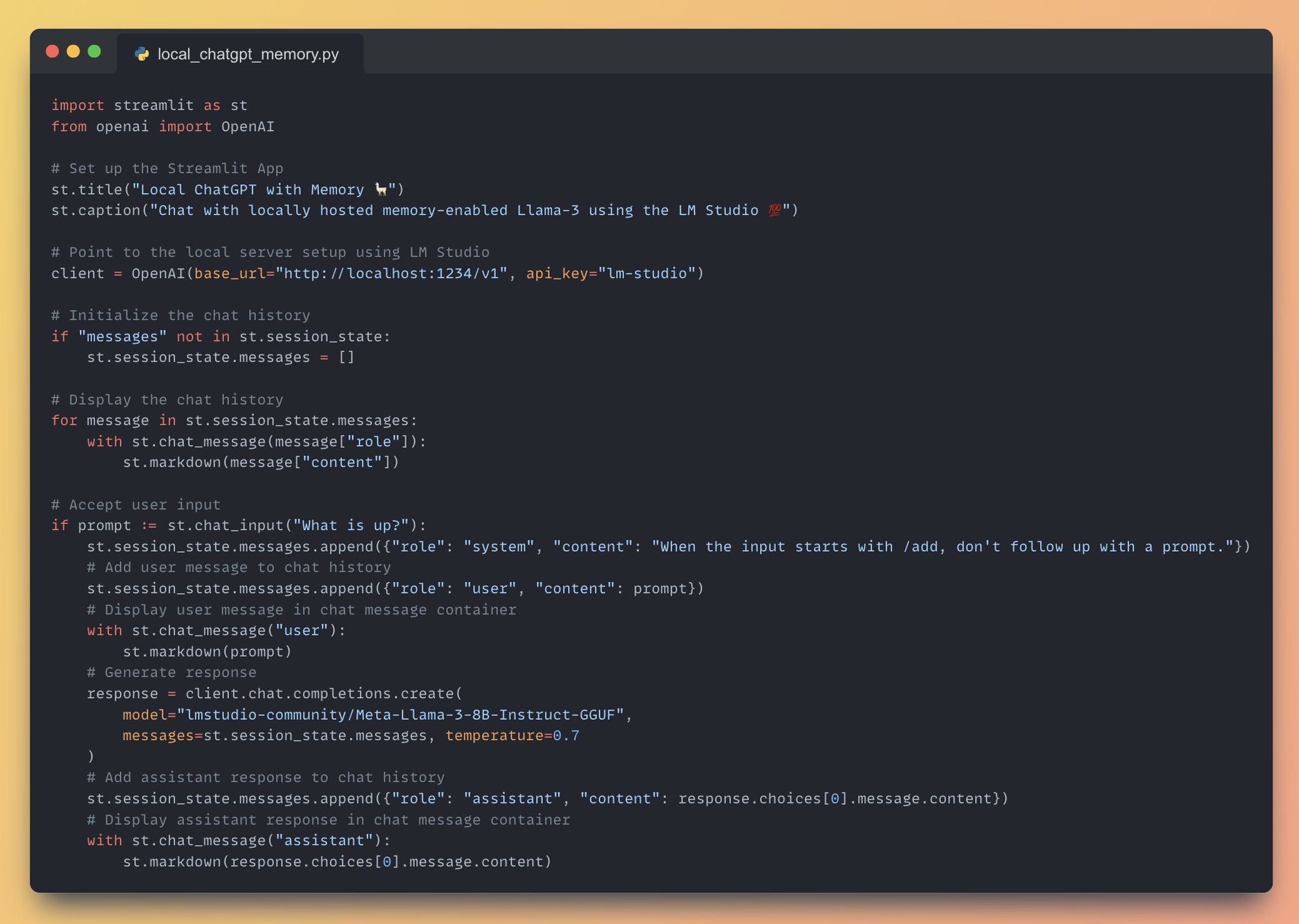
Full Application Code for Local ChatGPT with Memory
By
–
Full Application code for Local ChatGPT with memory
-
Building Chat App with Llama-3 Model API Integration
By
–
7. Generate Response and Display • Generate response using the Llama-3 model with '
http://
client.chat.completions.create()'
• Add the assistant response to the chat history and display it in a chat message container -
Streamlit Chat Input Handling and History Management
By
–
6. Accept User Input • Accept user input using '
http://
st.chat_input()'
• Add the user message to the chat history and display it in a chat message container -
Initialize and Display Chat History with Streamlit Session State
By
–
5. Initialize and Display Chat History • Initialize the chat history using Streamlit's session state
• Display the chat history using '
http://
st.chat_message()' and 'st.markdown()' -

Building Streamlit UI for Local LM Studio Server
By
–
4. Set up the Streamlit App Streamlit lets you create user interface with just python code, for this app we will:
• Add a title to the app using 'st.title()'
• Add a description for the app using 'st.caption()'
• Point to the local server set up using LM Studio