There's a lot of tradeoffs when building for the terminal. Unlike web, mobile, and desktop, terminal have fairly restrictive instruction sets for rendering: ANSI escape codes. There's an ANSI code for "move cursor to (x, y)", another for "write 'foo'", etc. It feels a little
@bcherny
-
NO_FLICKER Renderer: Virtual Viewport Optimization
By
–
Our new experimental NO_FLICKER renderer solves this by virtualizing the entire viewport. We hook into keyboard and mouse events to make scrolling work, and we virtualize the viewport to move control over what is rendered into the application layer. This approach has tradeoffs,
-
UI Improvements: No Flickering, Mouse Support, Better Memory Management
By
–
Some of the upsides:
– No more flickering
– No more jumping
– Constant memory and CPU usage as the conversation grows
– Mouse support! You can now click to move your cursor within the input box. Some other UI elements are also clickable now.
– Nicer selection behavior. eg. when -
Claude Code Introduces NO_FLICKER Mode with Experimental Renderer
By
–
Today we're excited to announce NO_FLICKER mode for Claude Code in the terminal
— Boris Cherny (@bcherny) 1 avril 2026
It uses an experimental new renderer that we're excited about. The renderer is early and has tradeoffs, but already we've found that most internal users prefer it over the old renderer. It also… https://t.co/taFud8twm9 pic.twitter.com/L6d16HHBg5Today we're excited to announce NO_FLICKER mode for Claude Code in the terminal It uses an experimental new renderer that we're excited about. The renderer is early and has tradeoffs, but already we've found that most internal users prefer it over the old renderer. It also
-
Infrastructure Failures Over Human Error in AI Systems
By
–
Full trust. In this case the problem wasn’t the person, it was infra that was error prone. Anyone could have made this same mistake by accident.
-
Scaling Infrastructure Rapidly During Exponential Growth Period
By
–
Working around the clock to fix this. It’s crazy to grow this fast, we’re scaling up every service as quickly as possible. Thanks for bearing with us. Improvements landing daily and more on the way.
-
Custom thinking words configuration now available in Claude settings
By
–
Someone else asked for this but I think it’s weird. You can add it to your thinking words via settings if you like, just ask Claude
-
Favorite Underrated Claude Code Features Discussion
By
–
Hope this was useful! I wanted to keep going but had to stop myself. Will post more soon. What are your favorite underrated Claude Code features?
-
Use Voice Input to Code with Claude via Speaking
By
–
15/ Use /voice to enable voice input Fun fact: I do most of my coding by speaking to Claude, rather than typing. To do the same, run /voice in CLI then hold the space bar, press the voice button on Desktop, or enable dictation in your iOS settings.
-
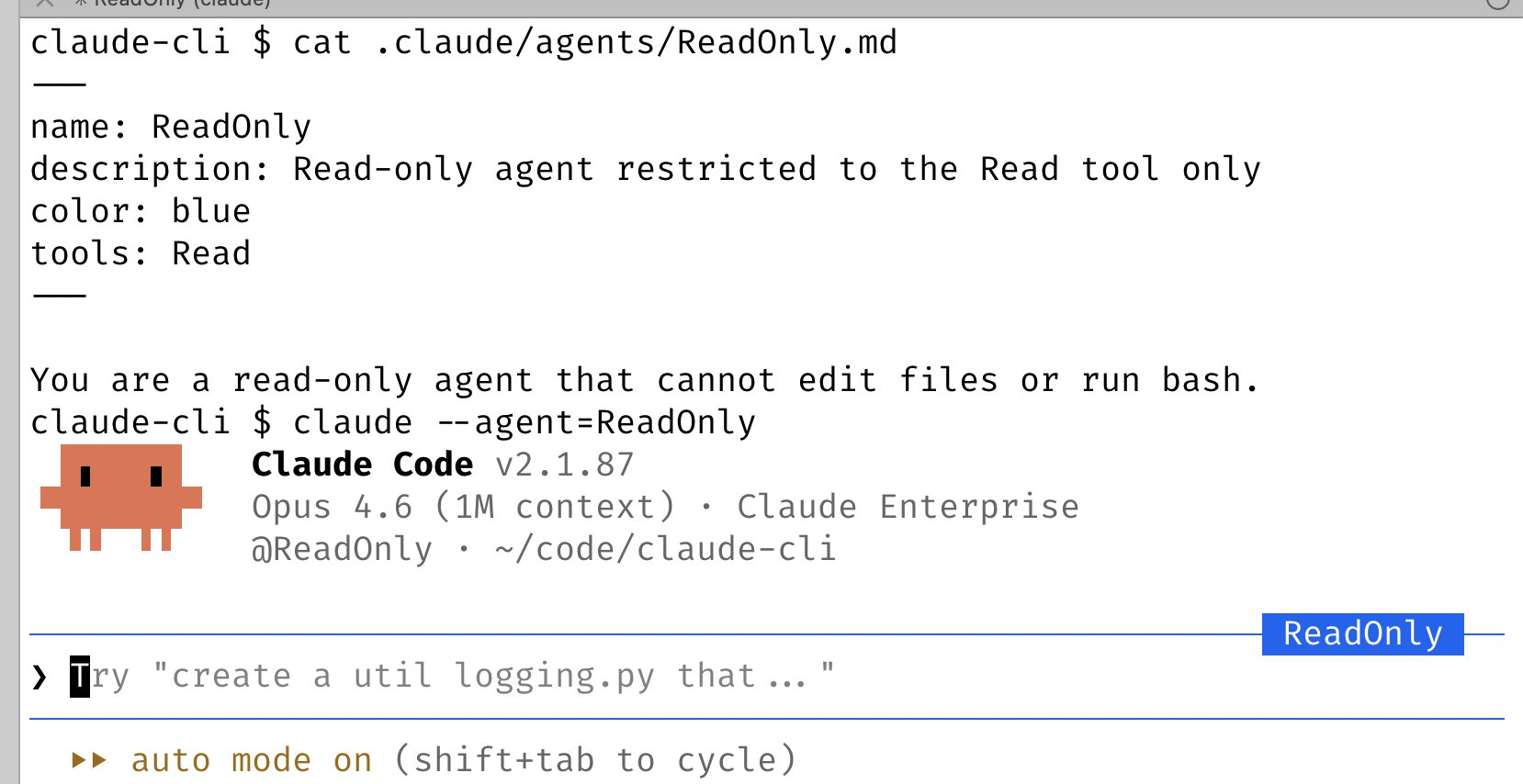
Claude Code Custom Agents with System Prompts and Tools
By
–
14/ Use –agent to give Claude Code a custom system prompt & tools Custom agents are a powerful primitive that often gets overlooked. To use it, just define a new agent in .claude/agents, then run claude –agent=