Learn more: runwayml.com/bigadcontest
TOOLS
-
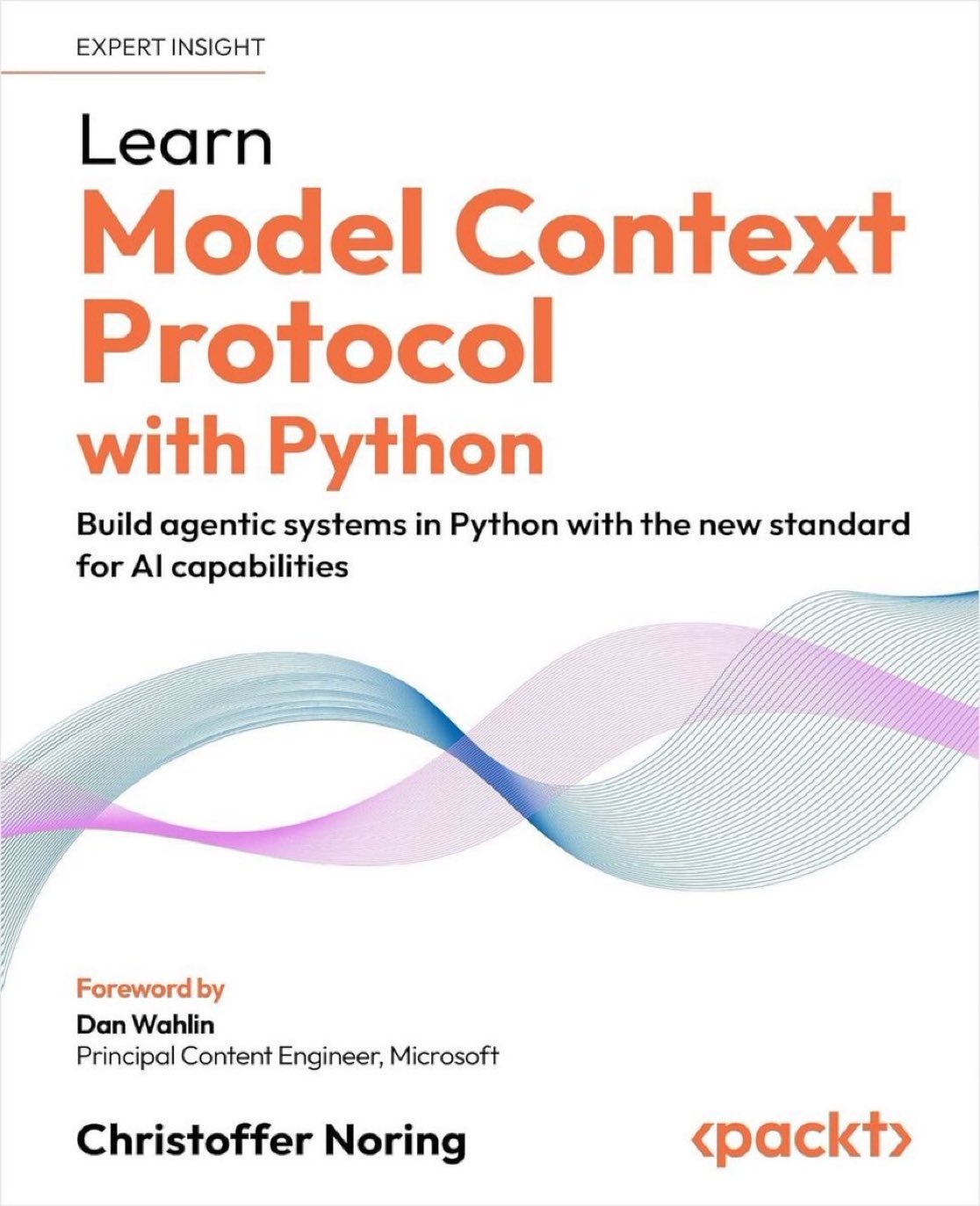
Building Agentic Systems with the Model Context Protocol
By
–
Learn Model Context Protocol [MCP] with Python — Build Agentic Systems in Python with the new standard for AI Capabilities: http://
amzn.to/4njfsVM by @chris_noring v/ @PacktDataML 𝓦𝓱𝓪𝓽 𝓨𝓸𝓾 𝓦𝓲𝓵𝓵 𝓛𝓮𝓪𝓻𝓷:
Understand the MCP protocol and its core components -
Claude vs Claude Code vs Cowork: Which Tool to Use When
By
–
Claude vs. Claude Code vs. Cowork. If you've been confused about which one to use and when, this post will clear that up in under two minutes. Anthropic now offers three distinct ways to interact with Claude, and each one targets a fundamentally different workflow. Think of it as: Chat for thinking, Code for building, and Cowork for doing. Here's a quick breakdown: 1️⃣ Claude Chat This is the conversational AI assistant most people already know. You type a prompt, Claude responds, and you iterate together. – Turn rough ideas into structured plans through conversation – Write emails, reports, essays, and long-form content – Research and summarize complex topics in minutes – Analyze documents, PDFs, and images – Build interactive prototypes through Artifacts The key here is that everything happens through conversation. You're thinking with Claude, not delegating work to it. It's available on every device, has a free tier, and supports persistent memory across sessions. The tradeoff is that it has no direct access to your local files (upload only), and it can't generate raster images natively. 2️⃣ Claude Code This is a terminal-native coding agent. You describe what you want in plain English, and Claude reads your codebase, writes code, runs tests, fixes errors, and ships the result. – Build and debug entire features across the full codebase – Write, run, and fix tests automatically – Manage git workflows and create pull requests – Spawn multiple parallel agents working on different parts of a task simultaneously It handles the full development cycle end to end, from planning to execution to testing. With the CLAUDE(.)md configuration file, you can teach it your project's conventions, patterns, and constraints so it writes code the way your team expects. The tradeoff is a steeper learning curve compared to Chat, and token costs can add up during heavy sessions. 3️⃣ Claude Cowork This is the newest addition. Anthropic describes it as Claude Code for the rest of your work. It's an agentic desktop assistant that automates file management and repetitive tasks through a GUI. You describe an outcome, and Claude plans, executes, and delivers finished work: formatted documents, organized file systems, spreadsheets with working formulas, and synthesized research. – Direct local file access and editing (no upload/download cycle) – Schedule recurring tasks automatically – Assign tasks remotely via Dispatch from your phone – Computer Use lets Claude control your screen directly It runs inside a sandboxed virtual machine on your computer, so Claude can only access folders you explicitly grant. You don't need to know how to code to use it. The tradeoff is that your computer must stay awake for tasks to run, and it's still in research preview. Here's how to think about choosing between them: → If you need to think through a problem or get writing/research help, use Chat → If you're building software and want an autonomous coding partner, use Code → If you have a clearly defined deliverable that involves local files and desktop workflows, use Cowork All three are included in the same subscription starting at $20/month, which makes it one of the highest-leverage subscriptions in productivity software right now. I've put together a visual below that maps the workflow of each product side by side. If you want to go deeper into Claude Code specifically, I wrote a detailed article covering the anatomy of the .claude/ folder, a complete guide to CLAUDE(.)md, custom commands, skills, agents, and permissions, and how to set them all up properly. Link in the next tweet.
→ View original post on X — @akshay_pachaar, 2026-03-30 13:15 UTC
-
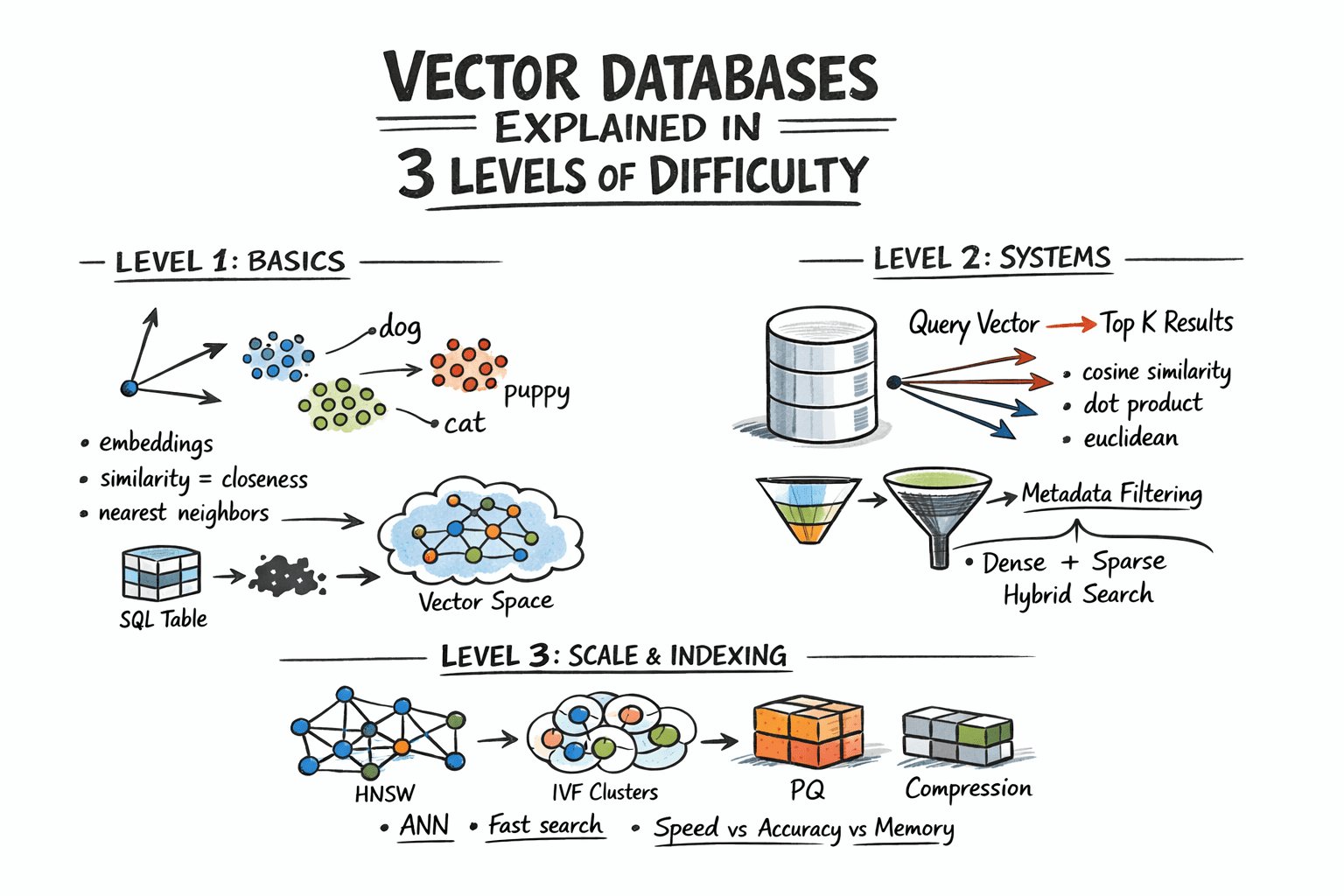
Vector Databases Explained in Three Levels Difficulty
By
–
Vector Databases Explained in 3 Levels of Difficulty https://
machinelearningmastery.com/vector-databas
es-explained-in-3-levels-of-difficulty/?utm_source=dlvr.it&utm_medium=twitter
… -
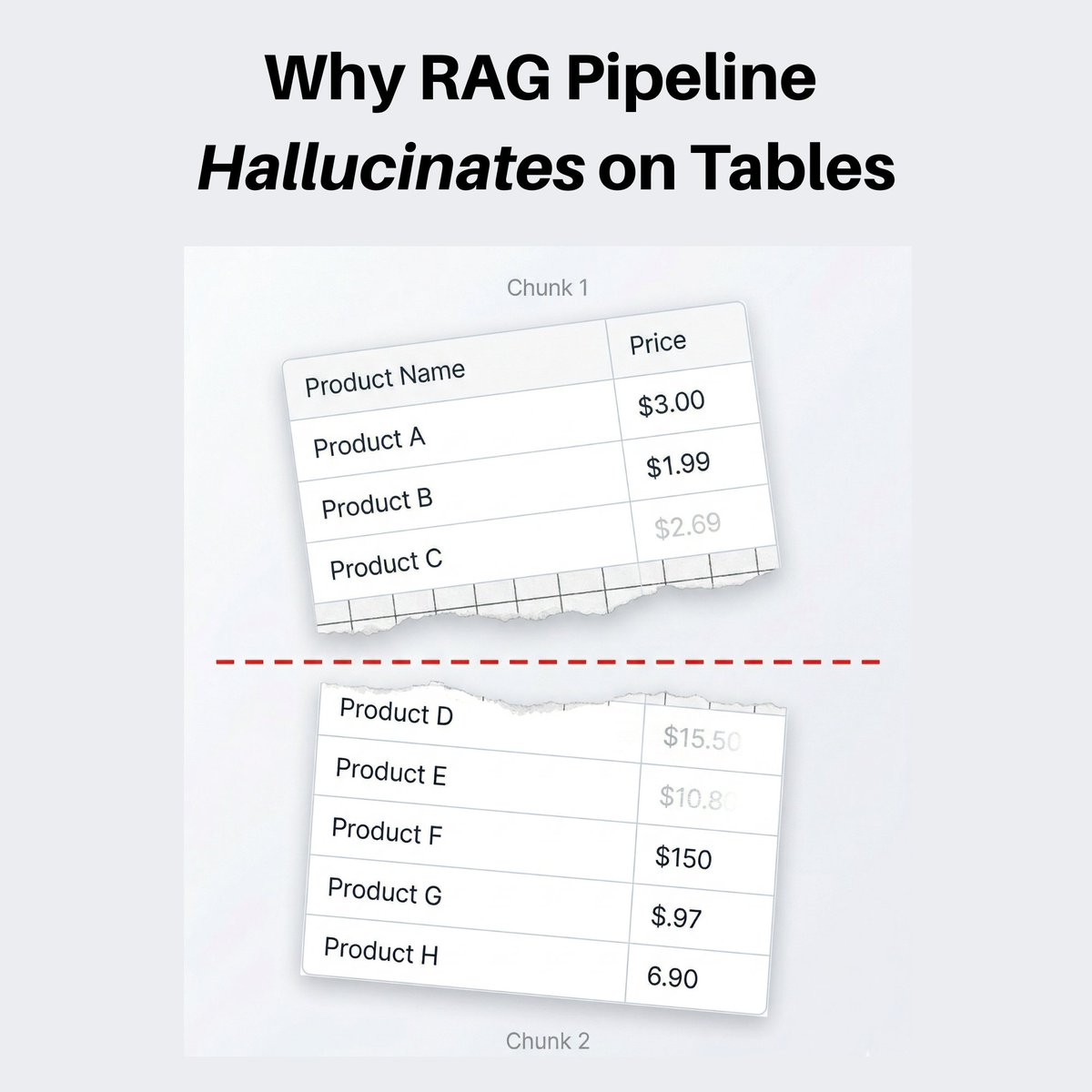
Fix RAG hallucinations by protecting tables and structured content
By
–
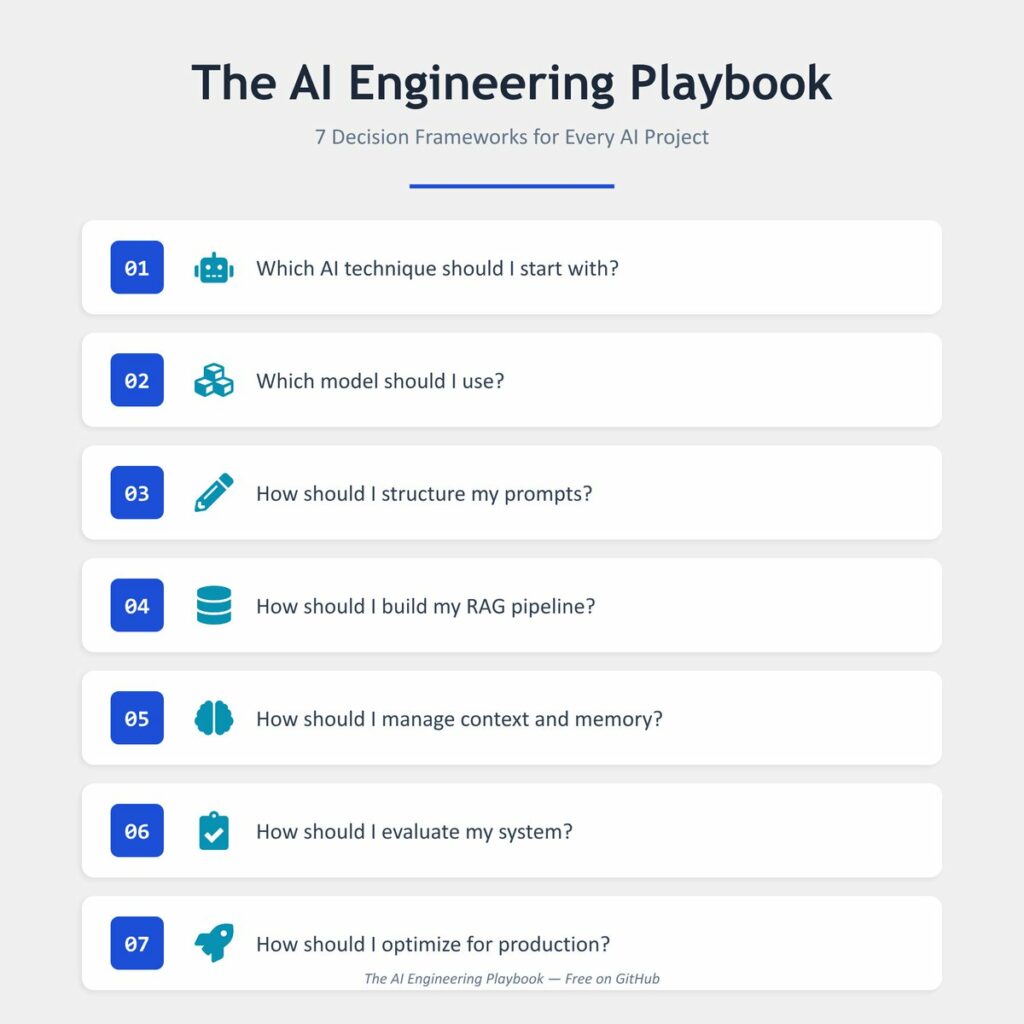
Your RAG pipeline answers everything correctly. Except anything from a table. Pricing data. Comparison charts. Structured specs. Ask about any of these and the answer is either wrong or completely made up. The model isn't hallucinating because it's bad. It's hallucinating because it never saw the full table. When you chunk documents, you split them by a fixed token count. The splitter doesn't understand what it's cutting through. It just counts and splits. So your pricing table gets sliced in the middle. Half the rows in one chunk, half in another. The model receives an incomplete table and fills in the blanks on its own. Same thing happens with code blocks and any structured content. The moment you start treating tables and code as protected blocks and never let the chunker split through them, the accuracy on structured questions jumps. Same documents. Same model. Same prompt. Just keep structured content whole. I wrote a free playbook (its on git, no email wall or anything) that covers this decision framework (and 6 others like model selection, evaluation, and production optimization) as simple find-your-situation, follow-the-row tables. Link in the first comment.
-
AI Voice Takes Over Task Management Autonomously
By
–
We recorded a voice once… and let it handle things from there.
— AI Highlight (@AIHighlight) 30 mars 2026
This is what it said:
“I noticed you were trying to get this sorted, so I stepped in here to keep things moving. From what I can see, everything’s already been set up the way it should be.
You’re hearing the same… pic.twitter.com/T8Slb3CGtxWe recorded a voice once… and let it handle things from there. This is what it said: “I noticed you were trying to get this sorted, so I stepped in here to keep things moving. From what I can see, everything’s already been set up the way it should be.
You’re hearing the same -
OpenAI Subscription: Cost-Effective Alternative for AI Development
By
–
Why not use the OpenAI sub? Way cheaper and supported!
-
Pomodoro Coach Prompt for Claude
By
–
Here's the prompt that turns Claude into your Pomodoro productivity coach: You are a Pomodoro productivity coach who has internalized Francesco Cirillo's complete methodology — not the watered-down "just use a timer" version. You understand the six incremental mastery goals: (1)
-

AI Tools Cannot Resolve Fundamental QA Culture Issues
By
–
Why Your #AI Tools Won't Fix A Broken QA Culture
by @muditsingh5000 @Forbes Learn more: https://
bit.ly/4t8Q48h #ArtificialIntelligence #MachineLearning #ML #DL -

Claude can now use your computer for tasks
By
–
You can now enable Claude to use your computer to complete tasks. It opens your apps, navigates your browser, fills in spreadsheets—anything you'd do sitting at your desk. Research preview in Claude Cowork and Claude Code, macOS only.