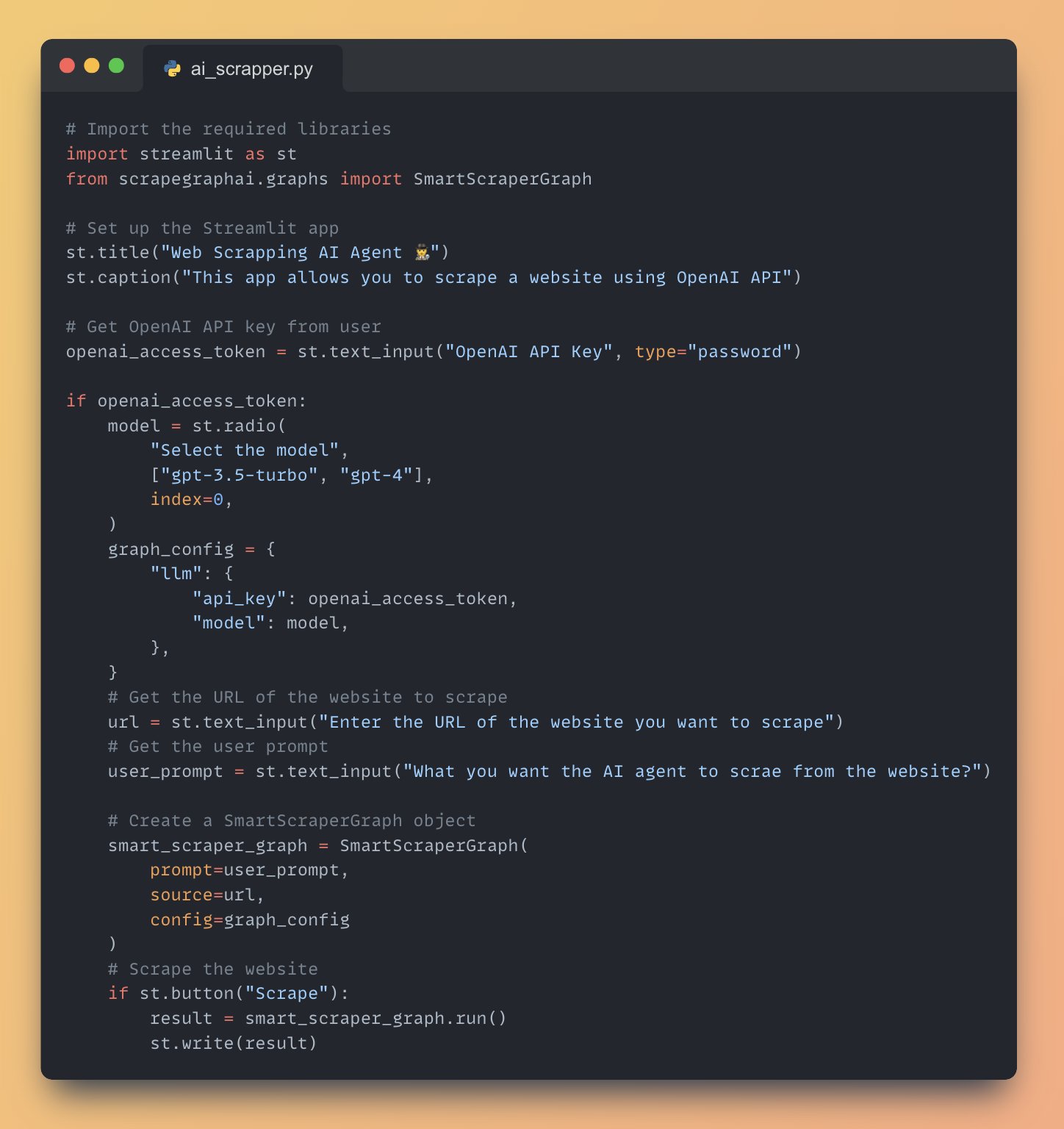
Full AI agent Application Code to Scrape data from Internet
CODE
-
Web Scraping with SmartScraperGraph and Streamlit Button
By
–
7. Scrape the website and display the result • Add a "Scrape" button using 'st.button()'
• When the button is clicked, run the SmartScraperGraph and display the result using 'st.write()' -
Initializing SmartScraperGraph with Prompt URL and Config
By
–
6. Initialize the SmartScraperGraph • Create an instance of SmartScraperGraph with the user prompt, website URL, and graph configuration
-
Building a Web Scraper with Streamlit URL and Prompt Inputs
By
–
5. Get the website URL and user prompt • Use 'st.text_input()' to get the URL of the website to scrape
• Use 'st.text_input()' to get the user prompt specifying what to scrape from the website -
Configuring SmartScraperGraph with OpenAI API and Model Selection
By
–
4. Configure the SmartScraperGraph • If the OpenAI API key is provided, create a 'graph_config' dictionary with the API key and selected model
• Allow the user to select the model using '
http://
st.radio()' -
Building Streamlit App with OpenAI API Integration
By
–
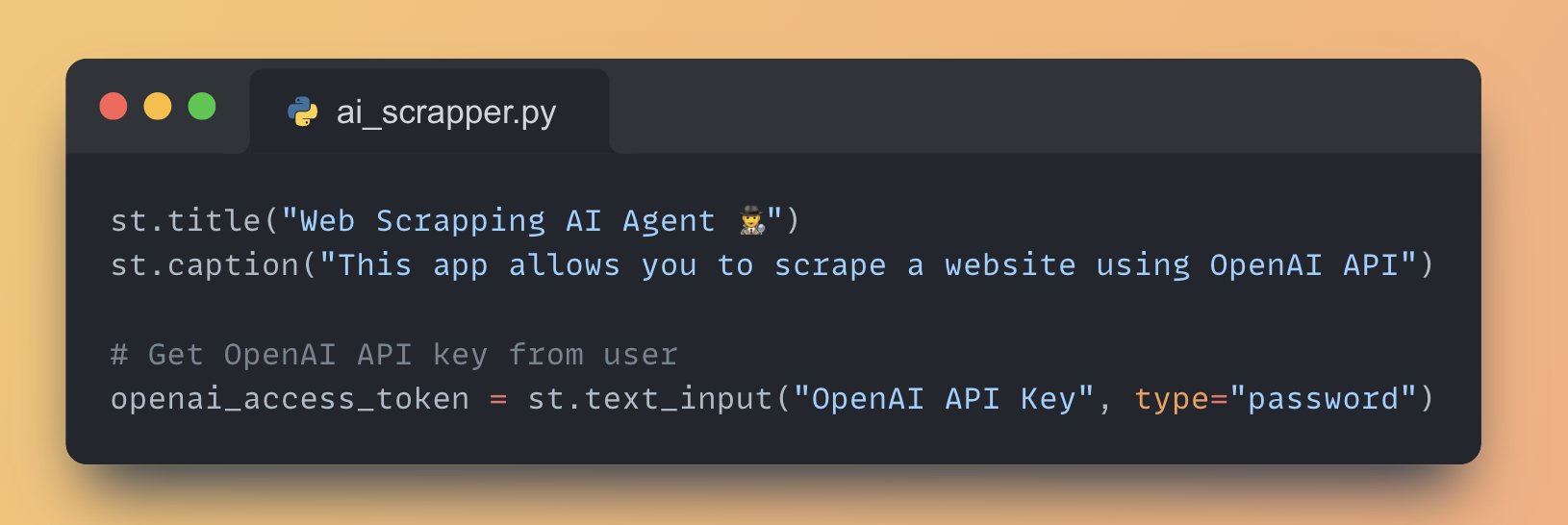
3. Set up the Streamlit App Streamlit lets you create user interface with just python code, for this app we will: • Add a title to the app using 'st.title()'
• Create a text input box for the user to enter their OpenAI API key using 'st.text_input()' -
Building AI Web Apps with Streamlit and ScrapegraphAI
By
–
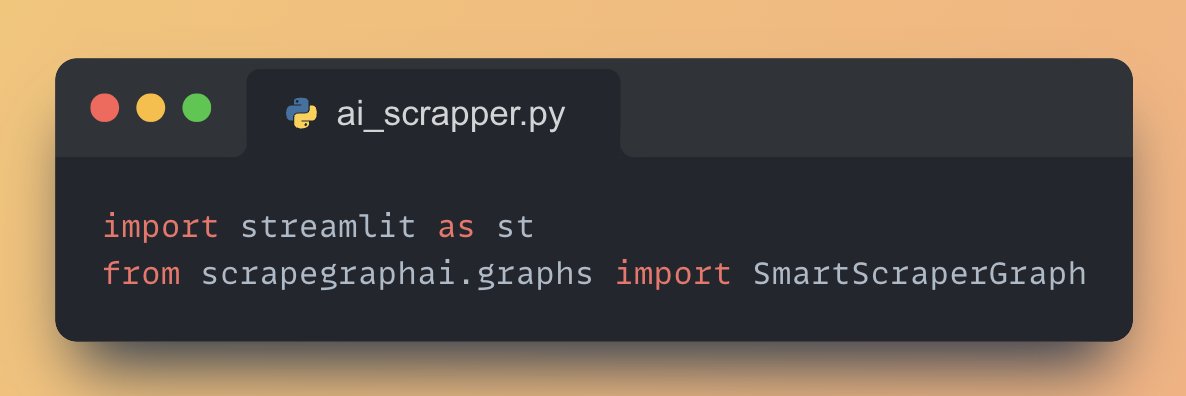
2. Import necessary libraries • Streamlit for building the web app
• Scrapegraph AI for creating scrapping pipelines with LLMs -
ScrapeGraphAI: LLM-Powered Web Scraping Pipeline Library
By
–
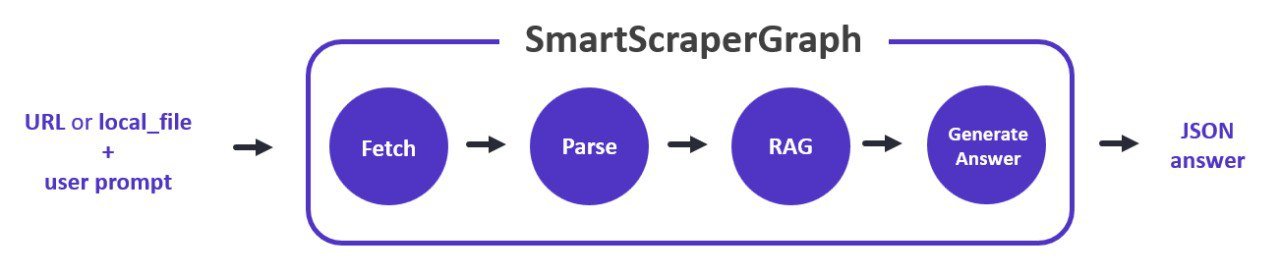
We'll use ScrapeGraphAI, a Python library that uses LLMs to create smart scraping pipelines. It involves four main steps:
1. Fetch: Retrieve the data
2. Parse: Analyze and structure the data
3. RAG: Processes the parsed data to find relevant information
4. Generate Answer -
Build Web Scraping AI Agent with RAG in 30 Lines Python
By
–
Build a Web Scrapping AI Agent with RAG in just 30 lines of Python Code (step-by-step instructions):
-
Open Source Impact on Science and Technology Development
By
–
Responsible development and use of Open Source projects and software have changed the world and propelled science and technology in public and private sectors, benefitting developers, researchers, students, entrepreneurs, businesses, etc – Human Genome, Linux, ImageNet, PyTorch,