Also their cuDF library will automatically know if you're running on GPU or CPU and speed up your processing. RAPIDS cuDF is now integrated directly into Google Colab. Checkout the Colab Notebook: https://
colab.research.google.com/github/rapidsa
i-community/showcase/blob/main/getting_started_tutorials/cudf_pandas_colab_demo.ipynb?ncid=ref-inor-594904
… Check out the Repo:
CODE
-
RAPIDS cuDF Library Now Integrated in Google Colab
By
–
-
NVIDIA Makes Pandas 150x Faster with Simple Code Addition
By
–
Pandas is a powerful data analysis and manipulation library for Python!
— Sumanth (@Sumanth_077) 16 mai 2024
NVIDIA just made Pandas 150x faster with zero code changes🔥
All you have to add is just a couple of lines of code:
%load_ext cudf.pandas
import pandas as pd pic.twitter.com/bgllBZCqDTPandas is a powerful data analysis and manipulation library for Python! NVIDIA just made Pandas 150x faster with zero code changes All you have to add is just a couple of lines of code: %load_ext cudf.pandas
import pandas as pd -
ObjectBox: Fast Vector Database for Offline Mobile AI Apps
By
–
I just came across an amazing Vectordb,ObjectBox which is designed to operate on mobile phones and various restricted devices, empowering developers to create AI-powered apps that work flawlessly offline. And it’s fast and easy-to-use. Check it out:
-
Scrapy vs Crawlee: Best Web Scraping Library in 2024
By
–
Scrapy Vs. Crawlee Which web scraping library you should choose in 2024? I made a comparison on the basis of: – Languages (Python/JS)
– Proxy Management
– Autoscaling
– Anti-blocking & fingerprints
– Error Handling, etc. Read on @ThePracticalDev
: -
Local LLMs for Web Scraping Without Internet Connection
By
–
No internet to run the models. Web scraper with local llms.
-
Streamlit App Demo for Local AI Scraper Tool
By
–
Working Application demo using Streamlit
— Shubham Saboo (@Saboo_Shubham_) 16 mai 2024
Paste the above code in vscode or pycharm and run the following command: 'streamlit run local_ai_scrapper.py' pic.twitter.com/5IMUcdFS0cWorking Application demo using Streamlit Paste the above code in vscode or pycharm and run the following command: 'streamlit run local_ai_scrapper.py'
-
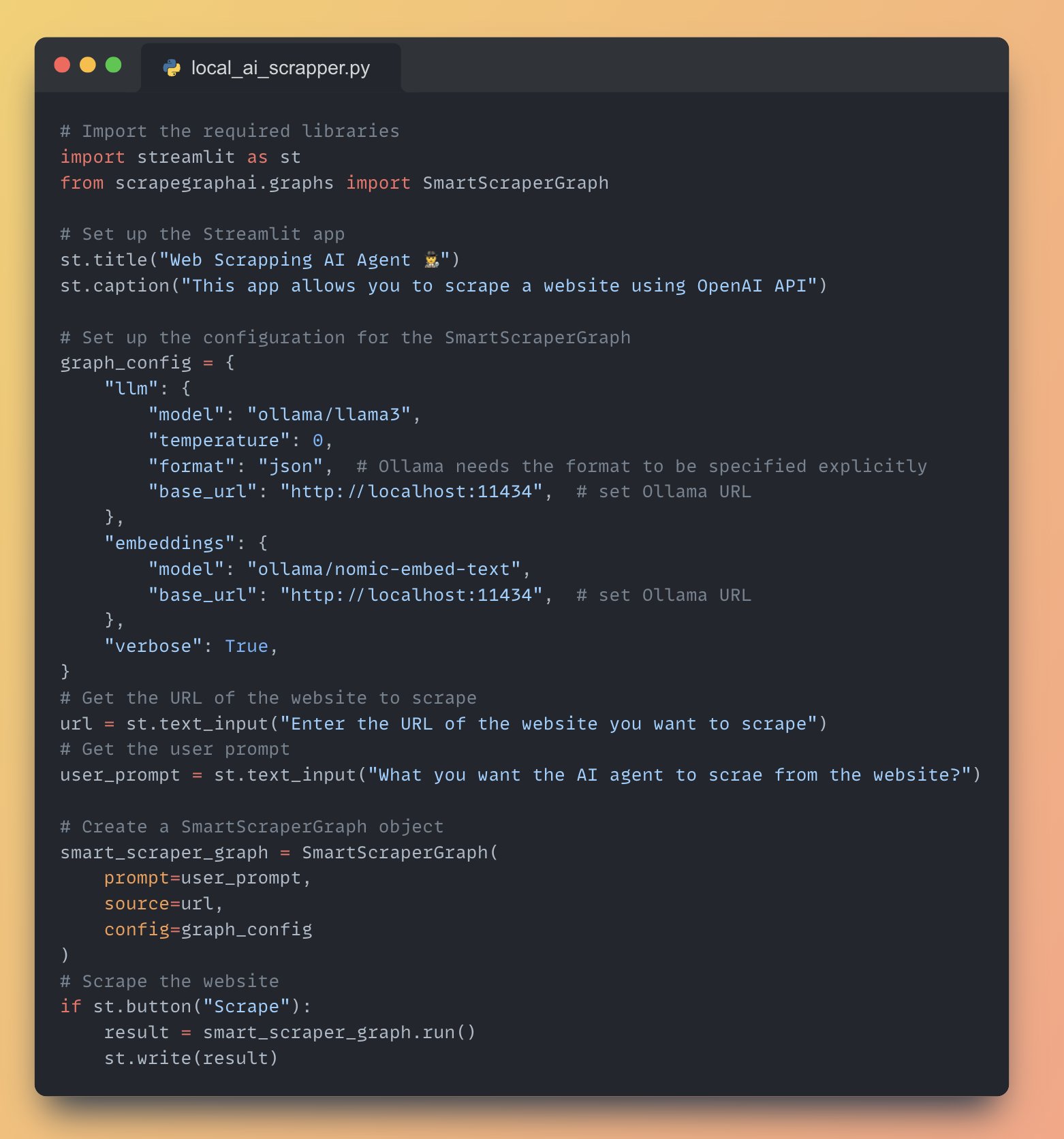
Web Scraper AI Agent with Local Llama-3 Using Ollama
By
–
Full Application Code running Webs Scrapper AI agent with local Llama-3 using Ollama
-
Web Scraping with SmartScraperGraph and Streamlit Button
By
–
9. Scrape the website and display the result • Add a "Scrape" button using 'st.button()'
• When the button is clicked, run the SmartScraperGraph and display the result using 'st.write()' -
Initializing SmartScraperGraph with Prompt URL and Config
By
–
8. Initialize the SmartScraperGraph • Create an instance of SmartScraperGraph with the user prompt, website URL, and graph configuration
-
Building Streamlit Apps with OpenAI API Integration
By
–
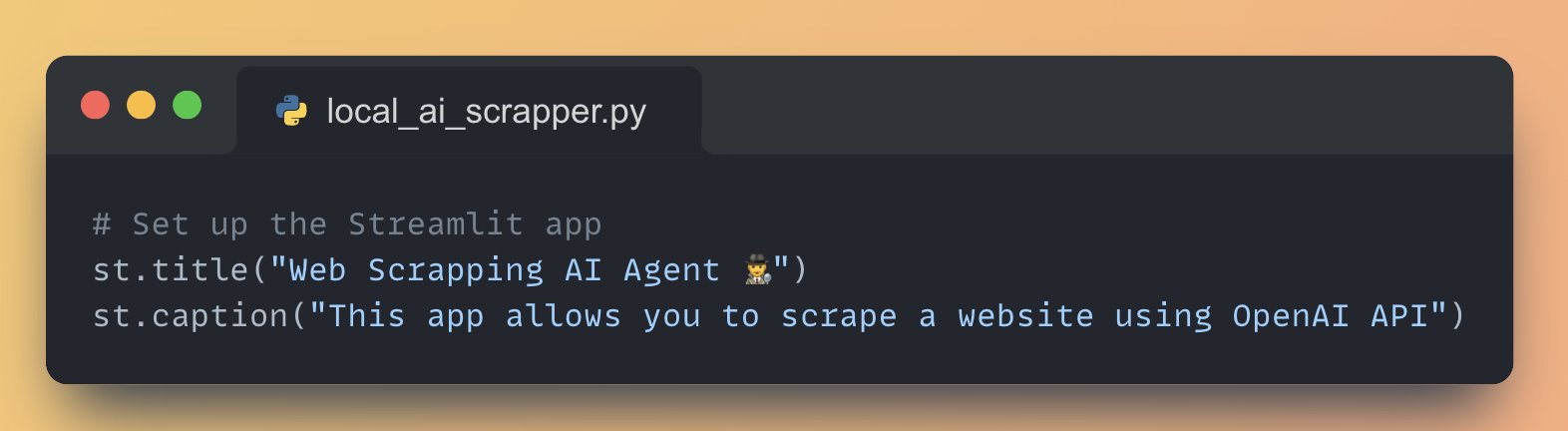
5. Set up the Streamlit App Streamlit lets you create user interface with just python code, for this app we will: • Add a title to the app using 'st.title()'
• Create a text input box for the user to enter their OpenAI API key using 'st.text_input()'