As part of the release of Muse, we also did a full revamp of the product stack for Meta AI (including a brand new app!). So almost everything you found is new and launched today 🙂
APPS
-
Meta AI Tools: New Features or Pre-Muse Launch?
By
–
Are those tools new features or were they on http://
meta.ai prior to the Muse launch? -
GeminiApp Projects Launch with Notebooks Feature
By
–
Projects in the @GeminiApp are now live, with a fun twist…. Notebooks! Enjoy the NotebookLM inspired experience. pic.twitter.com/EnOY6ve27G
— Logan Kilpatrick (@OfficialLoganK) 8 avril 2026Projects in the @GeminiApp are now live, with a fun twist…. Notebooks! Enjoy the NotebookLM inspired experience.
-
Download Meta AI App – Try Muse Spark Now
By
–
try muse spark yourself! download the Meta AI app or go to https://t.co/DipeeIuXm2! https://t.co/YqEV5ouaHl
— Alexandr Wang (@alexandr_wang) 8 avril 2026try muse spark yourself! download the Meta AI app or go to http://
meta.ai! -
AI Code Generation Replaces Traditional SaaS Development
By
–
Can AI really replace SaaS?
— Cerebras (@cerebras) 8 avril 2026
We asked Codex Spark to build a simple Salesforce clone. It generated a build plan, then wrote all the code in 29 seconds.
And it works! Add contacts, live search, full pipeline dashboard – all unit tests passed.
The same task on full Codex took… pic.twitter.com/uMuNTnjYpACan AI really replace SaaS? We asked Codex Spark to build a simple Salesforce clone. It generated a build plan, then wrote all the code in 29 seconds. And it works! Add contacts, live search, full pipeline dashboard – all unit tests passed. The same task on full Codex took
-
Abacus Claw: Ultra Efficient with Small Models
By
–
Abacus Claw Is Now Ultra Efficient – runs on small models
– super easy to connect to WhatsApp, Telegram and Discord
– will automatically sleep when not being used The best OPEN CLAW implementation on the cloud -
Do Claude web and Cursor support rendering these elements?
By
–
Very cool. Do these render inside Claude web, Cursor, anywhere?
-
Namanopedia: AI-Generated Personal Wikipedia from Just a Name
By
–
This is Namanopedia.
— Naman Ambavi (@namanambavi) 8 avril 2026
I built lifewiki [https://t.co/dU2e2ffCcx].
Paste a name, get their entire Wikipedia. An AI agent researches the web and compiles 40-50+ articles with infoboxes, wikilinks, citations, and categories. Takes about 3 minutes.
Inspired by @karpathy's LLM Wiki… https://t.co/lIqGkTbO2L pic.twitter.com/AKKMWU8Ge0This is Namanopedia. I built lifewiki [mylife.wiki]. Paste a name, get their entire Wikipedia. An AI agent researches the web and compiles 40-50+ articles with infoboxes, wikilinks, citations, and categories. Takes about 3 minutes. Inspired by @karpathy's LLM Wiki pattern and @FarzaTV's Farzapedia. Except this one works for anyone, from just a name. mylife.wiki/naman-ambavi Andrej Karpathy (@karpathy) LLM Knowledge Bases Something I'm finding very useful recently: using LLMs to build personal knowledge bases for various topics of research interest. In this way, a large fraction of my recent token throughput is going less into manipulating code, and more into manipulating knowledge (stored as markdown and images). The latest LLMs are quite good at it. So: Data ingest: I index source documents (articles, papers, repos, datasets, images, etc.) into a raw/ directory, then I use an LLM to incrementally "compile" a wiki, which is just a collection of .md files in a directory structure. The wiki includes summaries of all the data in raw/, backlinks, and then it categorizes data into concepts, writes articles for them, and links them all. To convert web articles into .md files I like to use the Obsidian Web Clipper extension, and then I also use a hotkey to download all the related images to local so that my LLM can easily reference them. IDE: I use Obsidian as the IDE "frontend" where I can view the raw data, the the compiled wiki, and the derived visualizations. Important to note that the LLM writes and maintains all of the data of the wiki, I rarely touch it directly. I've played with a few Obsidian plugins to render and view data in other ways (e.g. Marp for slides). Q&A: Where things get interesting is that once your wiki is big enough (e.g. mine on some recent research is ~100 articles and ~400K words), you can ask your LLM agent all kinds of complex questions against the wiki, and it will go off, research the answers, etc. I thought I had to reach for fancy RAG, but the LLM has been pretty good about auto-maintaining index files and brief summaries of all the documents and it reads all the important related data fairly easily at this ~small scale. Output: Instead of getting answers in text/terminal, I like to have it render markdown files for me, or slide shows (Marp format), or matplotlib images, all of which I then view again in Obsidian. You can imagine many other visual output formats depending on the query. Often, I end up "filing" the outputs back into the wiki to enhance it for further queries. So my own explorations and queries always "add up" in the knowledge base. Linting: I've run some LLM "health checks" over the wiki to e.g. find inconsistent data, impute missing data (with web searchers), find interesting connections for new article candidates, etc., to incrementally clean up the wiki and enhance its overall data integrity. The LLMs are quite good at suggesting further questions to ask and look into. Extra tools: I find myself developing additional tools to process the data, e.g. I vibe coded a small and naive search engine over the wiki, which I both use directly (in a web ui), but more often I want to hand it off to an LLM via CLI as a tool for larger queries. Further explorations: As the repo grows, the natural desire is to also think about synthetic data generation + finetuning to have your LLM "know" the data in its weights instead of just context windows. TLDR: raw data from a given number of sources is collected, then compiled by an LLM into a .md wiki, then operated on by various CLIs by the LLM to do Q&A and to incrementally enhance the wiki, and all of it viewable in Obsidian. You rarely ever write or edit the wiki manually, it's the domain of the LLM. I think there is room here for an incredible new product instead of a hacky collection of scripts. — https://nitter.net/karpathy/status/2039805659525644595#m
-
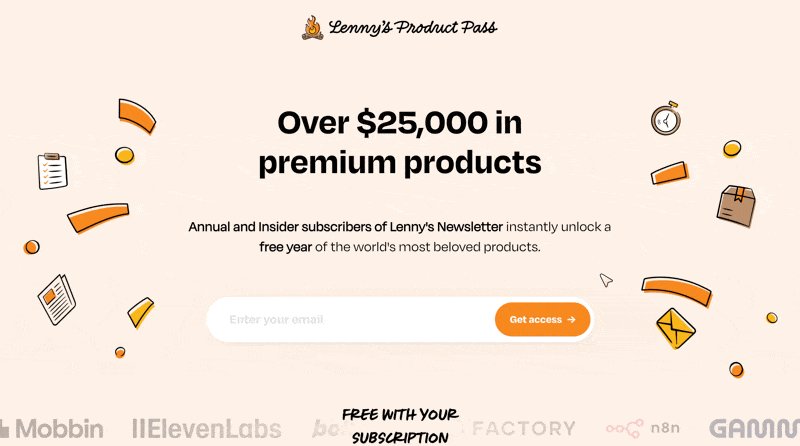
Lenny’s Newsletter Offers Free Year of Premium AI Tools
By
–
Breaking: Lenny's Newsletter subscribers will be getting a free year of @Cursor_ai, @GoogleAI Pro (w/ Gemini), @NotionHQ, @Supabase, @v0, @Gumloop, and @Fin_ai
— Lenny Rachitsky (@lennysan) 8 avril 2026
This is on top of the 25+ premium products that eligible subscribers already get free for a full year, including… pic.twitter.com/9BRlk5SohSBreaking: Lenny's Newsletter subscribers will be getting a free year of @Cursor_ai
, @GoogleAI Pro (w/ Gemini), @NotionHQ
, @Supabase
, @v0
, @Gumloop
, and @Fin_ai This is on top of the 25+ premium products that eligible subscribers already get free for a full year, including