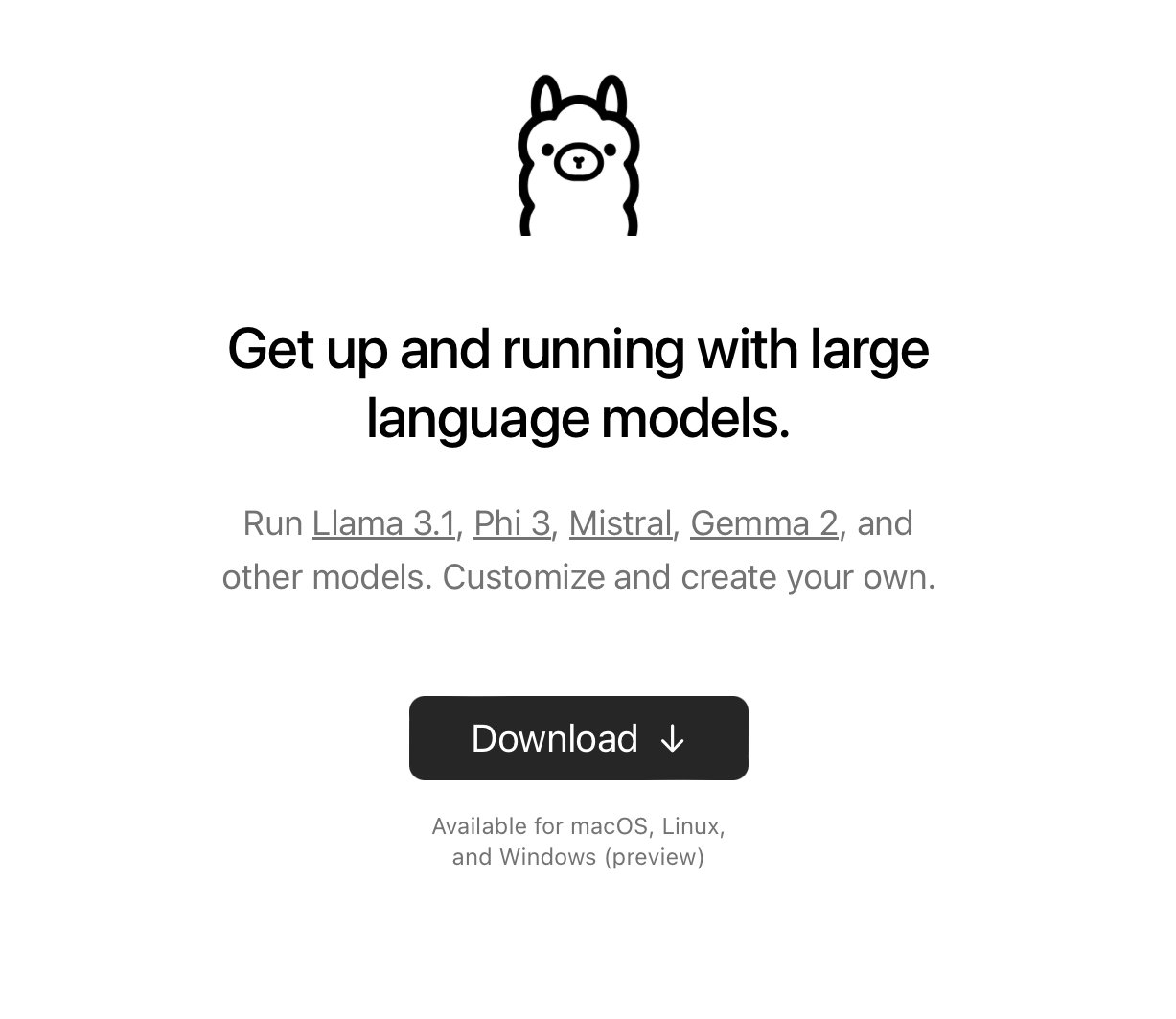
Step 1: Install Ollama on your Desktop Ollama is an open-source project that serves as a powerful and user-friendly platform for running LLMs on your local machine. Download & Install the @ollama desktop app
@sumanth_077
-
Run Llama-3.1 Locally on Your Computer Free
By
–
Run Llama-3.1 locally on your computer (100% free and without internet):
-
Daily Content on Python, Data Science, Machine Learning Topics
By
–
That's a wrap! If you are interested in any of these topics: – Python – Data Science – Machine Learning – Data Analysis – LLMs – MLOps Find me → @Sumanth_077 I'm sharing daily content over here.
-
Chat with Your Data: Summarizing PDF Files in App
By
–
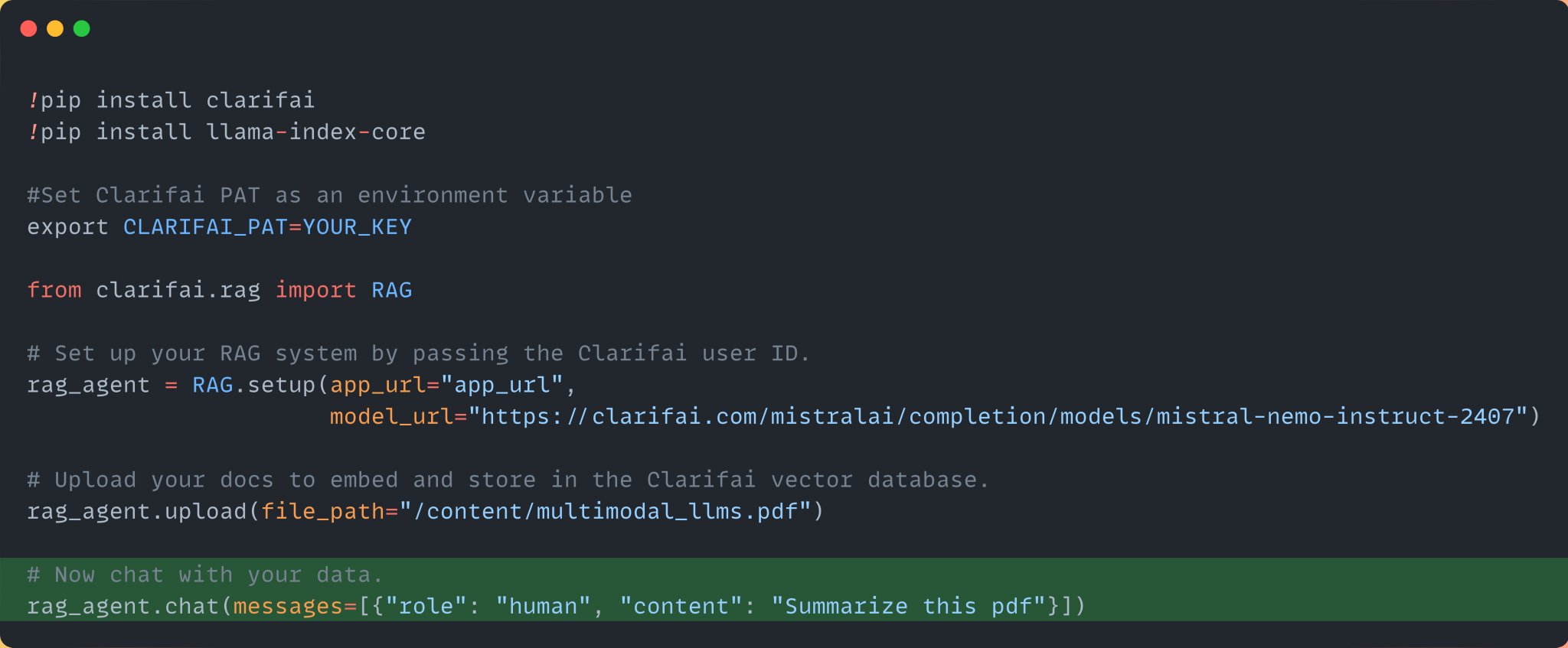
Step 4: Chat with your data Finally, once the data has been ingested into the app, chat with your data. Here we are asking it to summarize the pdf file.
-

Upload Data to Clarifai App for Vector Embedding and Indexing
By
–
Step 3: Upload the data Once you upload the data, it will embed and index the data into your Clarifai app. Clarifai Apps acts as your vector database.
-

Setting Up RAG System with Clarifai and Mistral Nemo Model
By
–
Step 2: Import the RAG class and set up the RAG system by passing your Clarifai App URL and the Mistral Nemo 12B instruct model URL from the community. Create a Clarifai app and get your App URL. Here is the model URL: http://
clarifai.com/mistralai/comp
letion/models/mistral-nemo-instruct-2407
… -
Install Clarifai SDK and Llama-index with Personal Access Token
By
–
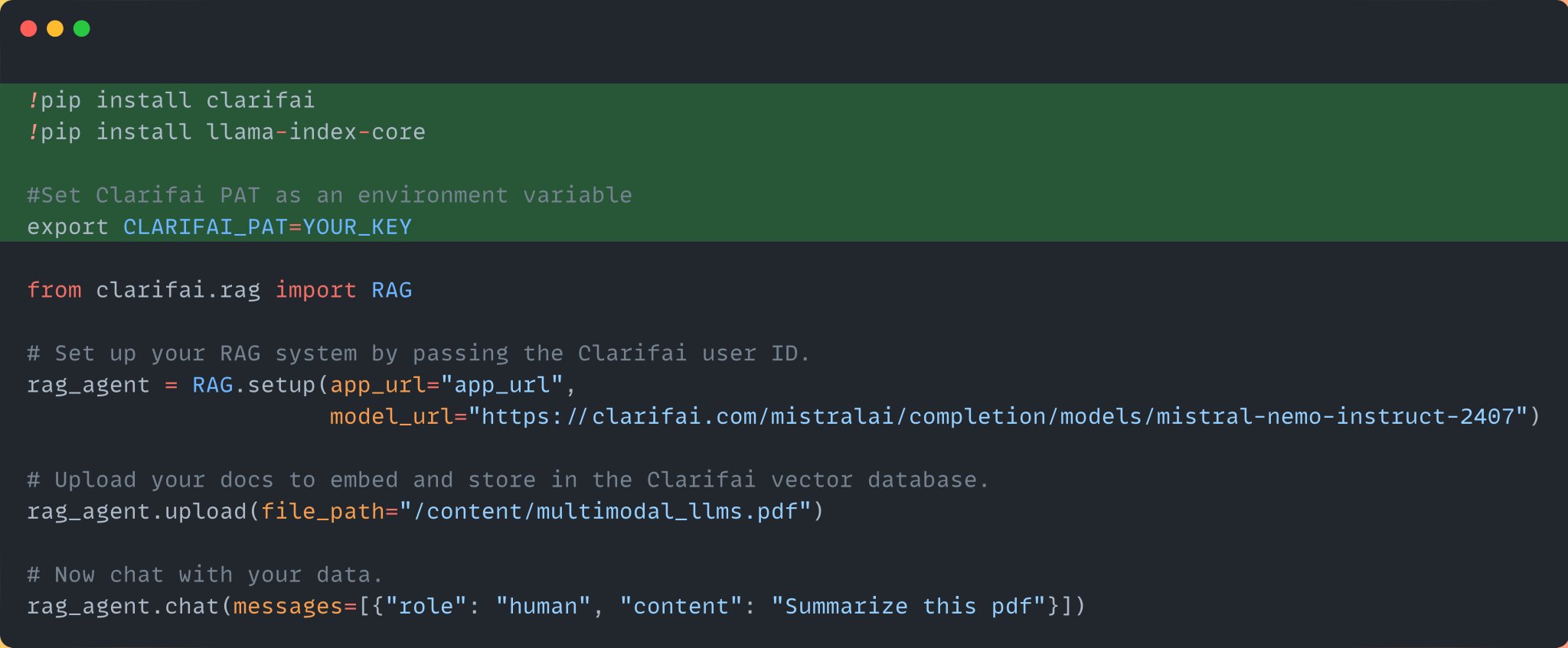
Step 1: Install the Clarifai Python SDK, Llama-index, and set your Clarifai Personal Access Token as an environment variable. Sign up for the platform, and you can access the PAT here: https://
clarifai.com/settings/secur
ity
… -
Build RAG System in 4 Lines of Code with Clarifai
By
–
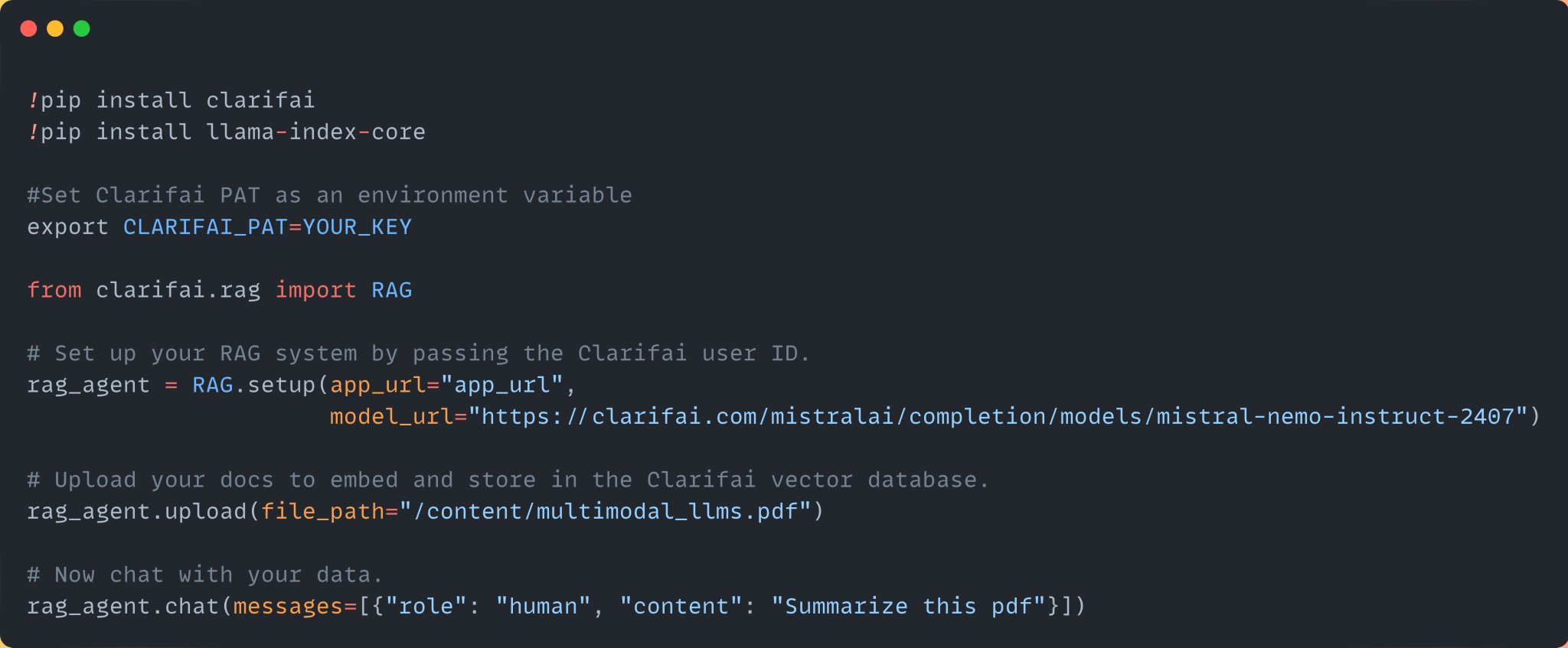
You can build a RAG system with just 4 lines of code using @clarifai Python SDK. Below is the entire code. Let's look at it step by step:
-
Mistral NeMo: New 12B State-of-the-Art Small Model from Mistral AI
By
–
Mistral NeMo is the new and the best small model from Mistral AI built in collaboration with NVIDIA. This is a state-of-the-art 12B model with a 128k context length. The model offers a balance between size and performance. You can try out the model here: https://
clarifai.com/mistralai/comp
letion/models/mistral-nemo-instruct-2407
… -
Build RAG LLM App Chat PDF Files Mistral Nemo
By
–
Build a LLM app with RAG to chat with PDF files using the latest open-source Mistral Nemo Instruct model in just 4 lines of Python code: