ContextGem particularly leverages the long context window of LLMs for extraction tasks!
@sumanth_077
-
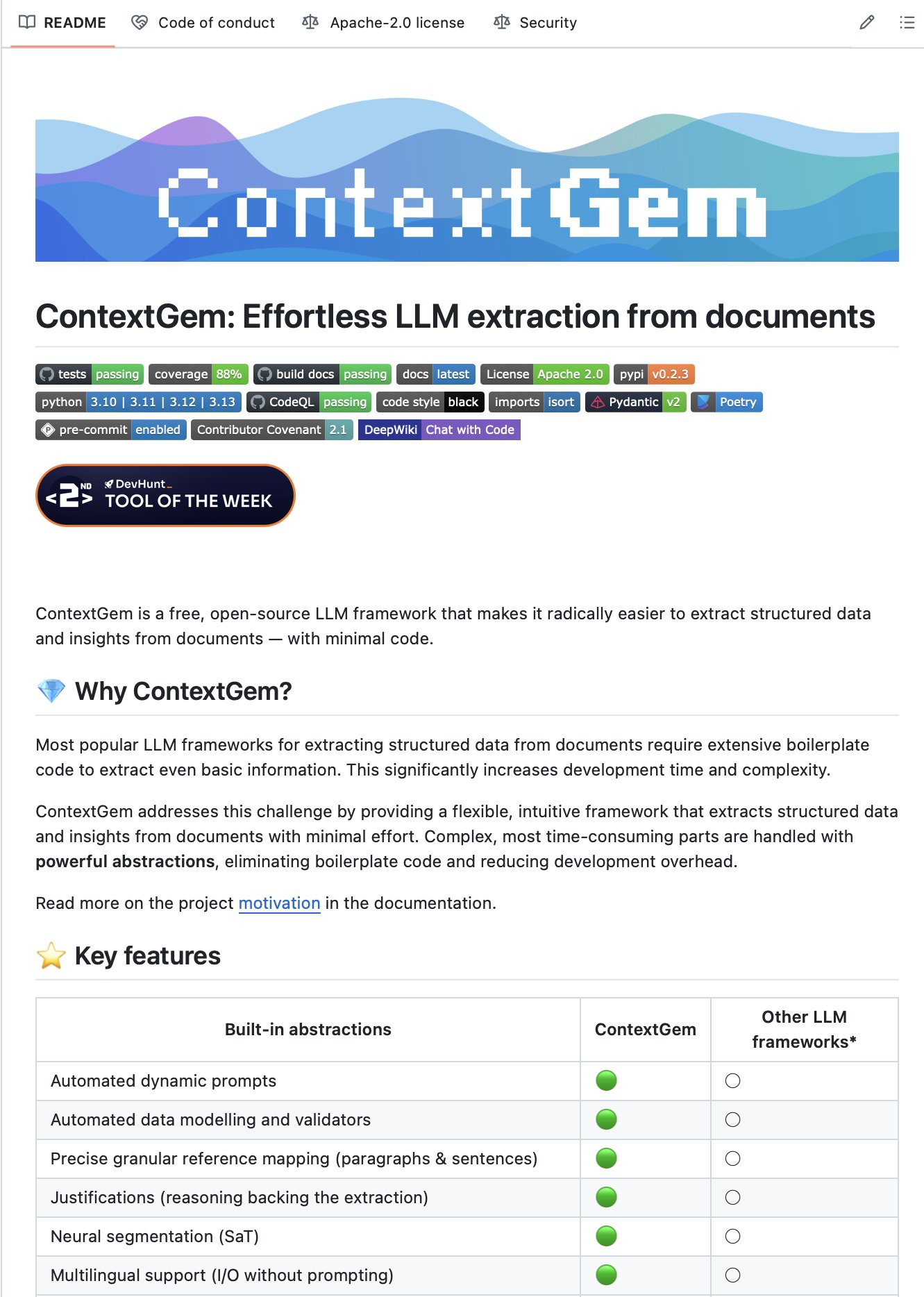
ContextGem: Open Source LLM Framework for Document Data Extraction
By
–
Extract structured data and insights from documents with just a few lines of Python code! ContextGem is an LLM framework that makes extracting structured data and insights from documents radically easier with minimal code. 100% Open Source
-
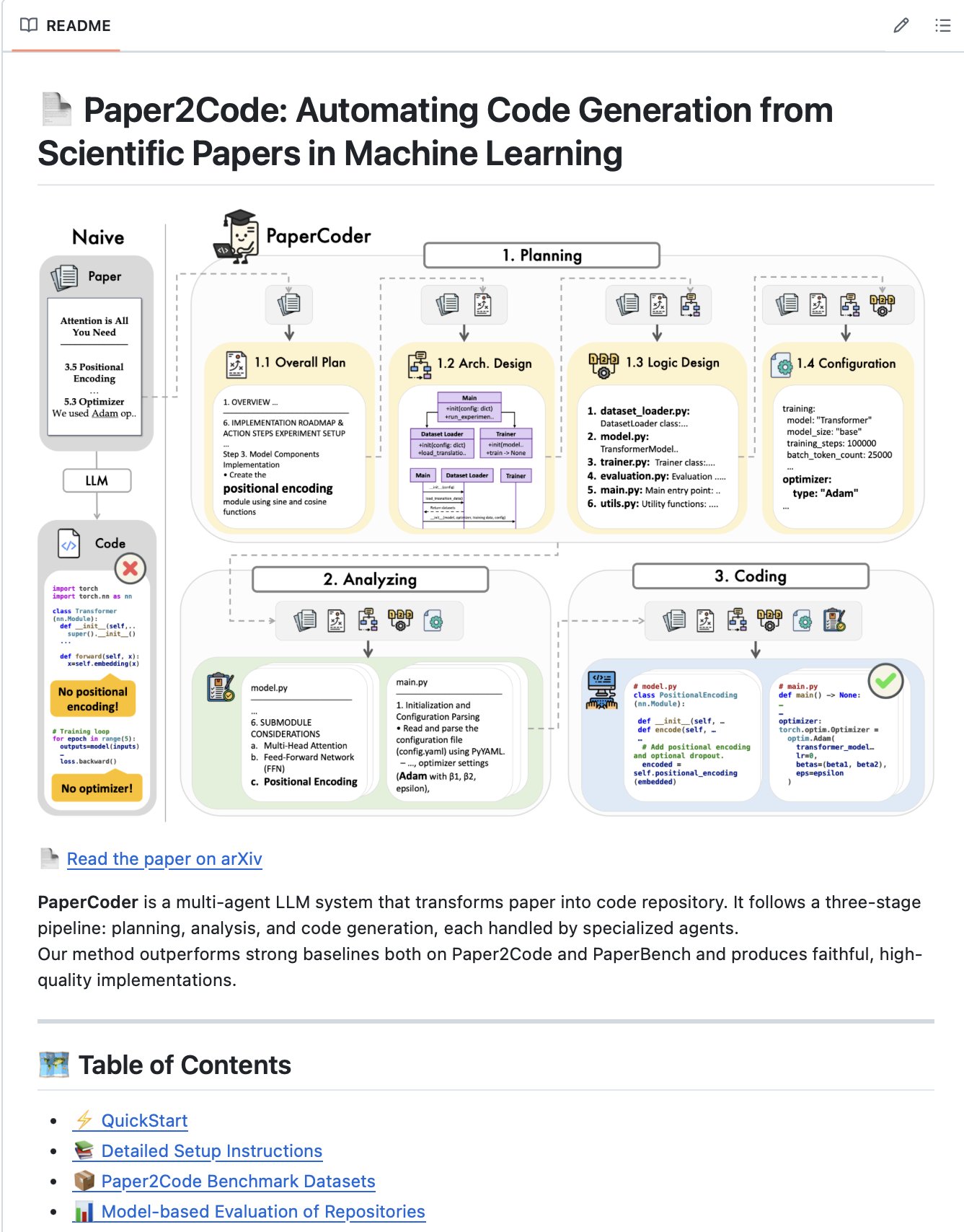
Paper2Code: Multi-Agent System Transforms ML Papers into Code
By
–
Turn any ML paper into code repository! Paper2Code is a multi-agent LLM system that transforms a paper into a code repository. It follows a three-stage pipeline: planning, analysis, and code generation, each handled by specialized agents. 100% Open Source
-
PDF RAG Agent with Agno and Milvus Vector Database
By
–
PDF RAG Agent using Agno and Milvus!
— Sumanth (@Sumanth_077) 2 mai 2025
I’ve built a PDF RAG agent that pulls context from indexed PDF files stored in a local vector database.
If needed, it can fall back to web search to provide more relevant answers.
100% open source. Here's a step-by-step guide: https://t.co/IjNO8yT8oq pic.twitter.com/pJCy2vFyCPPDF RAG Agent using Agno and Milvus! I’ve built a PDF RAG agent that pulls context from indexed PDF files stored in a local vector database. If needed, it can fall back to web search to provide more relevant answers. 100% open source. Here's a step-by-step guide:
-
Milvus: Fast, Scalable Open-Source Vector Database
By
–
Milvus is the vector database powering our vector search. It's open-source, incredibly fast, and scalable. It can store and query millions (or even billions) of vectors efficiently. Check them out!
-
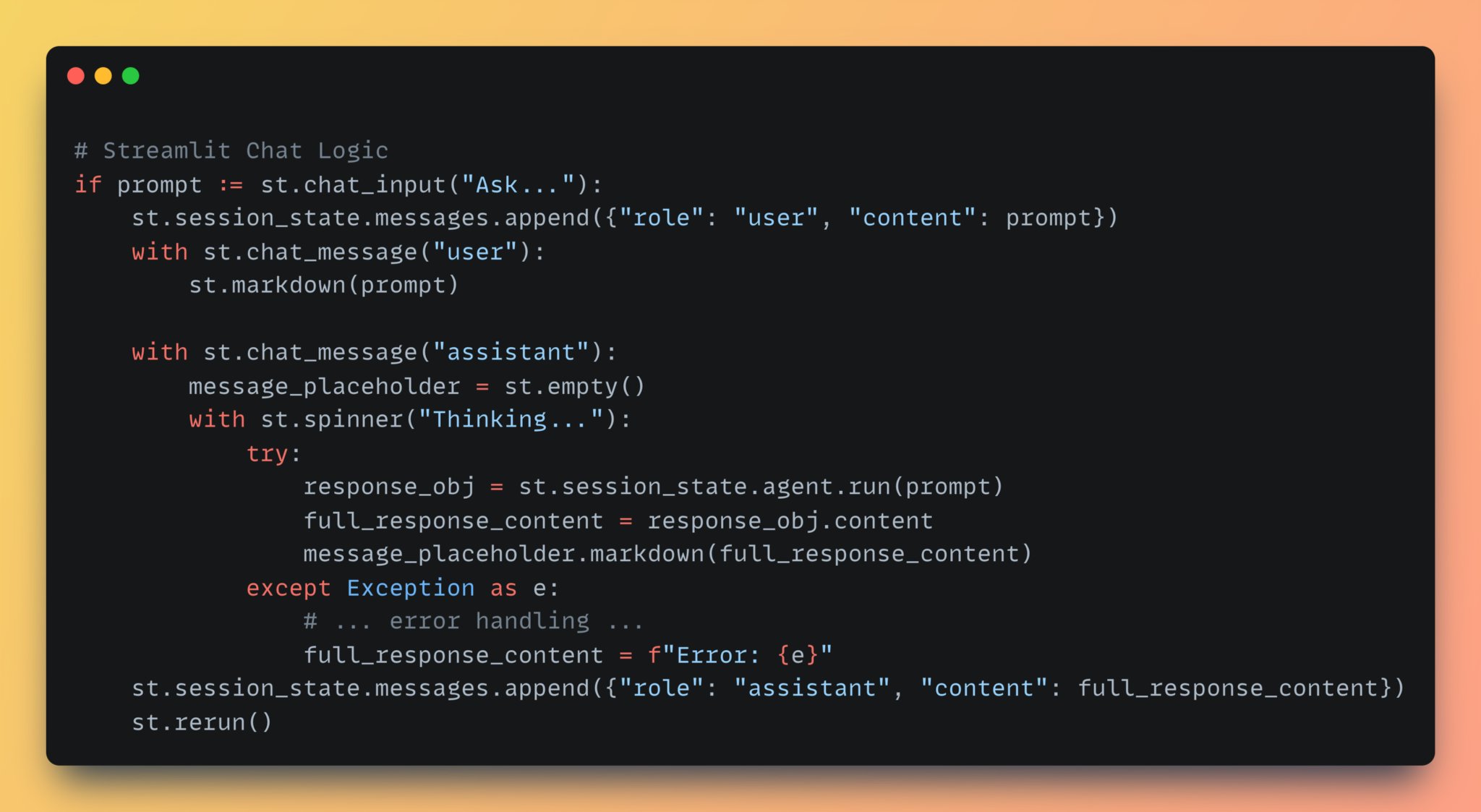
Agent Interaction: Chat Logic and Fallback Mechanisms
By
–
6. Agent Interaction Finally define the chat logic. Once the user prompt is passed to the agent, it plans and takes actions. It first queries the vector database. If no relevant results are returned, it falls back to DuckDuckGo and responds with the final output.
-
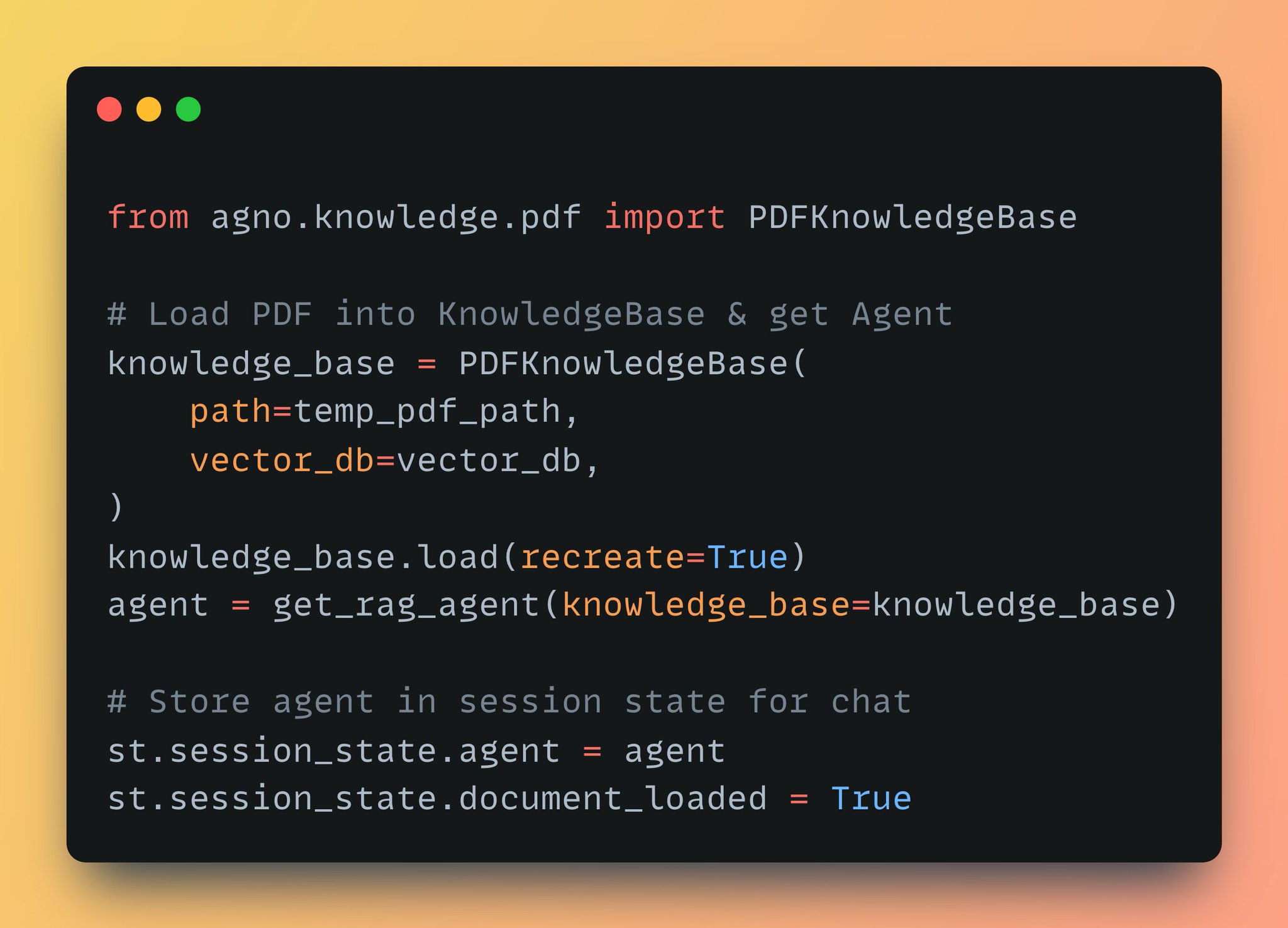
Loading Knowledge Base and Initializing RAG Agent for PDF Processing
By
–
5. Next, Loading the Knowledge & Agent When a PDF is processed, we instantiate PDFKnowledgeBase with the file path & our Milvus vector_db. Then we pass it into the above "get_rag_agent" method to initialize a fully ready-to-chat agent and then store it as a session variable.
-

Building a PDF RAG Agent with Agno and GPT-4o-mini
By
–
4. Next, let’s build the PDF RAG Agent The get_rag_agent function sets up the Agno Agent with gpt-4o-mini, PDFKnowledgeBase, and the DuckDuckGo tool for web search. This design allows the agent to try PDF knowledge base first and fall back to websearch if needed.
-
Setup Milvus VectorDB for RAG Agent Semantic Search
By
–
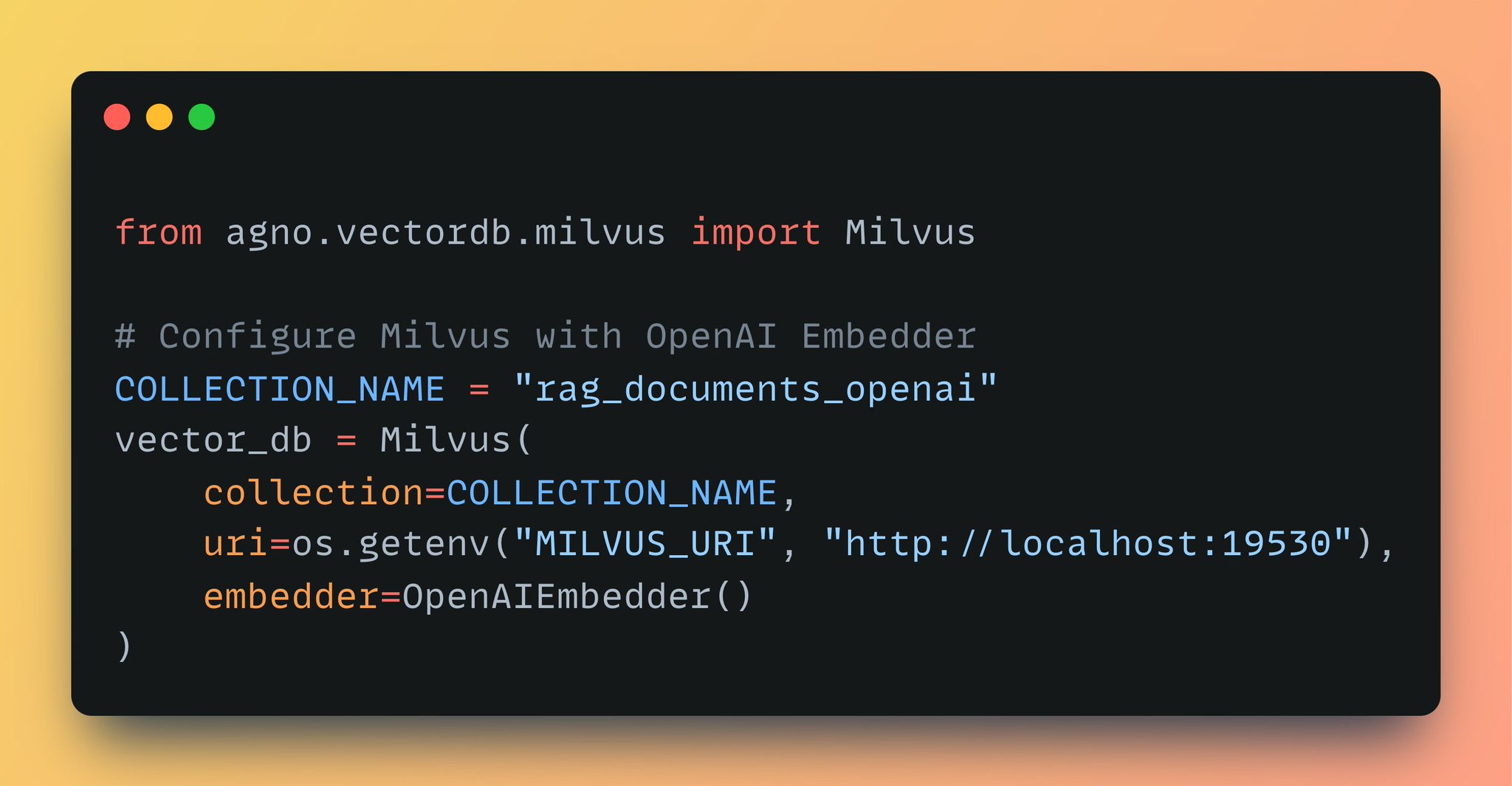
3. Setup vectorDB First, connect to Milvus to store and search vector embeddings. Agno simplifies this with an abstraction for the Milvus client. Provide the collection name, embedding model, and server info to create the collection, enabling semantic search in our RAG Agent.
-
Installation de Milvus : Base de données vectorielle open-source
By
–
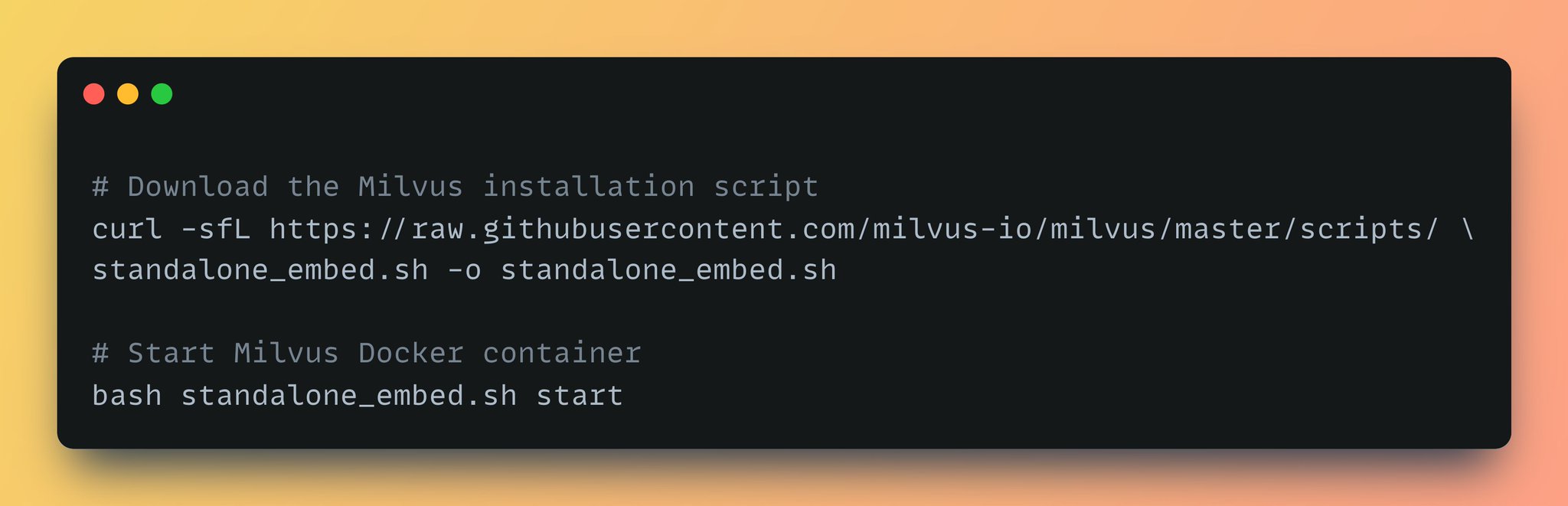
2. Install Milvus We use Milvus, an open-source vector database, to store document embeddings. Milvus supports flexible deployments via Kubernetes, Docker, or Lite mode via pip install. Let's run the "standalone_embed. sh" script to launch Milvus in Docker standalone mode.