Yeah, you can use that or even codestral via Ollama.
@saboo_shubham_
-
LLM Tips and Tutorials Sharing Guide
By
–
If you find this useful, RT to share it with your friends. Don't forget to follow me @Saboo_Shubham_ for more such LLMs tips and tutorials.
-
Awesome LLM Apps Demo with RAG GitHub Repository
By
–
Find all the awesome LLM Apps demo with RAG in the following Github Repo. P.S: Don't forget to star the repo to show your support
-
Local Coding Assistant Using Llama-3 Chat
By
–
4. Chat with local coding Assistant using Llama-3 pic.twitter.com/cee31drHoE
— Shubham Saboo (@Saboo_Shubham_) 14 juin 20244. Chat with local coding Assistant using Llama-3
-
Ollama LLM Provider Setup in CodeGPT Extension
By
–
3. Select Ollama as the LLM Provider
— Shubham Saboo (@Saboo_Shubham_) 14 juin 2024
• Go to the CodeGPT extension and select Ollama as your AI model
• After selecting Ollama, you can then select the models installed automatically. pic.twitter.com/NLxBj1fdew3. Select Ollama as the LLM Provider • Go to the CodeGPT extension and select Ollama as your AI model
• After selecting Ollama, you can then select the models installed automatically. -
Install CodeGPT Extension in VS Code for AI Coding
By
–
2. Install CodeGPT extension in your VS Code pic.twitter.com/4VfEUBE9N8
— Shubham Saboo (@Saboo_Shubham_) 14 juin 20242. Install CodeGPT extension in your VS Code
-
Install Ollama Desktop and Download Llama-3 Model
By
–
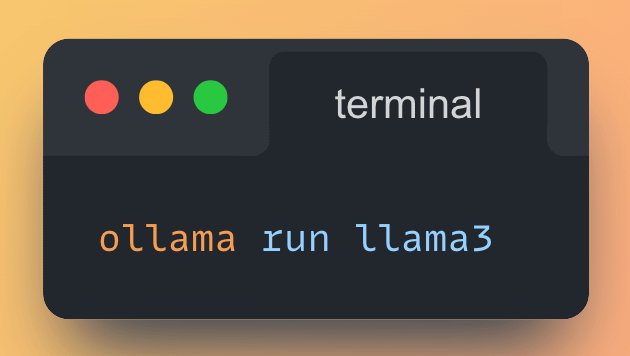
1. Install Ollama for your Desktop • Download & Install the @ollama desktop app
• Run the following command to download llama-3 instruct model -
Free Local AI Code Assistant Llama-3 VS Code
By
–
AI code assistant in VS code using Llama-3 running locally on your computer (100% free and without internet):
-
LM Studio UI comparison simplifies local AI model deployment
By
–
Both are pretty much the same but LM Studio has added UI so that helps.