
ChatGPT showed us again that customer-focused products will always outshine any marketing strategy. Here is its user acquisition timeline as compared to other revolutionary technical products. 1 million users in less than five days speaks for itself
@saboo_shubham_
-

Tenstorrent Building World Class Hardware for AI
By
–
Even ChatGPT knows it – how @tenstorrent is building world class hardware for AI and what makes it stand out from the rest. Super proud of the team at Tenstorrent and more than excited to be a part of this #AI revolution
-
Google LolNerf: Learn from One Look at Images
By
–
Learn more about it here – https://
ai.googleblog.com/2022/09/lolner
f-learn-from-one-look.html
… -
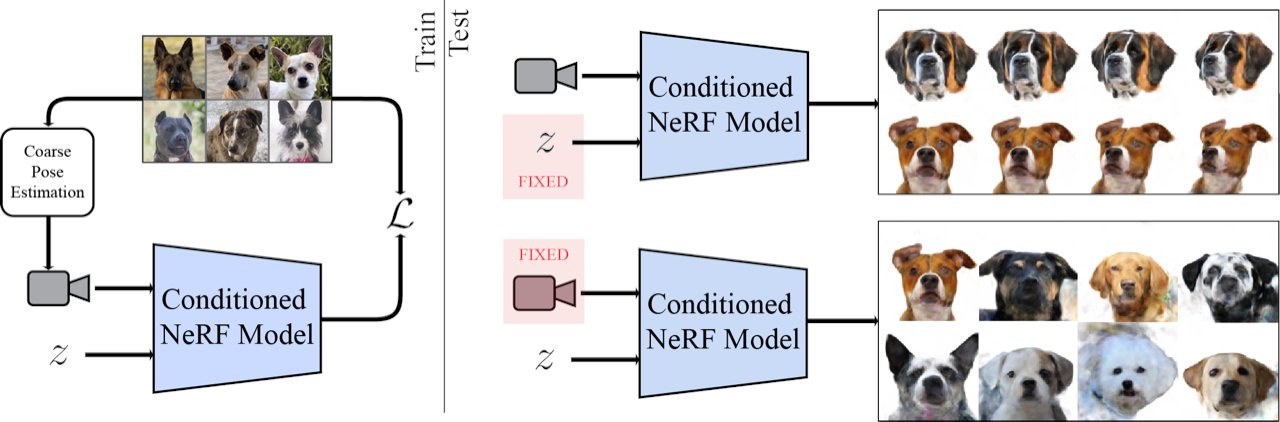
LOLNeRF: Combining GLO and NeRF for Novel View Synthesis
By
–
How does it work? The combination of Generative Latent Optimization (GLO) and neural radiance fields (NeRF) used in LOLNeRF is what sets it apart from other approaches. It achieves SOTA results for novel view synthesis and competitive results for depth estimation.
-
LOLNerf: Learning 3D Object Recognition From Single Images
By
–
LOLNerf: Learn from One Look”, we explore the ability to learn a high-quality representation from just a single 2-D image. It can understand common 3D objects, like cars and human faces, from just one image – a game changer for object recognition.
-
LOLNeRF Revolutionizes Computer Vision With Multi-Angle Capture
By
–
Say goodbye to the hassle of capturing multiple angles and hello to the future of computer vision.
— Shubham Saboo (@Saboo_Shubham_) 27 janvier 2023
LOLNeRF is here to revolutionize the way we see the world.
(A thread) 👇🧵 pic.twitter.com/nHRDNyMuvNSay goodbye to the hassle of capturing multiple angles and hello to the future of computer vision. LOLNeRF is here to revolutionize the way we see the world. (A thread)
-
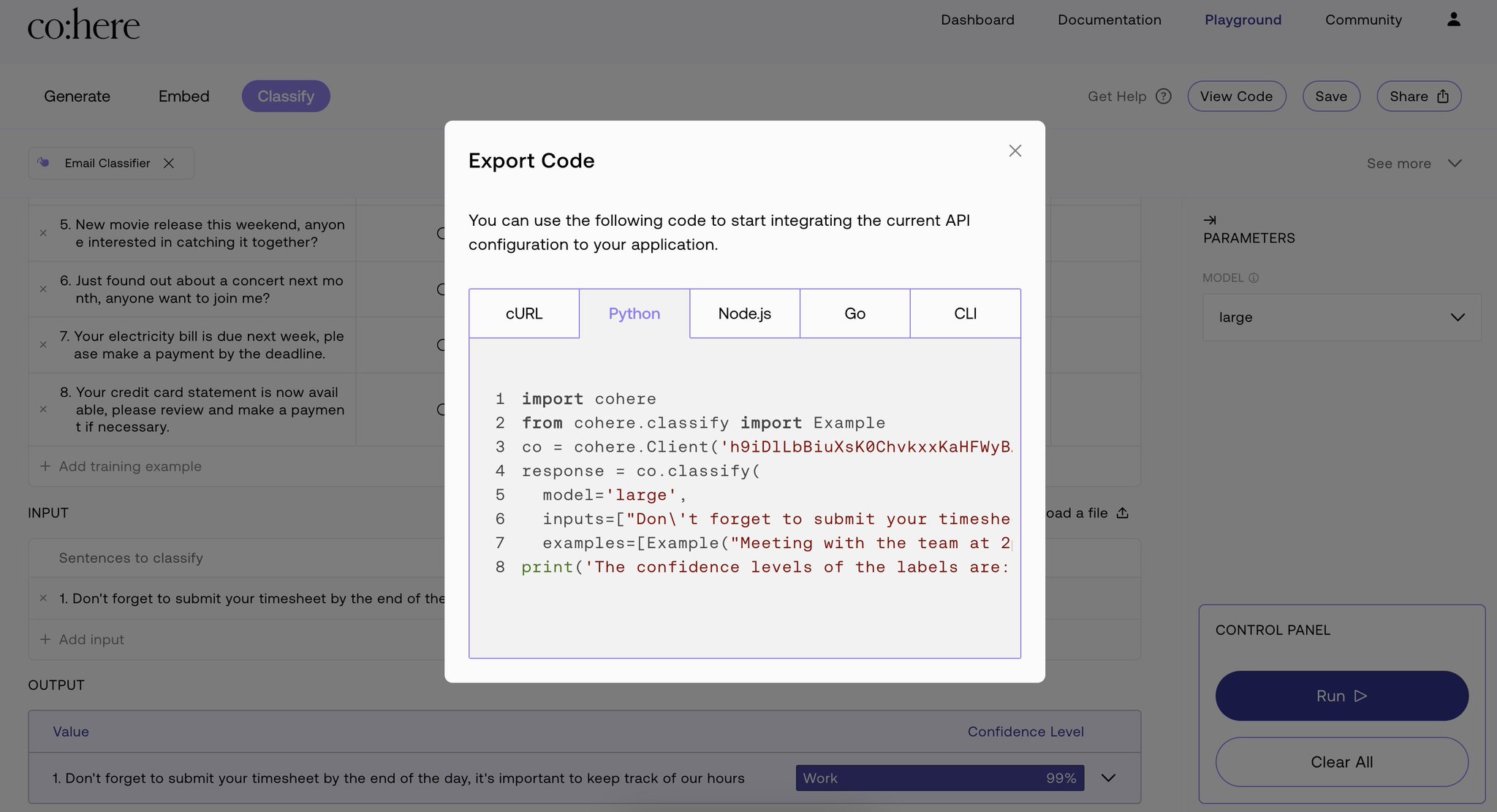
Deploy AI Classifier: Integration with Streamlit and Gradio
By
–
Step 5: Deploy and enjoy a clutter-free inbox! With your AI classifier in place, export the code in your favorite langauge and integrate it with your existing application or create a beautiful front-end using Streamlit or Gradio to share your application with others.
-

Testing Email Classifier on Unseen Data Samples
By
–
Step 4: Test your email classifier on unseen input data samples to validate if everything is working properly.
-
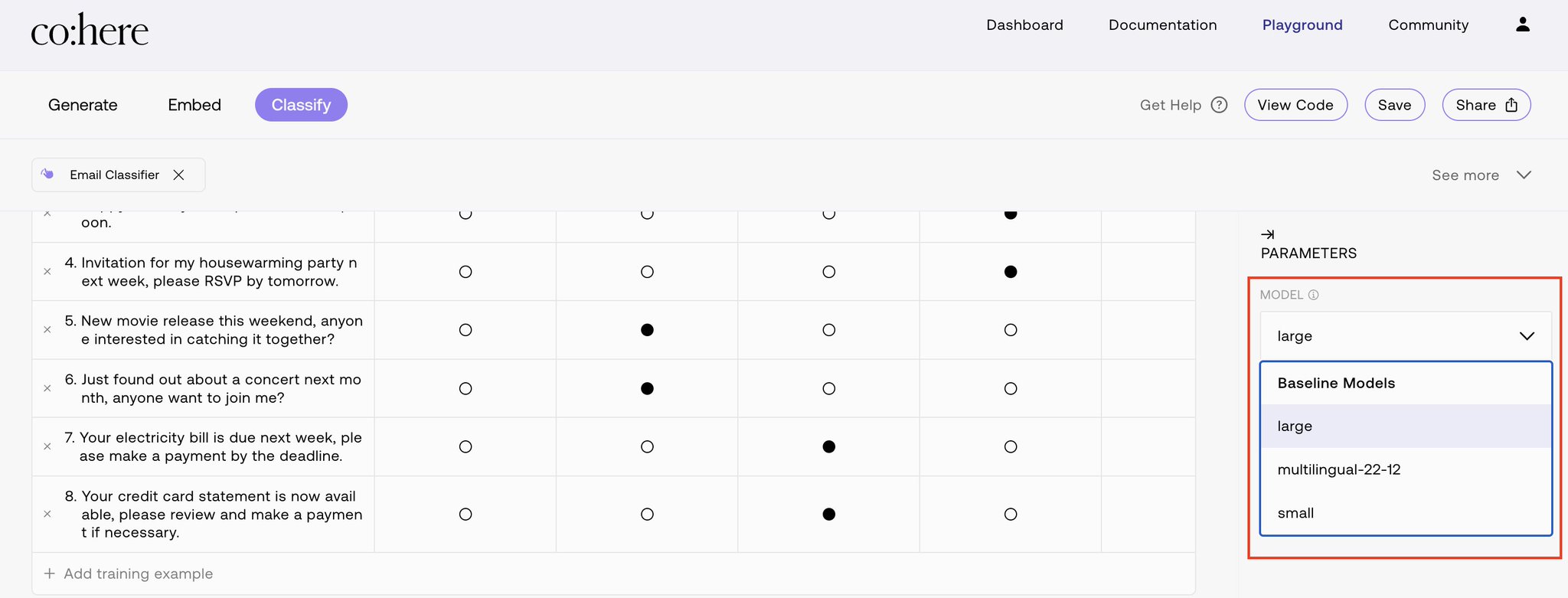
Selecting Cohere Classification Models for Email Tasks
By
–
Step 3: Select the appropriate model for your usecase. Cohere's classify end-point has three models: 1. small
2. large
3. multilingual For our email classification task, we use the large model. -

Generate Synthetic Data Using Cohere’s API Endpoint
By
–
Pro tip You can even use Cohere's generate endpoint to get synthetic data (emails in our case) on-the-fly.