Running on Macbook M1 pro (16GB RAM) using the @LMStudioAI. If you find this useful, RT to share it with your friends. Don't forget to follow me @Saboo_Shubham_ for more such LLMs tips and tutorials. https://
x.com/Saboo_Shubham_
/status/1790931929203912868
…
@saboo_shubham_
-
Running LLMs on MacBook M1 Pro with LM Studio
By
–
-
Local LLMs for Web Scraping Without Internet Connection
By
–
No internet to run the models. Web scraper with local llms.
-
Running LLMs on MacBook M1 Pro with LM Studio
By
–
Running on Macbook M1 pro (16GB RAM) using the @LMStudioAI
. If you find this useful, RT to share it with your friends. Don't forget to follow me @Saboo_Shubham_ for more such LLMs tips and tutorials. -
Awesome LLM Apps with RAG and AI Agents Demo
By
–
Find all the awesome LLM Apps demo with RAG and AI agents in the following Github Repo. P.S: Don't forget to star the repo to show your support
-
Streamlit App Demo for Local AI Scraper Tool
By
–
Working Application demo using Streamlit
— Shubham Saboo (@Saboo_Shubham_) 16 mai 2024
Paste the above code in vscode or pycharm and run the following command: 'streamlit run local_ai_scrapper.py' pic.twitter.com/5IMUcdFS0cWorking Application demo using Streamlit Paste the above code in vscode or pycharm and run the following command: 'streamlit run local_ai_scrapper.py'
-
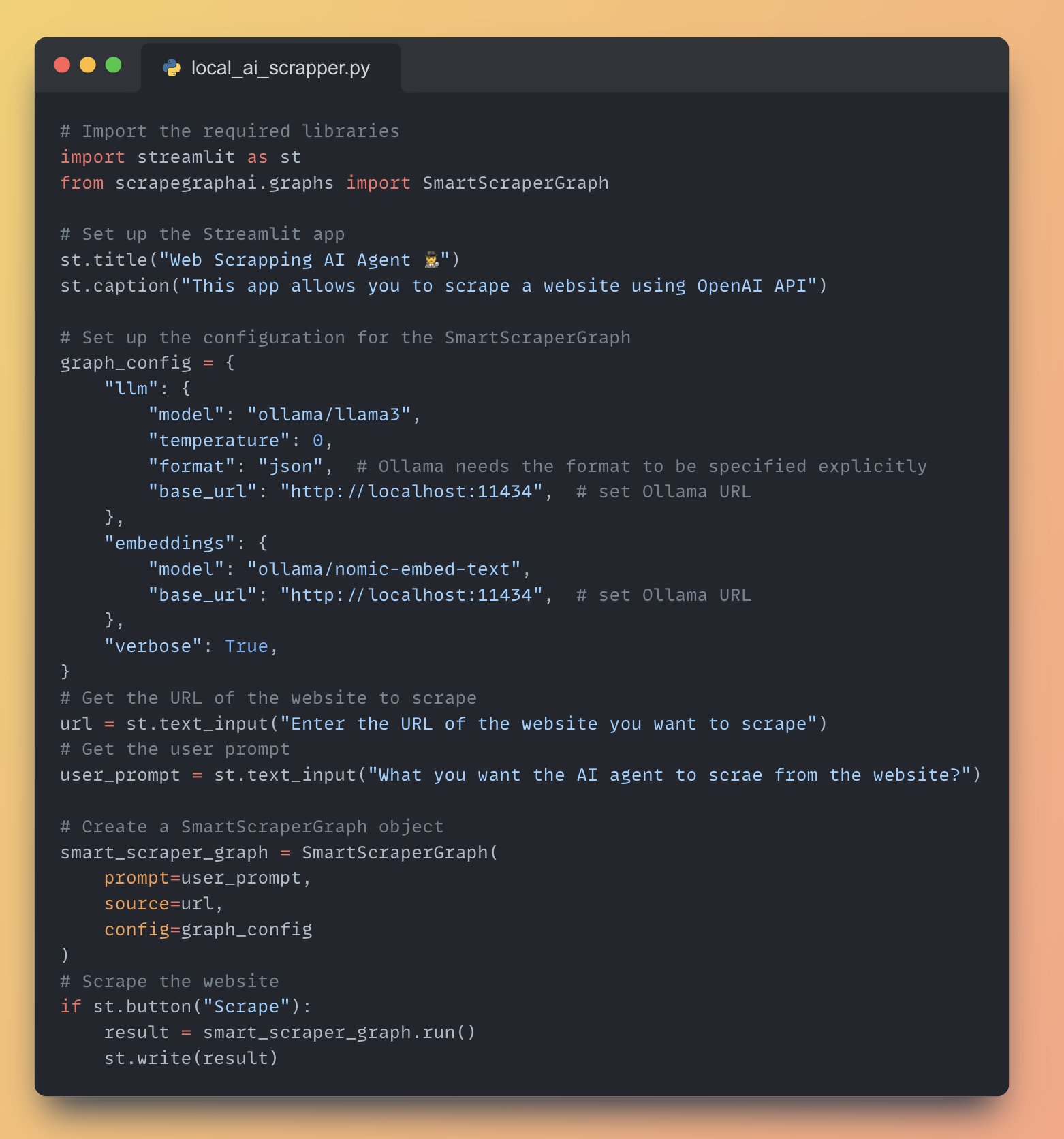
Web Scraper AI Agent with Local Llama-3 Using Ollama
By
–
Full Application Code running Webs Scrapper AI agent with local Llama-3 using Ollama
-
Web Scraping with SmartScraperGraph and Streamlit Button
By
–
9. Scrape the website and display the result • Add a "Scrape" button using 'st.button()'
• When the button is clicked, run the SmartScraperGraph and display the result using 'st.write()' -
Initializing SmartScraperGraph with Prompt URL and Config
By
–
8. Initialize the SmartScraperGraph • Create an instance of SmartScraperGraph with the user prompt, website URL, and graph configuration
-
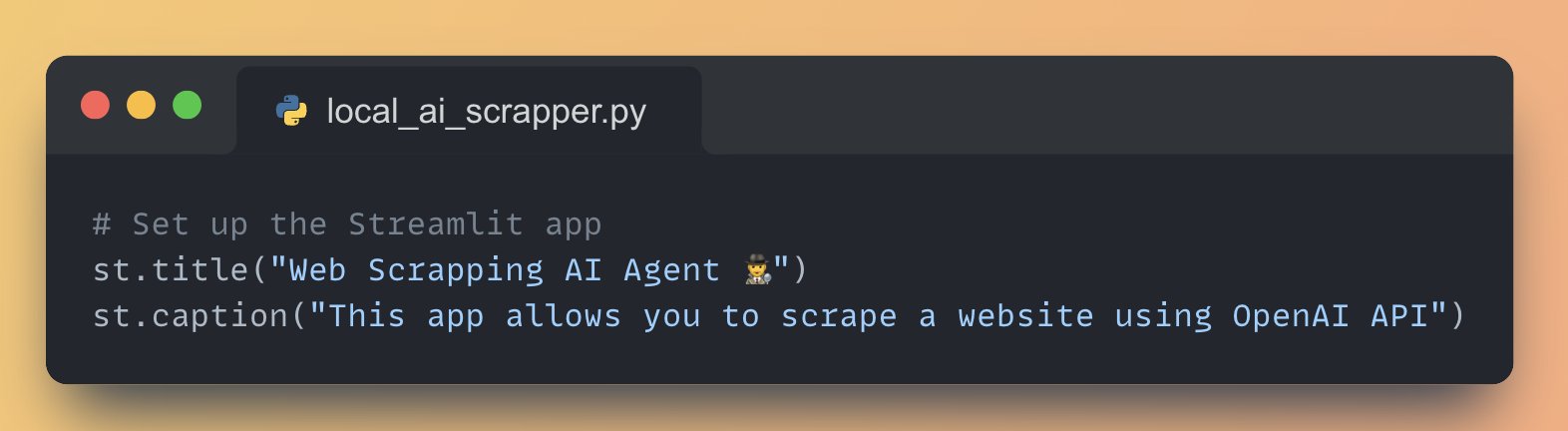
Building Streamlit Apps with OpenAI API Integration
By
–
5. Set up the Streamlit App Streamlit lets you create user interface with just python code, for this app we will: • Add a title to the app using 'st.title()'
• Create a text input box for the user to enter their OpenAI API key using 'st.text_input()' -
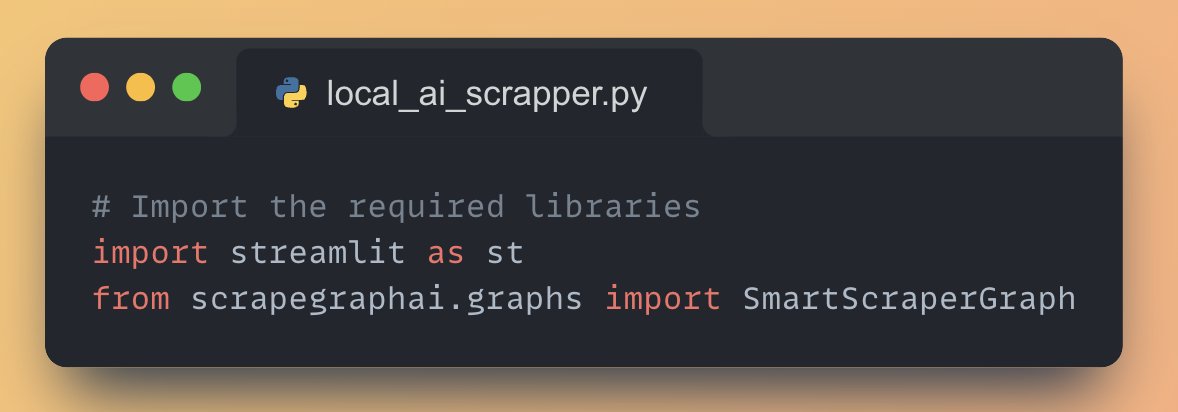
Building Web Scraping Pipelines with LLMs and Streamlit
By
–
4. Import necessary libraries • Streamlit for building the web app
• Scrapegraph AI for creating scrapping pipelines with LLMs