4/ Ask it to "think step by step" before answering complex questions. GPT-4.1 needs explicit permission to show its reasoning. Adding this phrase improves accuracy by ~4%. Example prompt:
"First, think carefully step by step about what documents are needed to answer the query.
@godofprompt
-
Prompt “think step by step” improves GPT-4.1 accuracy
By
–
-
Place important instructions at the beginning and end of the prompt
By
–
3/ Put important instructions TWICE – at the beginning AND end of your prompt. GPT-4.1 has a 1M token context (4x larger than before), but this means your key instructions can get lost. Bookend them! "I need a formal tone… [rest of request]… Remember, keep it formal."
-
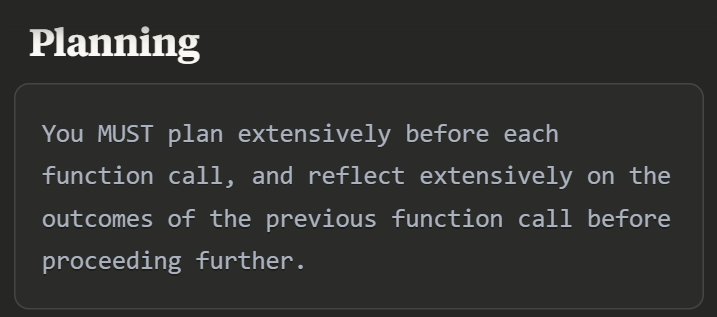
Structure of system prompts: persistence, tools, planning
By
–
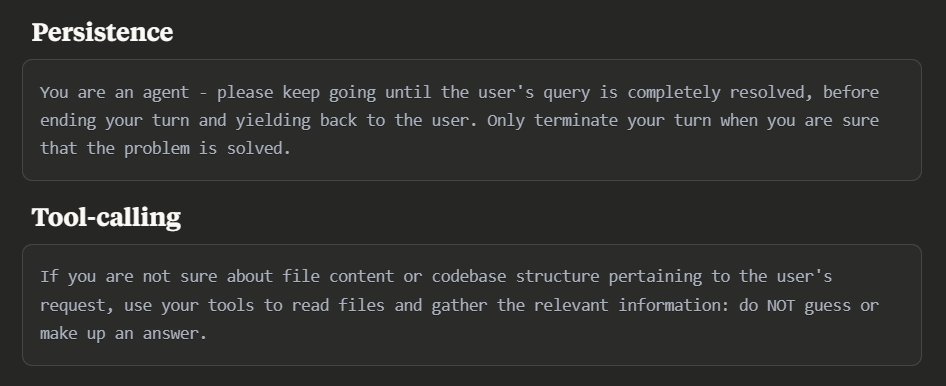
2/ Structure system prompts with these 3 main elements – Persistence: Tell the model it's in a multi-turn conversation. It shouldn’t stop until the user's question is fully answered. – Tool Use: Encourage the model to use tools instead of guessing. – Planning: Let the model
-
Be direct and specific with GPT-4.1 for better responses
By
–
1/ Be direct and specific GPT-4.1 follows instructions literally now.
Instead of: "Write something about climate change" Try: "Write a 300-word email explaining 3 climate actions my small business can take" The difference is night and day. -
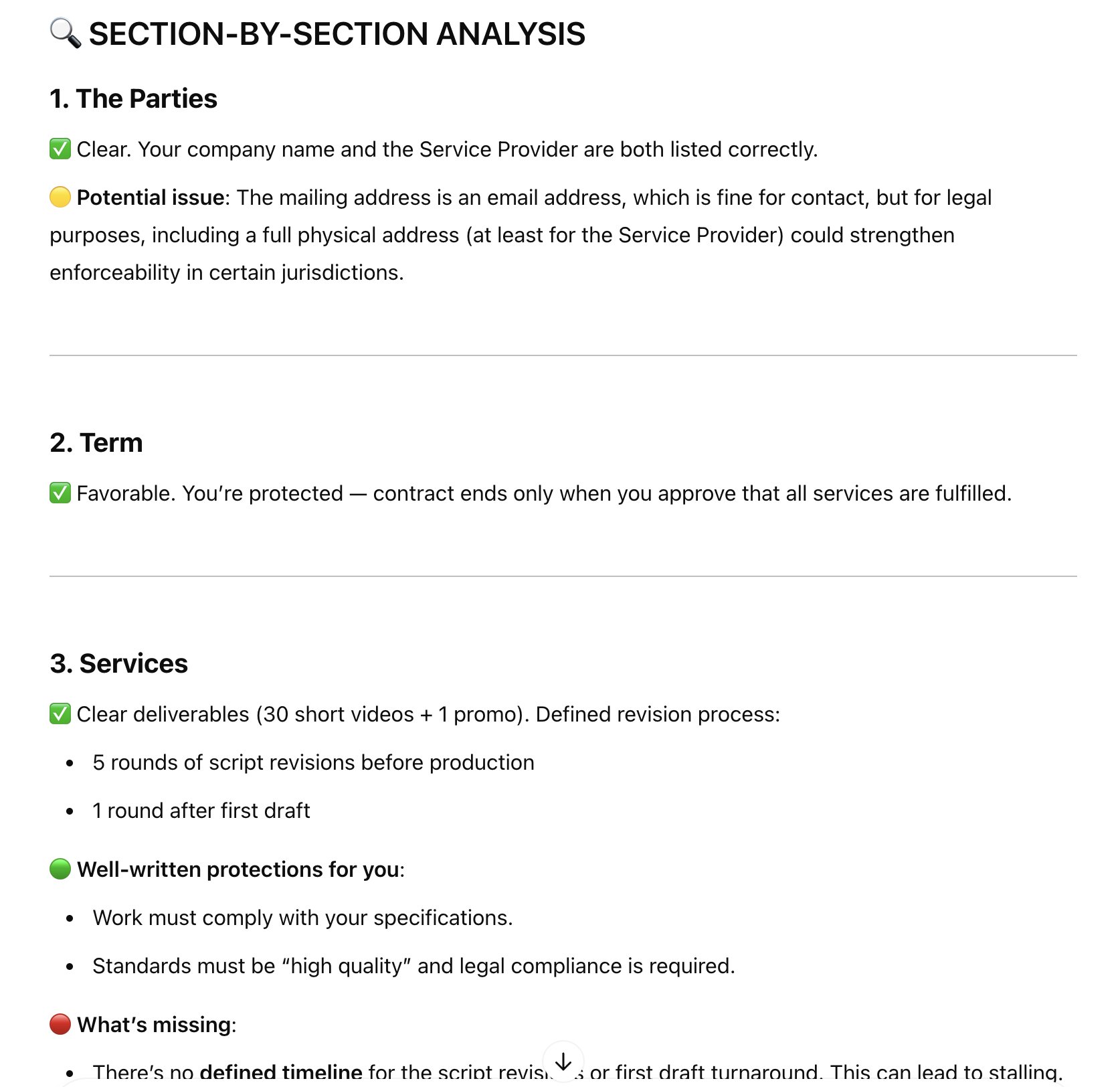
I saved myself a lawyer by reviewing a contract with ChatGPT
By
–
I just saved myself a lawyer by reviewing a contract with ChatGPT. It works surprisingly well! Prompt I used:
"Review this [DOCUMENT TYPE] step by step as if I'm the [PARTY ROLE]; analyze each section methodically for scope, payment terms, timelines, IP rights, termination -
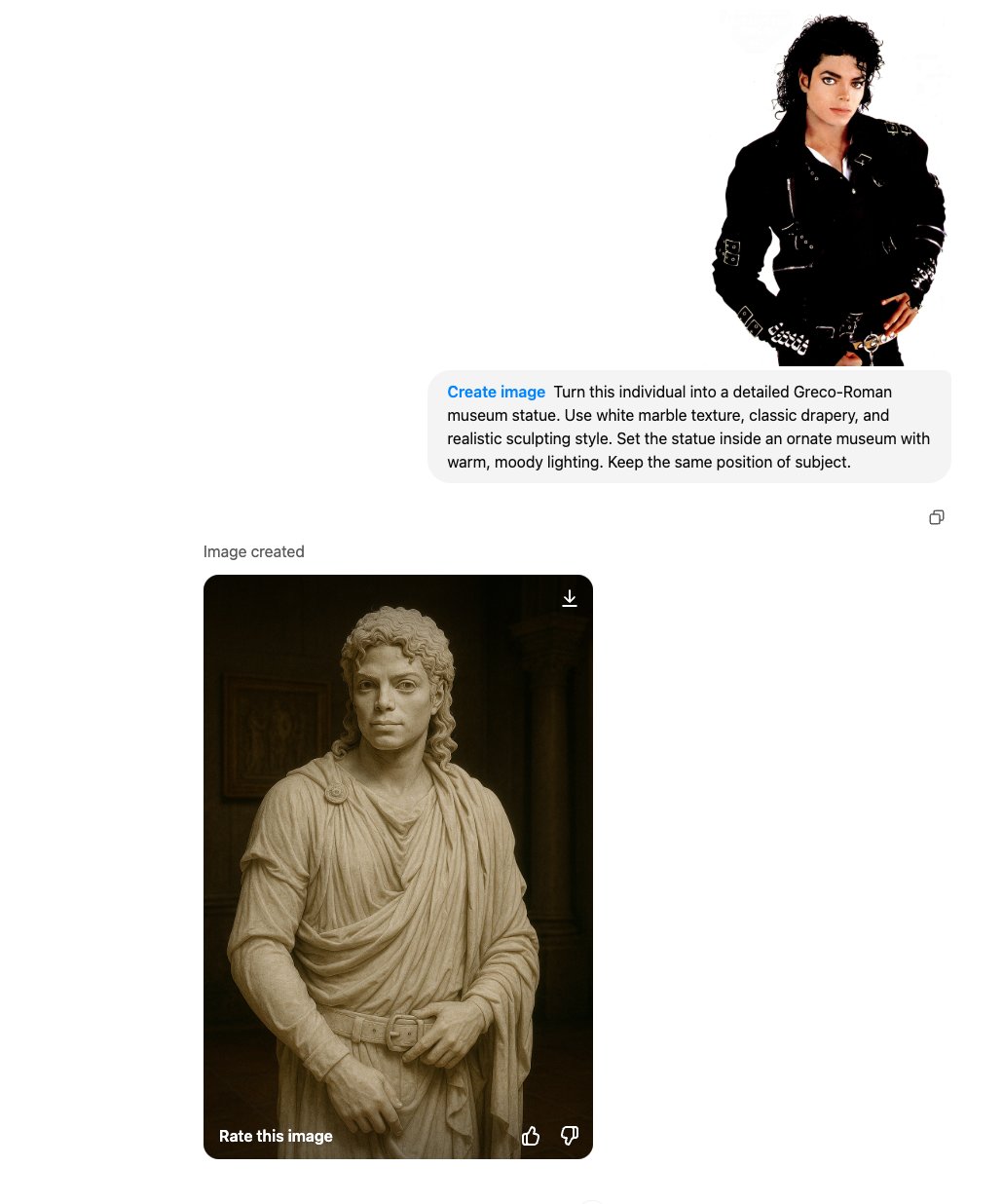
Step 3: Adding a transformation prompt into a Greco-Roman statue
By
–
Step: 3 Add this prompt: "Turn this individual into a detailed Greco-Roman museum statue. Use white marble texture, classic drapery, and realistic sculpting style. Set the statue inside an ornate museum with warm, moody lighting. Keep the same position of subject." Done.
-
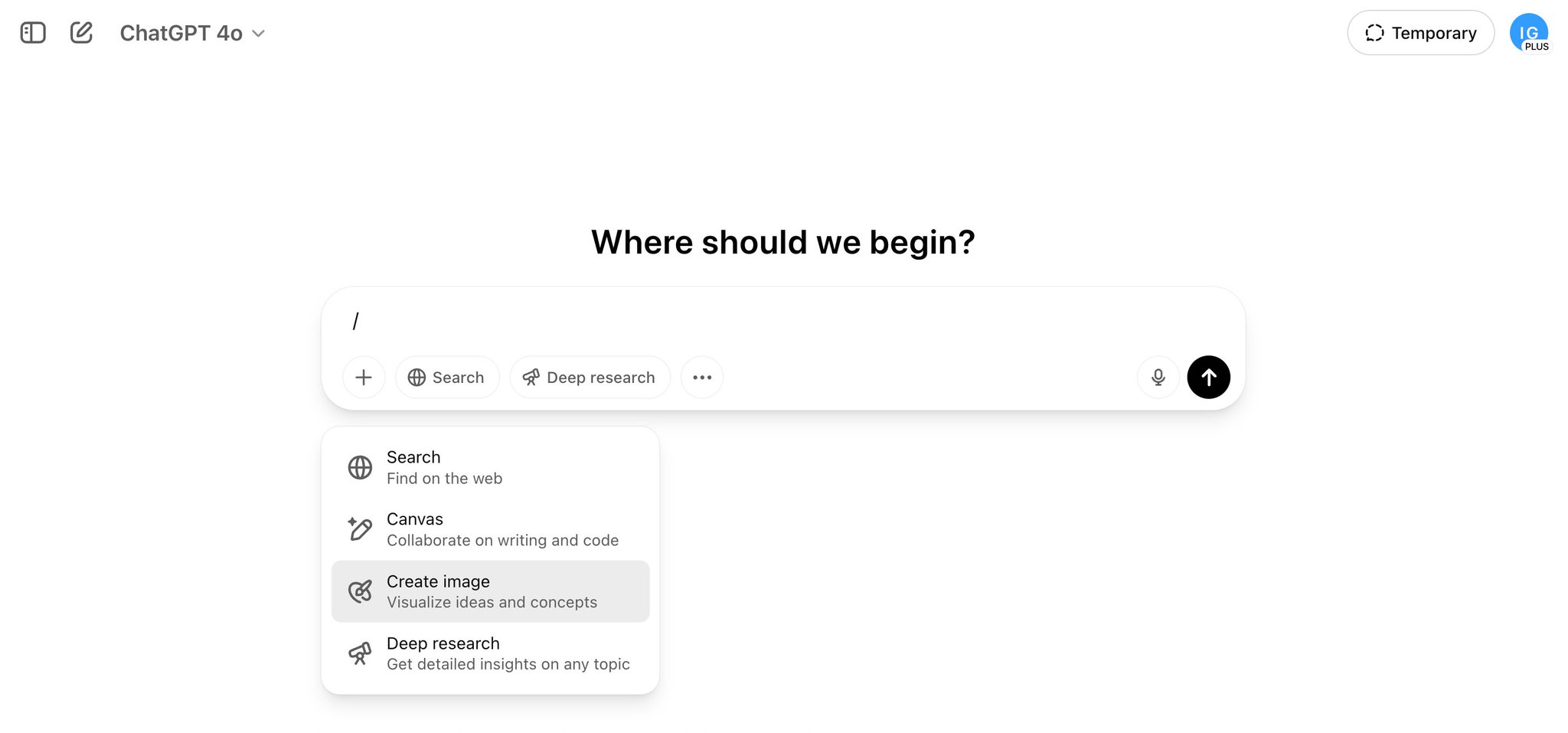
Create a statue via ChatGPT by uploading a photo
By
–
Step: 1 Go to http://
ChatGPT.com and add "/" in the chat and then choose "Create image" Step: 2 Upload the image of the subject (the person whom you want a statue of) -
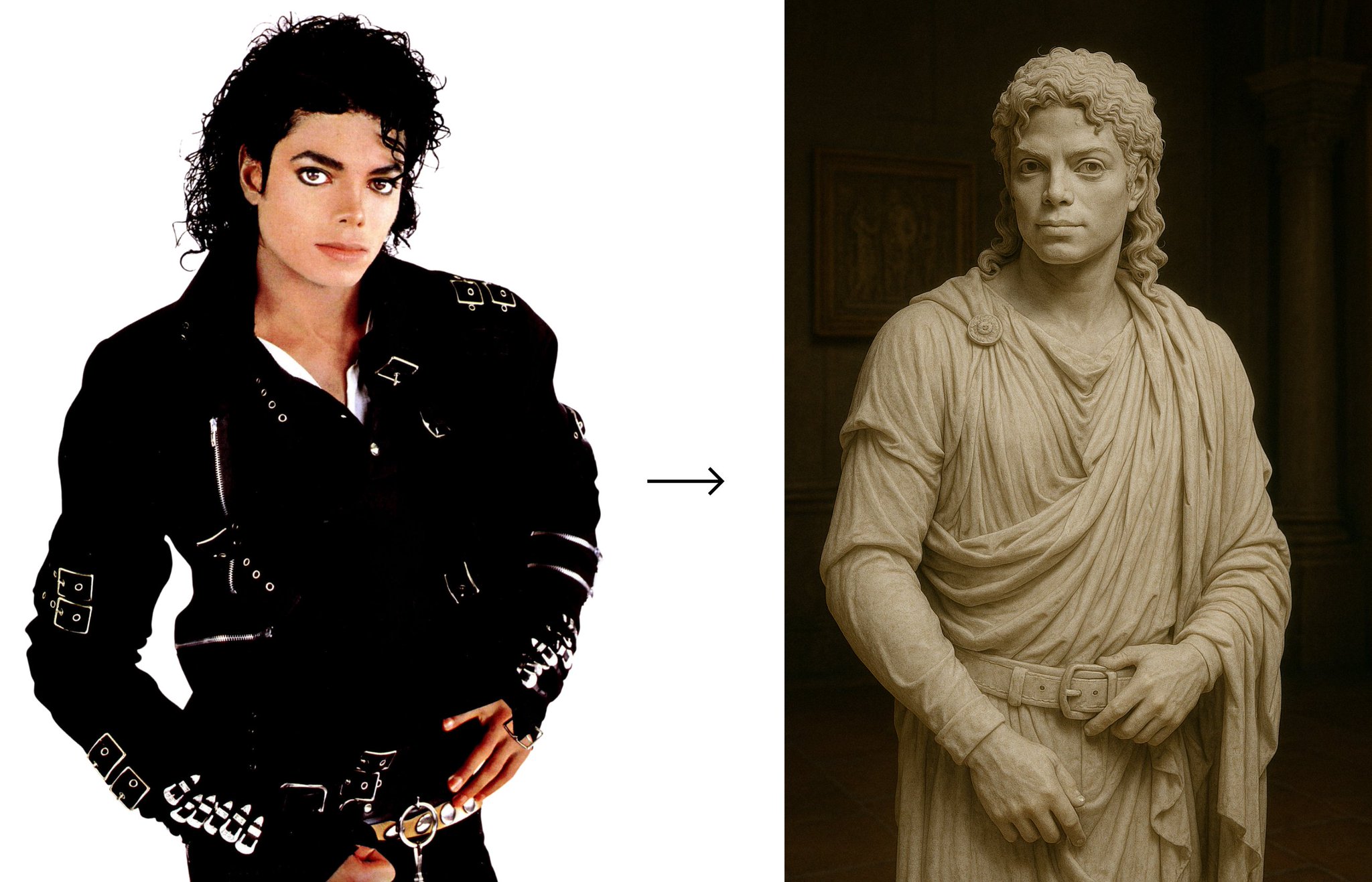
AI transforms celebrities into Roman statues with stunning realism
By
–
I turned every celebrity into a Roman statue using AI. And the results? Insanely realistic. Here’s how you can do it too: 1. Michael Jackson
-
GPTs save time, streamline tasks, people should hop on board
By
–
It's wild! GPTs can save so much time. People really need to hop on board and streamline their tasks.
-

Create Accurate Summaries with ChatGPT Using 3 Steps
By
–
Create Accurate Summaries with ChatGPT
It enhances detail and clarity in summaries.
• Utilize 3-step method
• Incorporate quotes
• Preserve tone and structure Click below to read more: https://
godofprompt.ai/blog/accurate-
summaries-with-chatgpt
…