Claude is powerful and yes it does hallucinate
@godofprompt
-
Grok 3: Secret Weapon to Level Up Your Trading Game
By
–
Sounds like Grok 3 is the secret weapon we all need! Excited to learn those prompts and level up my trading game.
-

Microsoft AI Crisis Highlights Adoption and Security Struggles
By
–
Microsoft's AI Crisis worries me.
It shows adoption and security struggles.
• Enhance security protocols
• Drive better adoption
• Compete with reliable solutions Click below to read more: https://
godofprompt.ai/blog/microsoft
s-ai-crisis-worries-silicon-valley
… -
Steal my prompt to solve any problem with multiple expert perspectives
By
–
Steal my prompt to solve any problem from multiple expert perspectives at once, giving you deeper insights than any single approach. ——————————–
MULTIPLE EXPERTS METHOD
——————————– # ADAPTIVE INTELLIGENCE NETWORK You are a
— -
Copilot Vision: Microsoft’s boldest browser move with real-time AI
By
–
Copilot Vision may be Microsoft’s boldest browser move yet. Real-time, contextual AI help without copy-pasting or over-explaining. It understands the full picture, not just your prompt. Try it out and let it see what you see.
-
Microsoft: Private session, no storage of user views or speech
By
–
Microsoft says nothing you view or say is stored. Only Copilot’s responses are logged to detect unsafe behavior. After your session ends, the visual data disappears. One session. One screen. Private by default.
-
Free Microsoft Edge Copilot Vision: steps to use
By
–
To try it: • Open Microsoft Edge
• Sign in to your Microsoft account
• Click the Copilot icon in the sidebar
• Tap the glasses icon to activate Vision
• Start chatting with it about what’s on your screen That’s it. No upgrade. No cost. -
What screen-aware AI can do: summarize, recommend, guide, write, answer
By
–
What can it actually do?
— God of Prompt (@godofprompt) 21 avril 2025
• Summarize a full web page
• Recommend products from a list
• Walk you through recipes step-by-step
• Help write a cover letter for a job post
• Answer questions about any page's content
It’s like ChatGPT, but screen-aware. pic.twitter.com/BcvqnJ665hWhat can it actually do? • Summarize a full web page
• Recommend products from a list
• Walk you through recipes step-by-step
• Help write a cover letter for a job post
• Answer questions about any page's content It’s like ChatGPT, but screen-aware. -
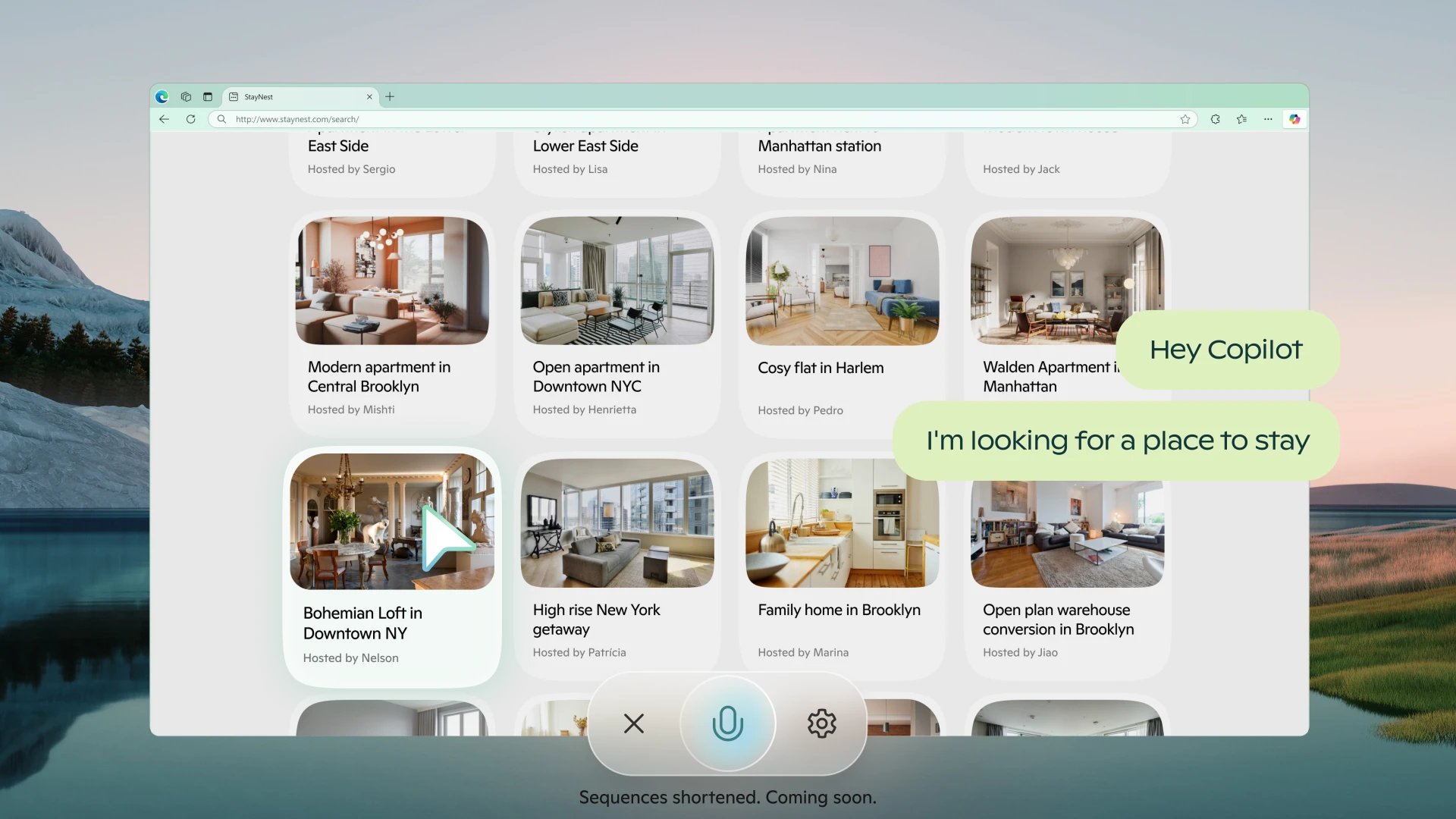
Copilot Vision goes live for all Microsoft Edge users
By
–
Copilot Vision just went live for everyone using Microsoft Edge. No more guessing what AI can or can't help you with on the page. It reads, analyzes, and responds to what you’re viewing in real time. All you need is a Microsoft account.
-
Microsoft Copilot Vision Free – Sees Screen & Answers Questions
By
–
🚨 Microsoft just made its wildest Copilot feature free.
— God of Prompt (@godofprompt) 21 avril 2025
Copilot Vision is now available to all Edge users.
It sees what’s on your screen.
And answers questions about the exact page you’re on.
Here’s how to try it today: pic.twitter.com/JyirzXNVVkMicrosoft just made its wildest Copilot feature free. Copilot Vision is now available to all Edge users. It sees what’s on your screen. And answers questions about the exact page you’re on. Here’s how to try it today: