It's only been a day since we've released MCP and folks are already starting to build tons of stuff on top of it. The future of MCP is truly going to be community-led and not controlled by any single entity. Here are some of the highlights I'm seeing from across the industry:
@alexalbert__
-
MCP Community Response and Future Improvements Ahead
By
–
It's been great to see the community's response to MCP! This launch is just the starting point – the team is already working on fast-followup improvements to the docs and Claude Desktop app experience based on your initial feedback. MCP's true potential will unfold in the
-
MCP Flexibility Demonstration Over LLM Search Performance
By
–
Note that the point of this is not to make a performant LLM-powered search engine, this is definitely not that! What it does do is quickly demonstrate how powerful and flexible MCP can be
-

Explore MCP Servers on GitHub Repository
By
–
If you want to improve on this server, explore more servers, or make your own integrations, go check out our GitHub repo: https://
github.com/modelcontextpr
otocol/servers
… We have tons of servers already pre-built for you to try out! -
Claude can perform web searches using server tools
By
–
After that, just ask Claude to make a web search for you! The server tools automatically get loaded in to the system prompt so that Claude knows it has access to them.
-
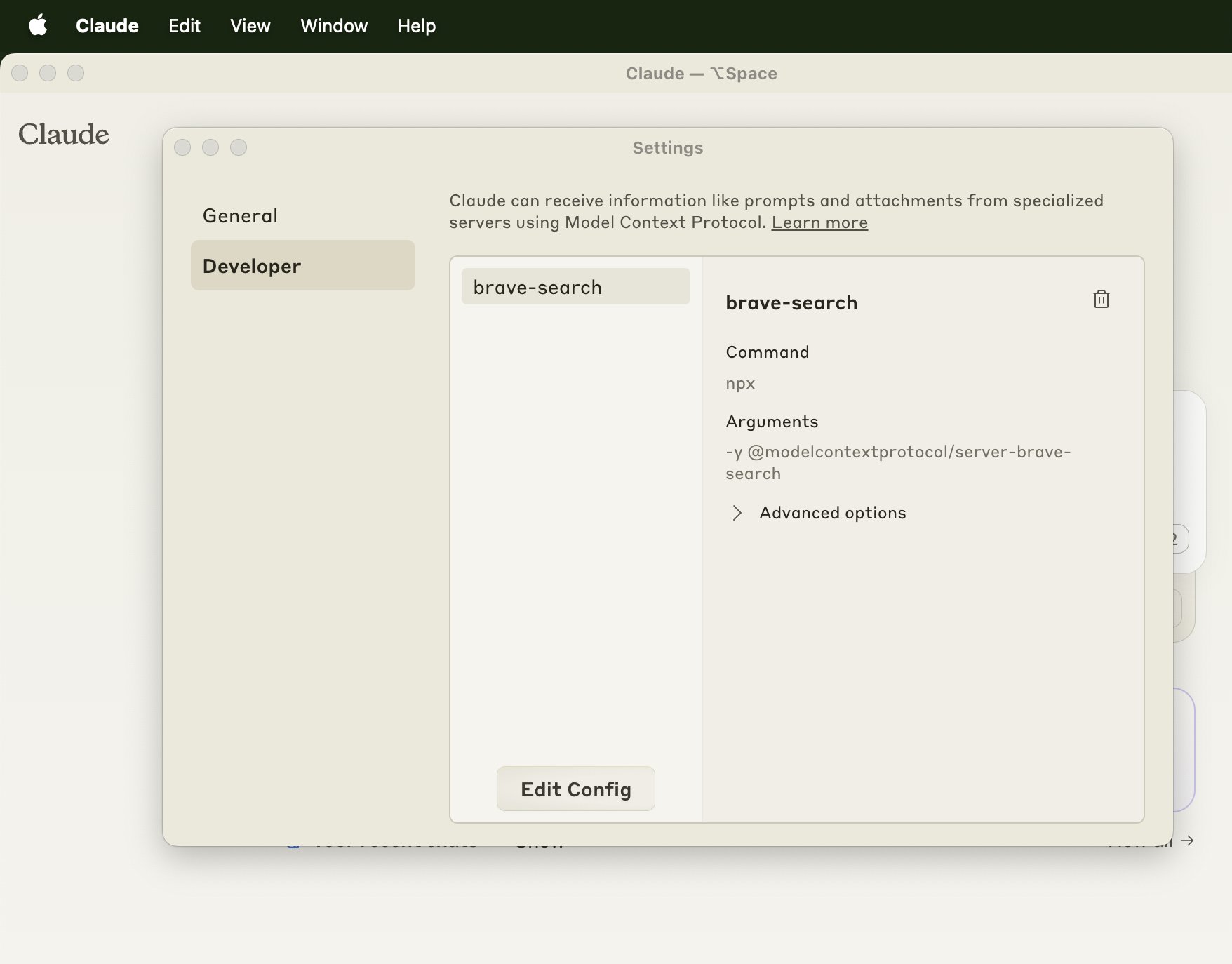
Restart Claude Desktop App to Load Configuration Changes
By
–
Restart your Claude desktop app for the changes to load. You can check that the server has been configured properly if you navigate to "Claude" > "Settings" in the top bar and check the Developer tab in this window that pops up
-
Add Brave Search MCP Server Configuration to Your File
By
–
Then, just add this to that file and save it: { "mcpServers": { "brave-search": { "command": "npx", "args": ["-y", "@modelcontextprotocol/server-brave-search"], "env": { "BRAVE_API_KEY": "ADD_YOUR_API_KEY_HERE" } } }
} -
How to Open Claude Desktop Configuration File on macOS and Windows
By
–
Next, open up your Claude Desktop configuration file: – macOS: ~/Library/Application Support/Claude/claude_desktop_config.json – Windows: %APPDATA%Claudeclaude_desktop_config.json
-
Download the Latest Claude Desktop App Version
By
–
First, you will need to download the latest version of our Claude desktop app here:
-
Connect Claude to Internet Search Engine Using MCP
By
–
I just connected Claude to an internet search engine using MCP.
— Alex Albert (@alexalbert__) 25 novembre 2024
Here's how you can do it too in under 5 minutes: pic.twitter.com/IT4j4AidXwI just connected Claude to an internet search engine using MCP. Here's how you can do it too in under 5 minutes: