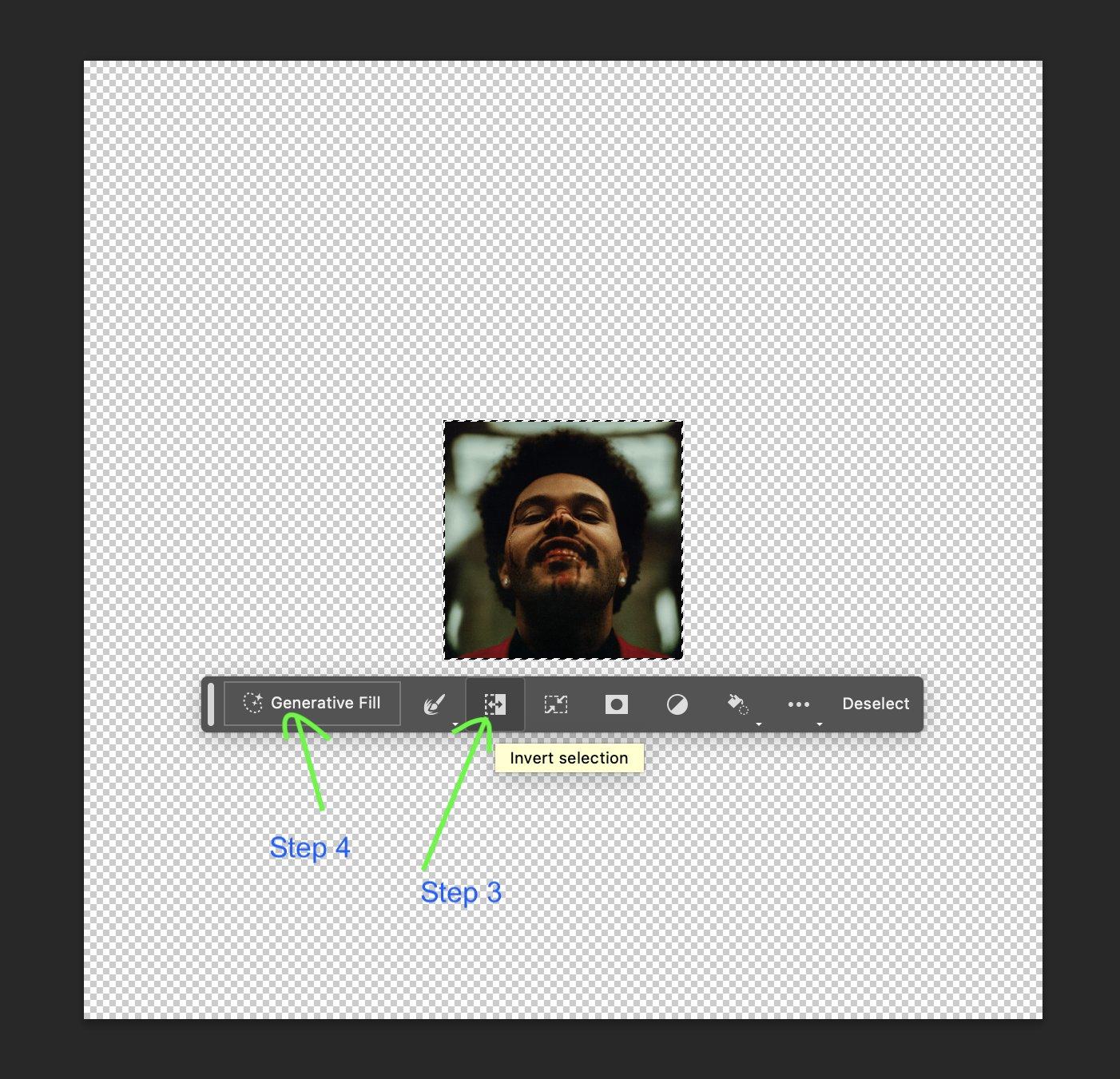
Want to make your own? Step 1: Download Photoshop beta: https://
adobe.com/products/photo
shop/generative-fill.html
… Step 2: Select your image. Step 3: Make an inverse selection of your image. Step 4: Click "generative fill". Boom! Done! If you enjoyed this:
1. Follow me @mrgreen 2. Retweet this thread.
Photoshop Generative Fill Tutorial: Create Images Effortlessly
By
–